AI Native CRM: Quokka, Attio, Clarify, and More
· Luca Barberis · 12 min read
On this page
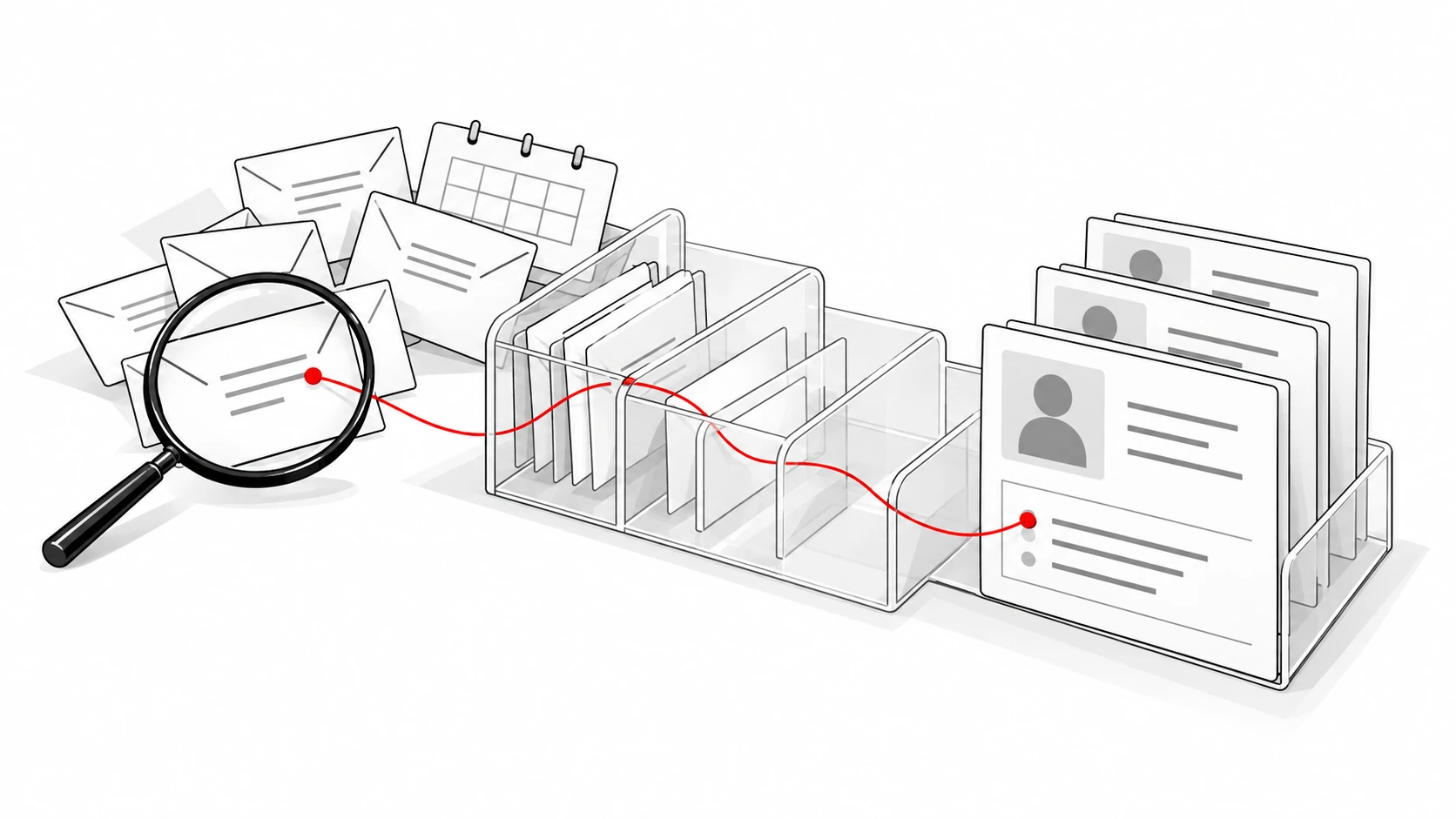
An AI native CRM puts intelligence and automation into the normal flow of customer records, rather than making every update start with data entry. The useful test is what happens after a customer conversation: which records appear, which facts change, and what a person must review.
Quokka is our pick for B2B teams of about 5 to 20 people selling through Gmail. It builds deals and contacts from connected email and calendar conversations, with a source sentence behind each fact. It costs $49 a month for the whole team. Quokka is our product.
This comparison covers Quokka, Attio, Clarify, Day AI, and Lightfield. It is for sales leaders choosing how AI should capture information and act on it. The sections compare published capabilities, setup choices, human controls, and current prices.
For a broader list that also covers established customer platforms, see AI CRM software. This page focuses on how intelligence fits the record and workflow. The product choices should be tested against that specific job.
Compare five AI native CRM approaches
Prices checked on October 13, 2026. Figures are USD before taxes and extras. The billing unit differs by product, so these aren't interchangeable per-seat prices.
| Product and selected plan | Best for | How intelligence fits the work | Monthly rate and billing unit |
|---|---|---|---|
| Quokka, Our pick | Gmail teams wanting an evidence-backed pipeline | Builds deals and facts from connected conversations | $49 per workspace, monthly; unlimited users |
| Attio Pro | Flexible records and configurable AI workflows | Connected customer data, AI tools, and workflow configuration | $79 per user, billed annually |
| Clarify Growth | Teams using AI agents and credit-based workflows | Agent work, meeting intelligence, and deal updates | From $1,000 per workspace, billed annually; usage credits |
| Day AI Professional | Deploying agents around shared customer memory | Gmail and Calendar ingestion with pipeline management | $60 per agent, billed annually |
| Lightfield Pro | Automatic capture with team workflows | Record updates from email and meetings | $999 per workspace, billed annually; five capture seats |
Want to see Quokka on your own pipeline? Start your free trial. 14 days free, no card needed. Then $49 a month for your whole team.
The architecture label alone doesn't tell you what an AI feature will do. Test record capture, field updates, and agent actions separately. A CRM can assist a person, suggest a change, or perform a configured action, with different consequences.
1. Quokka: Our pick for a pipeline built from evidence
Quokka reads connected Gmail and Google Calendar to build deals, contacts, companies, values, next steps, and promises. It is built for teams selling from Gmail and Google Workspace. Each fact links to the email sentence it came from.
That gives managers a way to inspect the sales record. Open an amount or next step and check the source. The record supports the conversation about the deal, with its evidence available.
Key features, setup, and human control
The Today view ranks deals needing attention and explains why. It can identify a deal that went quiet, a promise you owe a customer, or a declined meeting. Reps get a shortlist they can use to decide the next action.
Quokka drafts a follow-up email in the relevant thread. You edit, approve, and send it from your own mailbox. Nothing is sent automatically.
The forecast shows the deals and amounts behind it, including what is missing. Quokka compares open deals with won and lost history. Managers can see deals and results by owner, with custom columns and filters on the deals list.
Setup starts with connecting Gmail and Google Calendar. Closed-deal history can come from a CSV export, and the import can be undone within 48 hours. If a call or meeting happened outside what Quokka could see, tell the chat panel what happened.
Pricing
Quokka is $49 per workspace per month, including all features and unlimited users. The rate stays the same for five, ten, or twenty people. See Quokka pricing.
2. Attio: Best for a configurable customer data model
Attio combines connected customer information with configurable records, AI tools, and workflows. Its strength is giving teams a flexible system they can shape around their business. Pro includes Call Intelligence, sequences, permission controls, and advanced reporting on Attio's official pricing page.
Attio's email and calendar connections build a contact database from interactions. Its product includes Ask Attio, AI agents, enrichment, and workflow tools. Assess which parts of that system match the work you want to automate.
Setup and what to watch for
Choose the records, lists, fields, and workflows your team needs. Connect the accounts, then inspect the customer data that appears. Check separately how opportunities are created and how a change in a conversation reaches a deal field.
Credits are shared across AI and workflow features. Pro includes 1,000 seat credits per user and 10,000 workspace credits per month. Ask how the planned actions use those allowances, and who will maintain the configured workflows.
Pricing
Pro is $79 per user per month on annual billing, or $99 on monthly billing. Plus starts at $35 annually and is limited to ten seats. Prices checked on October 13, 2026.
3. Clarify: Best for AI work billed through workspace credits
Clarify is a CRM with an AI sales agent, deal and meeting intelligence, and automatic record work. Its strength is organizing agent actions around shared customer context. Clarify's pricing page says credits cover meeting preparation, summaries, deal creation, field updates, tasks, and workflows.
Clarify AI CRM plans have unlimited seats. That makes the usage allowance and action costs central to the comparison. A workspace price needs to be read beside the work its credits cover.
Setup and what to watch for
Connect accounts and define what information the team needs from meetings and conversations. Inspect a suggested deal or field change before expanding the workflow. Check which agent action can run without a person's approval.
The billing guide says on-demand credits are off by default. Credit-consuming features pause when the allowance runs out unless paid on-demand usage is enabled. Spend limits can cap on-demand usage.
Pricing
Growth starts at $1,000 per month, billed annually, with 100,000 or more monthly credits. Starter is $40 per month on annual billing, with the vendor positioning it for teams up to three people. Prices checked on October 13, 2026.
4. Day AI: Best for agents working from shared customer memory
Day AI organizes work around agents and shared memory from meetings and email. Professional includes Gmail and Calendar ingestion, pipeline and opportunity management, custom properties and views, and five automated skill slots. Its strength is letting a company deploy agents with defined jobs.
The official pricing page distinguishes free colleagues from paid agents. Workspaces with at least one Professional Agent can add colleagues at no cost. Day AI CRM evaluation should therefore count the agents the company will deploy, rather than simply multiplying every human user by the rate.
Setup and what to watch for
Decide which jobs an agent will carry out and which information it needs. Test a customer conversation against the resulting record. Check the source context, any change to a property, and what the person managing that agent can review.
Different agent tiers have different skills and automated slot allowances. Free users can search, view, and share context; paid capabilities depend on the deployed agent. Don't assume free teammate access includes every Professional action.
Pricing
Professional costs $60 per agent per month on annual billing paid upfront. This rate applies to the published one-to-twenty-agent band. Prices checked on October 13, 2026.
5. Lightfield: Best for captured conversations and configured workflows
Lightfield captures email and meeting content to update CRM records. Its strength is connecting those conversations with a customizable data model and team workflows. Pro includes workflows, email sequences, dashboards, reporting, and workspace credits on Lightfield's official pricing page.
The product distinguishes capture seats from viewer seats. Capture seats sync a person's email and meetings into the CRM. Viewer seats let people access permitted records and use chat to query and analyze them.
Setup and what to watch for
Define the data model, connect the capture accounts, and inspect automatic record updates. Check a value that changed during an email conversation. Ask how the system distinguishes the old information from the current information.
Pro includes five capture seats and unlimited viewer seats. Additional capture seats cost extra. Workspace credits cover automations, sequences, workflows, and advanced enrichment, with annual allowances and usage controls.
Pricing
Pro is $999 per workspace per month, billed annually. An additional capture seat is $200 per month on annual billing. Prices checked on October 13, 2026.
How to judge the core architecture
The term AI native CRM describes a product direction, not a certification. The distinction from traditional CRM systems is how deeply intelligence fits the ordinary records and workflows. Both older and newer CRM platforms can capture data and automate tasks.
Salesforce and other established vendors also offer AI tools within their customer platforms. A new category label doesn't prove better CRM data or a user-friendly workflow. Compare what the system does with the conversation and how a person checks its work.
Most teams need a practical decision about the work they want to remove. A founder or CEO may need a clear pipeline, while a larger enterprise may need custom records across sales, marketing, and service. Organizations should choose around those jobs and the sources required to support them.
For this comparison, inspect what happens when the customer changes the plan. Does the CRM record change, does an AI layer suggest an edit, or does someone copy the conversation into a field? That shows the manual work left to the team.
Follow structured and unstructured data through the system
Structured data includes a deal value, owner, and stage. Unstructured data includes emails, meeting notes, and video calls. A useful system connects the source conversation with the relevant structured record.
Check whether it handles a change, a forwarded message, and several people discussing the same opportunity. Ask what it knows and what it couldn't see. Complete customer context depends on the sources a product can access.
Quokka's design makes the email source available behind each fact. Every fact needs a receipt explains why that matters. A plausible summary needs to be checkable before it becomes a sales decision.
Separate natural language from agentic AI
Natural language means using ordinary words to ask for information or an action. Agentic AI describes systems that can carry out steps toward a task. A chat interface doesn't automatically tell you which actions the product can perform.
An agentic CRM may update records, create tasks, or run configured workflows. Inspect the next best action and any step it takes. Ask how it handles a wrong record, a missing fact, or a request it isn't allowed to complete.
CRM-native agents can work on shared records within the platform. Their permissions should match the job and the user managing them. Review what happens when an action changes customer data or sends a message.
Configured CRM workflows can help the team scale routine tasks without adding an edit for every new record. Test the exceptions as well as the ordinary path. Current information is useful when the next action uses the latest conversation, rather than an old field.
Real time access can make a recommendation more timely, but first check what the product means by real time. It may refer to synced activity, a generated summary, or a record update. Inspect the source before using those insights in a customer response.
Examine native integrations and access
Connect the accounts the team will use in normal work. Check which messages, calendar events, or other records become available. An integration ecosystem can help connect tools, but each connection still has a specific job.
A data cloud or data agent may support a larger company's architecture. For a small team, identify the information required to understand an opportunity. Bringing all the context into one system is useful only when people can inspect and control it.
If you already have separate AI point solutions, decide which tasks the new platform replaces. A meeting recorder, an email writer, and a CRM can overlap without doing the same job. Count the records and workflows you still need to maintain.
Check security and human review
Review access to sensitive data, record permissions, and action logs. Confirm whether agents inherit the user's controls or need separate permissions. Compliance claims should be checked against the vendor's current documentation.
Quokka filters personal, medical, financial, and job-related email before reading message bodies. Each person's bodies are encrypted with their own key. It also separates customers at the database level and keeps audit records of access and actions.
Choose around the work and the bill
Start with the source of record keeping your team wants to remove. Quokka suits teams wanting deals built from Gmail conversations at a flat workspace rate. The other options offer different combinations of custom objects, shared context, capture accounts, and configured agent work.
Compare the actual billing unit. Attio charges per user, Clarify uses workspace plans and credits, Day AI charges per agent, and Lightfield distinguishes capture and viewer seats. Calculate the working configuration before comparing headlines.
Day AI also publishes a Free tier for capturing context and letting colleagues search, view, and share. It doesn't include Professional's pipeline and opportunity management. Free access and a deployed agent have different jobs, so count the paid capabilities the team will use.
Then test a complete ordinary workflow, from a conversation to a changed record and a follow-up. Note what runs automatically and what needs a human. CRM adoption explains why the remaining admin matters after setup.
FAQ
Is Clarify a CRM?
Yes, Clarify combines customer records with an AI sales agent, deal intelligence, and meeting tools. Its paid plans have unlimited seats with credits for AI work. Check the required plan and expected action volume before comparing costs.
What does Clarify AI do?
Clarify uses credits for tasks such as meeting preparation, deal summaries, field updates, and workflow actions. Its plans differ in included functionality and usage allowances. Test the source context and human review for the actions your team needs.
Can AI build a CRM system?
AI can help create interfaces, summarize conversations, and configure or update records. A useful customer system still needs clear data sources, permissions, and a reliable way to inspect changes. Compare products by the actual work they perform rather than the architecture label alone.
What are the top three CRM platforms?
There isn't a universal ranking for every company. In this category, Quokka suits Gmail teams, Attio suits configurable customer records, and Clarify suits credit-based agent workflows. Day AI and Lightfield offer other models that are covered in this comparison.
Try Quokka free
Quokka builds your pipeline from connected Gmail and Google Calendar, with sources behind each fact. Start your free trial. 14 days free, no card needed. Then $49 a month for your whole team.