Best AI Sales Assistant Tools for Small B2B Teams
· Luca Barberis · 16 min read
On this page
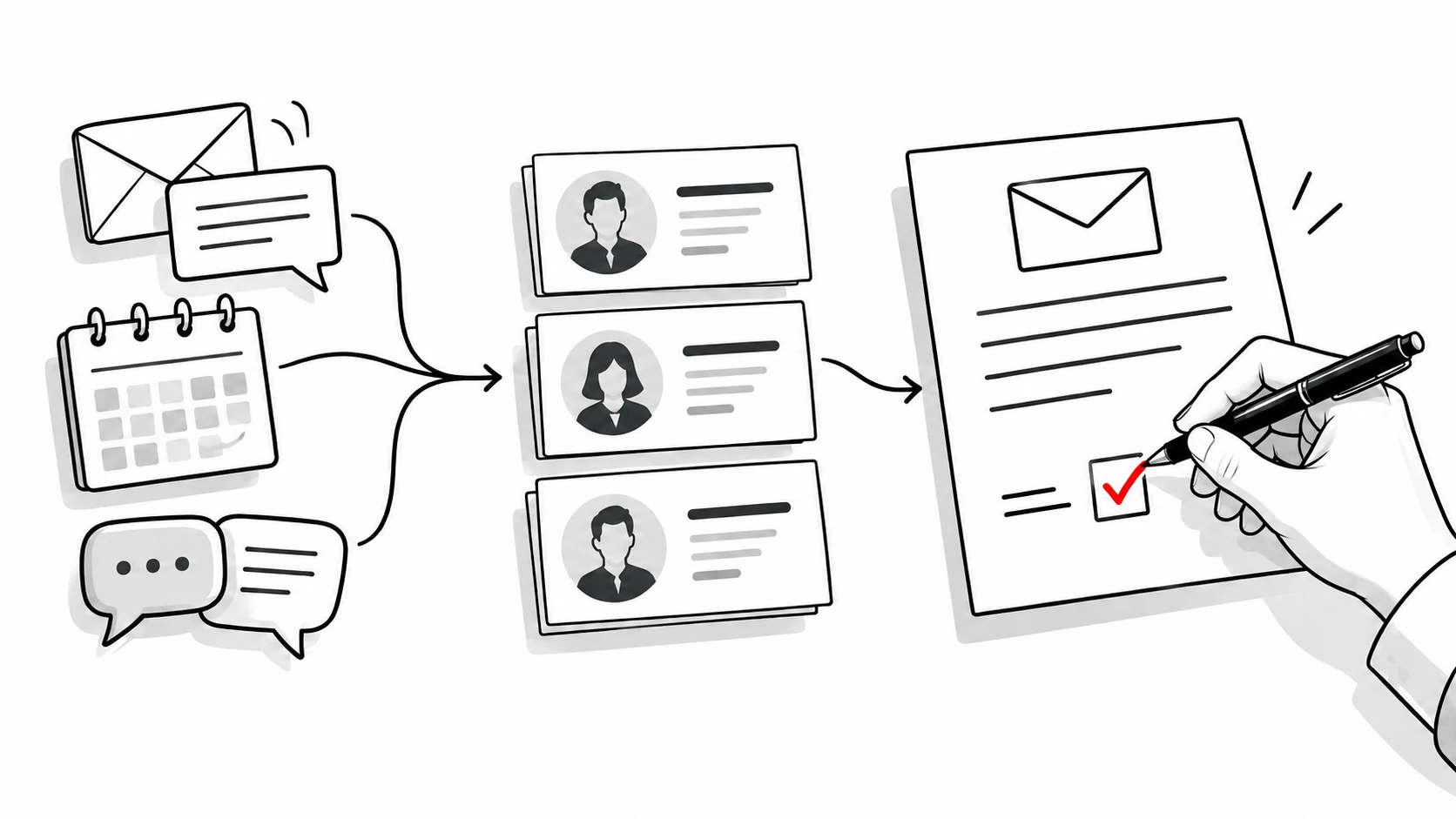
Quokka is our pick for an AI sales assistant when a small B2B team wants help with its Gmail pipeline. It builds deals from connected conversations, spots opportunities needing attention, and drafts the follow-up in the right thread. A person always edits, approves, and sends the message. Quokka is our product.
This guide is for founders, sales managers, and teams of about 5 to 20 people selling by email. It compares eight tools on the sales tasks they handle, the data they need, human review, setup choices, and current prices. Quokka costs $49 a month for the whole team.
Choose around the work you want done. AI-generated summaries, record updates, predictions, and call coaching are different capabilities. An assistant should help the team act on customer conversations without creating another job to maintain.
Compare eight AI sales assistant options
Prices checked on October 13, 2026. Figures are USD before taxes and extras. Annual rates are monthly equivalents on annual billing; Gong provides custom pricing rather than a public dollar rate.
| Tool and selected plan | Best for | Main assistance | Monthly rate and conditions |
|---|---|---|---|
| Quokka, Our pick | Gmail pipeline work and follow-ups | Builds deals, ranks attention, and drafts replies for approval | $49 per workspace, monthly; unlimited users |
| HubSpot with Sales Hub Professional | Assistance within a shared customer platform | Breeze drafts and deal progression with review | $90 per user, annual billing; $1,500 onboarding |
| Pipedrive Premium | Email assistance beside a visual pipeline | AI email creation and report creation | $59 per user, annual billing |
| Zoho CRM Enterprise | Predictive guidance within configured records | Zia predictions, analysis, and suggestions | $40 per user, annual billing |
| Gong | Coaching from recorded sales conversations | Conversation analysis and deal risk signals | Custom per-user pricing and platform fee |
| Attio Pro | Flexible record work and AI workflows | Ask Attio, Call Intelligence, and configured actions | $79 per user, annual billing; credits |
| Day AI Professional | Agents using shared customer memory | Pipeline, tasks, and email drafts | $60 per agent, annual billing |
| Freshsales Pro | Guidance within a structured sales workspace | Freddy deal insights; separate AI Agent add-on | $39 per user, annual billing |
Want to see Quokka on your own pipeline? Start your free trial. 14 days free, no card needed. Then $49 a month for your whole team.
These are selected working plans, rather than prices for identical feature bundles. Some assistants are available on lower tiers with limits, while other actions use credits or separate add-ons. Check the capability you need beside its plan and billing unit.
1. Quokka: Our pick for attention and follow-ups from Gmail
Quokka is built for small B2B sales teams using Gmail and Google Workspace. It reads connected Gmail and Google Calendar, then builds deals, contacts, companies, values, next steps, and promises. Nobody has to copy the conversation into CRM notes.
The source behind each fact remains available. Open an amount or next step and see the email sentence it came from. Sales managers can inspect the record while discussing the opportunity with its owner.
Key capabilities
The Today view ranks opportunities needing attention and explains why. It can surface a deal that went quiet, a promise you owe a customer, or a meeting the customer declined. That gives the rep a shortlist of actions to consider.
Quokka drafts follow-ups in the right email thread. You edit, approve, and send them from your own mailbox. Nothing is sent automatically, so the message remains the rep's responsibility.
The forecast shows the deals and amounts behind it, including what is missing. Quokka compares open opportunities with won and lost history. Managers see deals and results by owner, with custom columns and filters on the deals list.
Setup and daily use
Connect Gmail and Google Calendar to start building the pipeline. For a call or meeting outside what Quokka could see, tell the chat panel what happened. You can also ask questions about deals and next steps.
Closed-deal history can come from a CRM export in CSV format, and an import can be undone within 48 hours. Quokka connects to Claude, Claude Code, and Codex for questions about the pipeline from those tools. The sales workflow stays tied to the team's customer conversations.
Pricing
Quokka costs $49 per workspace per month, including all features and unlimited users. Five, ten, and twenty people pay the same workspace rate. See Quokka pricing.
2. HubSpot: Best for assistance within a customer platform
HubSpot's Breeze Assistant uses CRM context to help with questions, preparation, and writing. Its strength is bringing assistance into the customer platform the team already works in. The vendor describes free Assistant access on its official Breeze page.
Professional is selected here for the broader Sales Hub bundle. It includes sequences, workflows, reporting, and forecasting. It should be evaluated as a paid sales platform, rather than the minimum price for asking an AI assistant a question.
Key capabilities and what to watch for
HubSpot's deal progression guide describes suggested record updates, next actions, and context-based replies. It supports Professional and Enterprise sales or service subscriptions with assigned seats. The documented workflow includes setup and public beta requirements.
Reps can review and approve suggestions. Certain actions need HubSpot Credits; custom property updates use credits while default property updates don't. Check the transcripts, account connections, and permissions needed for the intended process.
Pricing
Sales Hub Professional starts at $90 per user per month, paid annually. Required onboarding costs $1,500 once. Prices checked on October 13, 2026.
3. Pipedrive: Best for AI email assistance beside the pipeline
Pipedrive suits teams wanting assistance within an established visual sales workspace. Premium includes AI email creation, while AI report creation is available across plans. Its strength is placing these tools beside contacts, activities, and opportunities.
The official AI feature guide explains what is released and what remains in beta. A rep can generate an email from a prompt, choose its tone and length, and customize the resulting message.
Key capabilities and what to watch for
The report tool can create a report from an ordinary text request. The Sales Assistant can answer data questions and help with content, but the current guide labels it a beta feature. Email summaries and suggested replies are also listed as beta.
Some beta features are limited to selected users. Confirm availability in the account before choosing the plan around them. Test the draft against the customer's last message and agreed next step.
Pricing
Premium costs $59 per user per month, billed annually. Ten users are $590 a month equivalent before extras. Prices checked on October 13, 2026.
4. Zoho Zia: Best for predictive guidance in configured records
Zoho's Zia tools sit inside its CRM and support prediction, analysis, and suggestions. Enterprise includes anomaly detection, churn prediction, and best-time-to-contact guidance on the official Enterprise page. Its strength is configurable guidance within a structured customer system.
That suits a team wanting to use historical data alongside its current customer records. The prediction and the suggested action should be tested together. A number matters when the rep knows what decision it supports.
Key capabilities and what to watch for
Define the fields, processes, and records that the team needs. Check the source data and feature-specific requirements before relying on a model. Available Zia capabilities can have different account conditions.
Separate lead scoring from a suggested message or a field update. They use different information and solve different sales tasks. Test the tools against the kind of prospect data and deal history your team has.
Pricing
Zoho CRM Enterprise is $40 per user per month, billed annually. Ten users are $400 a month equivalent. Prices checked on October 13, 2026.
5. Gong: Best for coaching from sales conversations
Gong analyzes sales calls, meetings, and other customer interactions to support deal work and coaching. Its strength is giving revenue teams real conversations to inspect. Gong's conversation intelligence page describes recordings, transcription, analysis, and deal risk signals.
This suits sales managers who want to coach from what happened in the conversation. They can review evidence of an objection, a question, or a missed next step. A generated summary can point to material the manager should inspect.
Key capabilities and what to watch for
Conversation intelligence can support sales coaching and pipeline health discussions. Configure the source connections and review how the tool presents the underlying interaction. A recorded call and an AI interpretation should be assessed separately.
Check the plan and seats needed for the intended job. Gong's credit guide explains that some AI usage has seat-based allocations and credits for expanding use. Confirm the relevant allowance in the proposed subscription.
Pricing
Gong's pricing page states that licenses are per user and a platform fee depends on the number supported. It doesn't publish a standard dollar rate. Pricing structure checked on October 13, 2026.
6. Ask Attio: Best for flexible record work and workflows
Ask Attio searches workspace context and helps with record work, questions, and drafting. It can create or update records, create tasks, and build workflows. Its strength is combining an assistant with a configurable customer data model.
The official Ask Attio guide says it is available on all plans, with plan-specific credits. It respects the user's viewing permissions. Pro is selected here for Call Intelligence, sequences, and the wider team bundle.
Key capabilities and what to watch for
Choose the records and configured workflows the assistant will work with. Connect source accounts and test how it handles a changed customer conversation. Inspect the updated record and any action taken afterward.
Credits cover AI and workflow work. Pro includes 1,000 seat credits per user and 10,000 workspace credits per month. Check the credit rules for the volume of planned actions.
Pricing
Attio Pro is $79 per user per month on annual billing. Ten users are $790 a month equivalent before extra credits. Prices checked on October 13, 2026.
7. Day AI: Best for agents using shared customer memory
Day AI organizes assistance around agents working from shared context. Professional includes pipeline and opportunity management, custom properties and views, email drafts, and five automated skill slots. Its strength is letting a company define jobs for deployed agents.
The pricing page says workspaces with at least one Professional Agent can add colleagues at no cost. The paid unit is an agent rather than every human user. Count the agents needed for the intended workflow.
Key capabilities and what to watch for
Decide the information an agent can use and the tasks it should handle. Test a conversation, a changed record, and a follow-up draft. Inspect the source context and the person's review controls.
Free access lets colleagues capture, search, view, and share information. Paid tiers add different skills and automated slots. Don't assume free teammate access includes Professional's pipeline actions.
Pricing
Professional is $60 per agent per month on annual billing paid upfront. This is the published one-to-twenty-agent band. Prices checked on October 13, 2026.
8. Freddy in Freshsales: Best for deal insights beside sales records
Freshsales Pro includes contact scoring, deal insights, sequences, and territory tools. Its strength is placing guidance within a structured sales workspace. Freddy's deal-insights documentation explains how deals can be grouped by their insight tags.
That can help reps inspect opportunities needing attention. Check the insight against the source conversation and customer data. An AI recommendation should lead to an action the rep understands.
Key capabilities and what to watch for
Connect the team's accounts and define the records it will maintain. Test the selected tier's actual guidance on a working deal. A deal insight and an autonomous agent are separate features.
The current pricing page lists Freddy AI Agent as an add-on priced by sessions. Include that usage if the planned process depends on it. Don't assume all AI functionality is included in the CRM seat rate.
Pricing
Pro costs $39 per user per month, billed annually. Freddy AI Agent is listed at $49 per 100 sessions. Prices checked on October 13, 2026.
How to choose AI tools for sales teams
Start with the task that consumes time or leaves a gap in the shared record. Most teams will get a clearer comparison from one ordinary workflow than from a long feature list. Decide what the assistant must know and what it should do next.
The best AI sales tools make that job clear to the sales reps using them. Compare the AI features inside the sales pipeline with any separate tools the team still needs. A built in AI feature and an added assistant can overlap without removing the same manual task.
For software that manages the customer record as well, see the separate AI CRM software comparison. An assistant and a CRM can overlap without handling the same jobs. Count the other sales tools the team will still use.
Check how the assistant uses customer conversations
An AI assistant can use past interactions to prepare a summary, a message, or a recommended action. Ask which sources it reads and whether the relevant conversation is available. Missing context should be visible when the team reviews the result.
Use an opportunity with several people and a changed next step. Inspect the generated summary, record update, and message. Check whether the assistant understands the latest buyer position rather than repeating an old field.
Quokka shows the source sentence behind each fact. Every fact needs a receipt explains why that makes generated information easier to check. Sales professionals need an inspectable record before using it in a customer response.
Check contact records and key details
For complex deals, inspect how the assistant relates several people to the same opportunity. Check the key details, including amount, owner, agreed action, and current buyer position. A summary needs enough source context for the person acting on it.
Also review duplicate records and conflicting contact details in the source system. Ask how the chosen product handles them before relying on generated advice. Accurate data depends on the records the assistant can access as well as its interpretation.
Separate lead management from customer follow-ups
Lead management, prospect research, and sales automation can solve work earlier in the process. A follow-up assistant may focus on conversations the team already has. Decide whether the planned job is to find new contacts, qualify a response, or continue a deal.
AI powered tools may reduce manual research when they have access to suitable sources. Check what information they retrieve and how a rep can verify it. Then inspect how the tool uses that information to engage customers.
Ask what current information means
Real time data can refer to a newly synced interaction, a record edit, or a generated recommendation. Ask which event the product means and how quickly the information becomes available for the intended task. Avoid treating those events as the same capability.
Treat actionable insights as a specific next step with an explanation. Inspect the customer conversation or record behind the suggestion. A useful recommendation should make the action easier to judge.
Separate manual data entry from generated content
AI sales assistant software can draft an email while leaving CRM data entry unchanged. Another tool may update records but offer a different writing workflow. Test both jobs before choosing.
Artificial intelligence can automate routine sales tasks and help interpret customer data. Natural language processing works with human language, while machine learning finds patterns from data. The product's actual features determine where those methods help your sales process.
Write down the manual effort still expected from each rep. CRM adoption explains why an added admin task can be difficult to sustain. Compare the work after setup as well as the generated output.
Keep follow-ups under the right control
Personalized outreach should reflect the buyer's needs and agreed next step. Ask whether a draft appears in the original thread, which details it uses, and who sends it. Review amounts, promises, recipients, and attachments.
Some AI agents can run configured actions to engage leads, qualify responses, or schedule meetings. Check those permissions and stopping conditions. An assistant that prepares a draft and an agent that sends messages have different consequences.
Quokka drafts the follow-up and leaves edit, approval, and send with a person. Relationship building stays with the rep. The software helps surface the next action and the conversation behind it.
Judge pipeline health from accurate data
Pipeline management and sales forecasting need the relevant records to be current. Open an AI recommendation and inspect the deal behind it. An explanation should make the suggested action understandable.
AI driven insights can point to sales signals or deal risks. Buyer intent, lead scoring, and a quiet email thread describe different signals. Ask which signal the product uses before deciding how to act.
Quokka's Today view shows opportunities needing attention and explains why. Its forecast shows the deals and amounts behind the number. That gives managers current deal context to inspect with each owner.
Choose coaching tools around the conversation
For coaching, inspect the actual sales conversations rather than only the dashboard. AI powered summaries can help a manager find material, but the recording or transcript should support the feedback. Use the evidence to discuss an objection or an agreed next step.
Conversation intelligence and real time insights are also different claims. A post-call summary doesn't mean a product gives live prompts during the call. Confirm the supported workflow for any in-call assistance you need.
Gong is the calling and coaching option in this list. Evaluate the required recording setup and the manager's review process. A tool's output becomes useful when someone acts on it in the team's ordinary coaching routine.
Check AI maturity and the scope of the job
A team's AI maturity affects the work it can maintain. If nobody owns configured rules and exceptions, begin with a narrow job. Expand after the assistant's output has been checked in ordinary use.
Field sales teams may need different source material and workflows from a team selling through Gmail. Test how those interactions reach the record. A general adoption statistic doesn't prove the assistant fits a particular company's process.
Sales and marketing teams should also separate their requirements. Lead generation, prospect research, individual follow-ups, and customer service messages use different data. Evaluate the supported channel and human review for each.
Read the billing unit and free plan limits
Compare paid plans, required seats, credits, sessions, and platform fees. Read the billing term beside every monthly rate. Free plan access may cover questions or viewing without including the team's intended workflow.
Read the current pricing page and the feature documentation together. A product family may advertise an action that isn't included on the selected tier. Confirm availability for the exact job before calculating the team's bill.
Count the people who need access and the volume of agent actions. Ask what happens when an allowance runs out. Quokka's $49 monthly workspace rate includes all features and unlimited users.
Measure the work before promising revenue growth
Pick the output the assistant should improve. That may be a current deal record, a checked reply, or faster access to the relevant conversation. Define that result before claiming more deals or better team performance.
Closing deals still depends on the buyer, the offer, and the team's work. An assistant can support sales performance without guaranteeing revenue growth. Check its contribution to the task you actually asked it to handle.
If the team wants help drafting proposals or presentations, test that job separately. Ask which product supports it and what source information it uses. A draft should be reviewed before becoming a customer-facing commitment.
FAQ
How can a sales team use AI?
A sales team can use AI to organize conversations, draft messages, summarize meetings, suggest record changes, and prioritize attention. The available tasks depend on the product and plan. Start with a specific repeated job and inspect the result before expanding it.
What are AI tools for sales?
They include assistants for messages and questions, tools for conversation analysis, predictive guidance, and agents that perform configured actions. Quokka focuses on a pipeline built from Gmail and follow-ups approved by a person. Other options in this list support different working styles.
Is there a free AI sales agent tool available?
Some vendors provide free assistance or limited free agent access. Day AI has free context access, while HubSpot describes free Breeze Assistant access. Check the paid capabilities and usage required for the workflow your team needs.
How can I use AI for a sales job?
Choose a task such as preparing for a conversation, checking a next step, or drafting a reply. Give the tool the correct context and inspect the source behind its output. Keep human review over customer commitments and messages.
What are the top three AI assistants?
There isn't a universal ranking across every sales task. Quokka suits Gmail pipeline work, HubSpot suits assistance within its customer platform, and Gong suits coaching from conversations. The other products in this list cover additional record, prediction, and agent workflows.
Try Quokka free
Quokka builds the pipeline from connected Gmail and Google Calendar and drafts follow-ups for your approval. Start your free trial. 14 days free, no card needed. Then $49 a month for your whole team.