Best CRM for Gmail: 7 Tools for Sales Teams (2026)
· Luca Barberis · 18 min read
On this page
Quokka is our pick for a CRM for Gmail when a small B2B team wants its pipeline built from email conversations. It connects Gmail and Google Calendar, creates deals and contacts, and shows available source evidence for extracted facts. It costs $49 a month for the whole team, with unlimited users.
This guide is for founders, managers, and sales teams of about 5 to 20 people using Gmail or Google Workspace. It compares seven tools on inbox access, email sync, contact management, deal updates, setup work, and price. Quokka is our product.
This is a documentation-based comparison using the vendor sources linked below. The workflow checks are suggestions for your evaluation; they aren't reported product test results.
Updated 15 October 2026: clarified Quokka's source evidence, sharing and security limits. The price-check date below is unchanged.
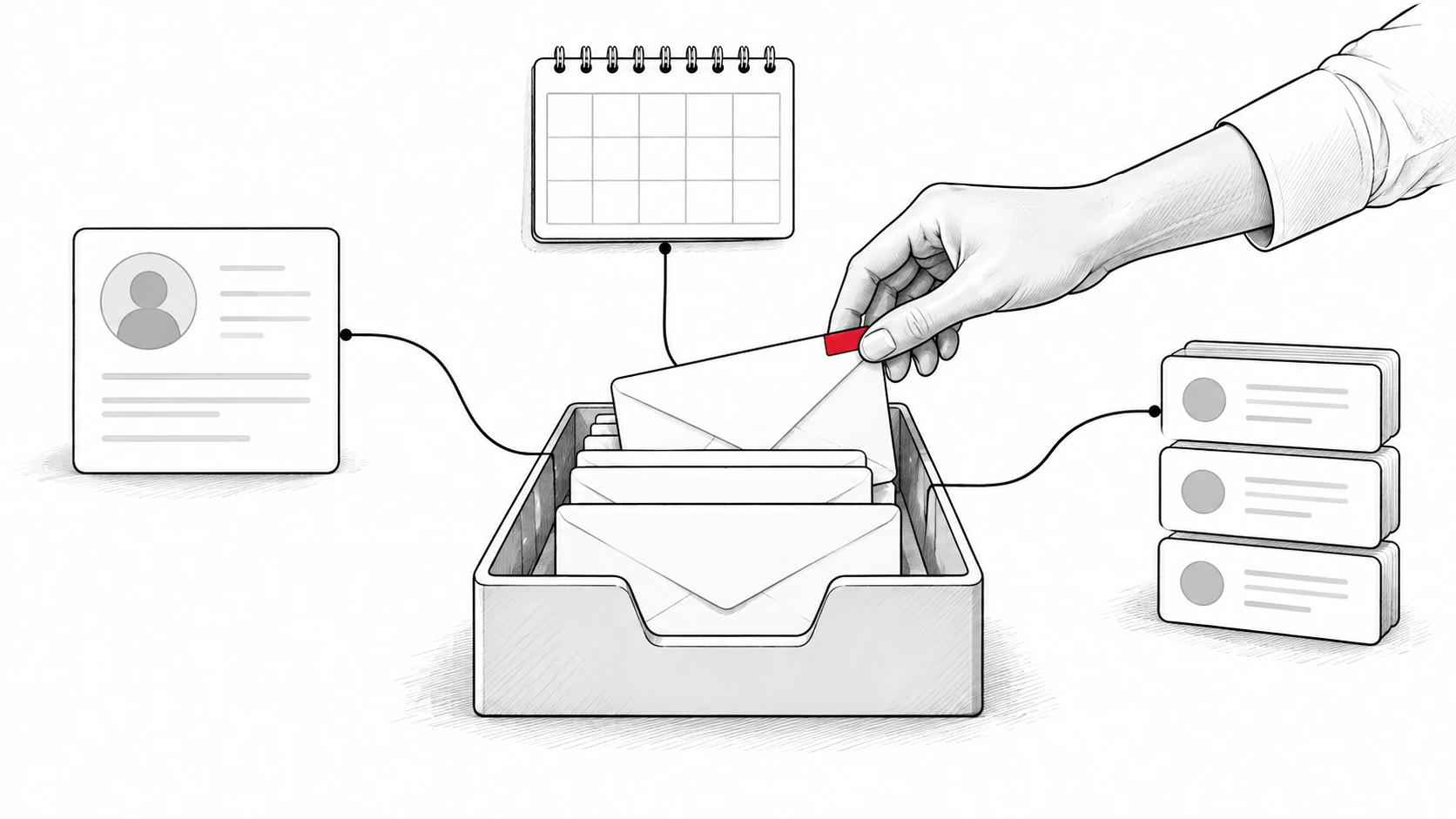
Gmail CRM tools work in different ways. An inbox extension puts CRM controls inside Gmail, while email sync copies conversations into a separate CRM. Quokka uses the connected conversations to build the sales pipeline itself.
Compare seven CRM tools for Gmail
Prices checked on October 13, 2026. Figures are USD before applicable taxes and extras. Annual rates below are monthly equivalents on annual billing; HubSpot uses its standard monthly list rate.
The selected plans include practical team features, rather than simply each vendor's lowest price. The connection method matters as much as the subscription rate.
| CRM and plan | Best for | Gmail approach | Monthly rate | Ten paid users |
|---|---|---|---|---|
| Quokka, Our pick | Pipeline built from conversations | Reads connected Gmail and Google Calendar | $49 per workspace, monthly | $49 |
| Streak Pro | Shared pipeline inside the inbox | CRM inside Gmail | $49 per user, annual billing | $490 |
| Copper Professional | Google Workspace relationships | Gmail sidebar and synced customer history | $59 per user, annual billing | $590 |
| Pipedrive Growth | Visual deals and configured follow-ups | Full Gmail email sync | $39 per user, annual billing | $390 |
| HubSpot Sales Hub Starter | Shared customer records across teams | Connected email and Gmail sales extension | $20 per user, standard list rate | $200 |
| Zoho CRM Standard | Configurable records and workflows | Email integration, including Gmail APIs | $14 per user, annual billing | $140 |
| Freshsales Growth | Low-cost structured contact and deal records | Gmail connection with one-way or two-way sync | $9 per user, annual billing | $90 |
Want to see Quokka on your own Gmail conversations? Start your free trial. 14 days free, no card needed. Then $49 a month for your whole team.
These bundles have different features and limits. Use the sections below to check what is included, then test the connection with a real opportunity. A captured email and an updated deal are separate things to inspect.
1. Quokka: Our pick for a pipeline built from Gmail
Quokka is built for small B2B teams selling through Gmail and Google Workspace. It reads connected Gmail and Google Calendar, then builds deals, contacts, companies, amounts, next steps, and promises. This reduces the need to copy conversations into CRM notes.
That keeps the sales record close to the available conversation. Extracted email facts are checked against their quoted source. A manager's access to the underlying messages depends on the owner's sharing approval and access permissions.
Key features
The Today view ranks deals that need attention and explains why. It can surface a quiet deal, a promise you owe a customer, or a meeting the customer declined. Reps get a shortlist of opportunities to act on.
Quokka drafts follow-ups in the relevant email thread. You edit, approve, and send them from your own mailbox. Nothing is sent automatically, so the rep stays responsible for the message.
Managers can see deals and results by owner, with custom columns and filters on the deals list. The forecast shows the deals and amounts behind it, including what is missing. Quokka also compares open opportunities with your won and lost history.
Setup and daily use
Connect Gmail and Google Calendar to start building the pipeline from those conversations. If a call or meeting happened outside what Quokka could see, tell the chat panel what happened. You can also ask it questions about the pipeline.
Closed-deal history can come from a CRM export in CSV format. An import can be undone within 48 hours. Quokka also connects to Claude, Claude Code, and Codex for questions about your pipeline from those tools.
Source evidence helps managers inspect an extracted amount or agreed action. Human notes, corrections and imported CRM records have their own provenance, and a matching quote does not guarantee a correct interpretation. Every fact needs a receipt explains those distinctions.
Pricing
Quokka costs $49 per workspace per month, including all features and unlimited users. Five, ten, and twenty teammates pay the same workspace rate. See Quokka pricing for the current terms.
2. Streak Pro: Best for native Gmail pipelines
Streak puts a shared pipeline inside the Gmail interface. It suits Gmail users who want to manage opportunities alongside their inbox. Pro includes shared pipelines, unlimited records, contact lists, and automatic email sharing, according to Streak's pricing page.
Its strength is keeping CRM functionality within the place reps already read and answer email. That suits a team comfortable defining and maintaining its own deal records. The email and structured record are available together.
Key features and setup
Streak's pipeline guide explains how records sit within a pipeline in Gmail. Choose fields and stages, then connect relevant conversations to the record. Test what another rep can see in a shared opportunity.
Pro includes magic fields that update information such as the last reply, time in stage, and email activity. It also includes email templates, mail merge, and automatic mail merge follow-ups. These tools automate specific inbox tasks.
What to watch for
Pro+ adds rule-based automations, direct integrations, and advanced reporting. Those are separate from the follow-up functionality included with Pro's mail merge. Check the exact feature you need before choosing the tier.
An inbox CRM still needs decisions about deal creation, stage changes, and amounts. During evaluation, handle an active customer conversation and inspect what the tool fills in. Note what the rep still edits.
Pricing
Streak Pro is $49 per user per month on annual billing. Ten users cost $490 a month equivalent. Prices checked on October 13, 2026.
3. Copper Professional: Best for Google Workspace relationships
Copper suits teams that want a Gmail sidebar alongside a separate relationship management workspace. It connects Google tools with contact records, pipelines, and workflows. The official feature guide describes Gmail email, contact, file, and Google Calendar connections.
Its strength is structured relationship information near the Google Workspace tools the team already uses. Account owners can work with email history and opportunities together. Professional adds workflow automation, reporting, bulk email, and integrations.
Key features and setup
Choose the pipelines your team needs and define the fields people will use. Connect the relevant Google accounts, then review contact details and communication history. Test the calendar sync as part of that process.
Make sure a second teammate can understand an opportunity from the shared record. Check the owner, amount, next action, and relevant emails. A deeply integrated Gmail CRM is useful when those details support a decision.
What to watch for
The current Professional plan has a 15,000-contact limit. Compare that with the data you plan to retain. Also check whether any other business tools need a separate subscription.
Copper's email automation guide says Professional can send a single automated email. Multi-step email series require Business. Choose around the actual follow-up process rather than treating every form of email automation as the same feature.
Pricing
Copper Professional costs $59 per user per month, paid annually. Ten users are $590 a month equivalent. Prices checked on October 13, 2026.
4. Pipedrive Growth: Best for synced email and a visual pipeline
Pipedrive Growth suits teams that want Gmail sync within a separate sales workspace. It combines a visual sales pipeline with activities, meeting scheduling, automations, and nurturing sequences. These features are listed on Pipedrive's pricing page.
Its strength is giving managers a defined pipeline and giving reps configured follow-up tools. The team can read and reply to conversations within its Sales Inbox. Growth is selected because full email sync is included at that tier.
Key features and setup
Pipedrive's email-sync documentation confirms that full sync starts at Growth. Email conversations can link to deals, leads, or projects automatically or manually. Users can share conversations with the team or keep them private.
Define your deal stages, connect mailboxes, and choose the tasks you want to automate. Test an email thread against its opportunity record. Verify the amount and next step separately from whether the thread was captured.
What to watch for
Growth has published usage limits, including one synced email account per user. Its allowance also includes 50 automations and five sequences per company. Teams using several mailboxes should check the appropriate plan.
Gmail sync helps capture communication history. Decide who maintains deal progression and configured rules as customer conversations change. Test the result on an ordinary working day.
Pricing
Growth is $39 per user per month, billed annually. Ten users cost $390 a month equivalent. Prices checked on October 13, 2026.
5. HubSpot Sales Hub Starter: Best for a connected customer platform
HubSpot suits teams that want sales, marketing, and service to share customer records. A connected individual work email supports sending individual messages and logging replies. Its email-connection documentation describes the connection and its requirements.
HubSpot CRM's strength is the wider customer context available to several business functions. The Gmail extension brings sales tools into the inbox. The separate CRM holds the structured record those teams share.
Key features and setup
Starter includes email tools, meeting scheduling, shared conversations, and restricted workflows. The current Product & Services Catalog distinguishes those from Professional's sequences, customizable workflows, reporting, and forecasting.
Connect each user's work email and set logging rules. Check the Gmail sales extension's behavior on a thread, then inspect the contact and deal records. Make sure the captured history goes to the record your team expects.
What to watch for
Email connection, an inbox extension, and advanced automation are separate parts of the product. Test the selected plan rather than assuming every Sales Hub feature is included. Also identify who needs editing access and who only needs to view records.
HubSpot sometimes displays temporary Starter promotions. This comparison uses its standard list rate. Confirm your renewal terms along with the starting bill.
Pricing
Sales Hub Starter starts at $20 per user per month at the standard catalog list rate. Ten paid users are $200 a month. Prices checked on October 13, 2026.
6. Zoho CRM Standard: Best for configurable Gmail-connected records
Zoho CRM Standard suits teams that want contact management, multiple pipelines, and configurable workflows. Its paid Standard tier includes email integration, including Gmail APIs. Zoho documented this addition in its official product update.
Its strength is the range of structured CRM tools at a modest per-user rate. Managers can define how their sales process should work, then configure records around it. Gmail integration supplies communication context within that process.
Key features and setup
Standard covers contacts, accounts, deals, forecasting, and workflow rules, as shown in Zoho's edition comparison. Configure the fields the team needs, connect email, and test the resulting history. Check which record receives each conversation.
Zoho's email configuration guide describes synchronized email management. Use the connection suited to the team's mailbox. Don't rely on an older comparison that places all email integration on Professional.
What to watch for
Configured workflows depend on the conditions and customer data used to trigger them. Test what happens when a record changes or an opportunity closes. Someone needs to own those configuration choices.
Some process tools require a higher tier. Blueprint, for example, starts at Professional. Decide whether basic CRM features and Standard's workflows cover the intended job before buying.
Pricing
Standard costs $14 per user per month, billed annually. Ten users are $140 a month equivalent. Prices checked on October 13, 2026.
7. Freshsales Growth: Best for a low-cost synced sales workspace
Freshsales Growth suits teams that want email, contact records, and a deal board at a low entry rate. Growth includes email templates, custom fields, basic workflows, and email, chat, and phone tools. See Freshsales' official pricing page.
Its strength is combining everyday selling tools in a structured CRM solution. It offers a Kanban view, with records shown as cards in columns. That can suit a team prepared to maintain its opportunity fields and configure the workflow.
Key features and setup
Freshsales' connection guide describes one-way and two-way Gmail sync. Incoming emails are associated with contacts already in the CRM. The documentation says to import contacts before initiating sync.
Prepare the contact data before connecting mailboxes. Then test an incoming reply, an outgoing message, and the opportunity attached to that contact. Check both the communication history and the deal status.
What to watch for
Fetching emails from matching contacts isn't the same as creating every new opportunity from incoming mail. Test how the team will manage leads and create records. Make that part of your daily-use evaluation.
Growth includes basic workflows, while more advanced features sit on higher plans. The current pricing page puts sequences and deal insights on Pro. Compare those requirements before choosing based on the starting rate.
Pricing
Growth is $9 per user per month, billed annually. Ten users cost $90 a month equivalent before extras. Prices checked on October 13, 2026.
How to compare the best Gmail CRM tools
Choose the right Gmail CRM around the job that still takes a person's time. If reps keep retyping conversations, inspect how the product creates CRM records. If they spend time finding context, inspect the shared history and inbox access.
Most Gmail CRMs offer some combination of email capture, record editing, and automation. The best CRMs for Gmail match the team's customer interactions with a useful shared record. Use the same opportunity in every evaluation.
Decide how much work should happen inside Gmail
A Chrome extension or Gmail sidebar can bring contact details into the Gmail inbox. That helps a rep read context without leaving the thread. It doesn't automatically tell you who maintains the structured deal record.
Streak puts native Gmail pipelines inside the Gmail environment. Copper offers an inbox sidebar alongside its CRM workspace. Quokka builds the pipeline from connected conversations, so the Gmail account supplies facts without requiring notes to be retyped.
Decide which of those approaches matches your team. A CRM that integrates with Gmail should help people continue customer conversations. Check whether the inbox interface makes the next action easier to find.
Test Gmail CRM integration and automatic contact creation separately
Gmail sync can bring messages into contact records. Automatic contact creation can create records for new people. Updating an opportunity's value or next step is another job again.
Use a new contact and an existing customer during the test. Send a reply that changes a next step, then inspect the relevant records. Note what happened without manual data entry and what required an edit.
Check how the connection handles Google Calendar events as well. Does the meeting appear on the expected record? Can another teammate understand the action agreed after it?
Check sharing and CRM access
Define what the whole team should see and what should remain private. A shared opportunity may need email context from several owners. Check each product's permissions and the user's connection settings before rolling it out.
Also test a handoff. Ask a teammate to read the record and continue the conversation. If the next step is missing, find out whether the tool couldn't capture it or whether the team left an update undone.
Quokka gives managers deals and results by owner, within their access permissions. Sender and subject filters exclude recognized personal, medical, financial, and job-related threads before fetching new message bodies. Filters can miss content, and previously derived records can need separate review or erasure. Message bodies use per-person encryption keys; facts, metadata and drafts have separate protections. Read the security page for the source and privacy limits.
Compare paid plans and CRM admin
Count every person who needs paid access, then compare the tier containing the features you need. Email tracking, workflow rules, reports, and shared mailboxes can change the plan choice. Those tools aren't included in every subscription just because the product advertises them.
Check the payment term beside the monthly rate. An annual monthly equivalent and a monthly subscription are different commitments. For Quokka, the monthly workspace price is $49 with unlimited users.
Then check the work your team must sustain after setup. CRM adoption explains why an added admin task can be hard to maintain. A useful customer relationship management tool has to fit an ordinary week.
CRM adoption also depends on who maintains the fields outside email. Write down what reps must do, what an administrator configures, and what the product captures. That gives everyone a clear view of the work after rollout.
Check the contact database and pipeline management
Ask how the CRM platform will manage contacts from several connected accounts. Google Contacts, a CRM contact database, and the people in an email thread may hold different information. Inspect which system owns a contact detail and how an edit reaches the shared record.
Also check whether the product can enrich contact data and what that means on the selected plan. Adding a job title from an external source is different from extracting an agreed next step from a customer conversation. Evaluate the source and freshness of each field.
For pipeline management, use more than a clean example record. Include a buyer who changed an amount, a colleague joining the conversation, and a meeting that moved. These are test scenarios, not a claim about a product's performance.
Inspect the CRM data after each change. Check whether another teammate can tell what happened, why the amount changed, and who owns the next action. That is a practical way to judge the best Gmail CRM for your own process.
Distinguish Gmail automation from other business tasks
Gmail automation can mean routing mail, preparing a draft, sending a scheduled message, or running a sequence. Traditional CRM systems may also update fields when a rule matches. Ask which exact action a vendor means and whether a person reviews it.
If the team needs marketing automation, evaluate that separately from individual sales follow-ups. Check the consent controls, contact limits, and required subscription. A Gmail connection doesn't tell you whether a platform covers that job.
Native Gmail integration is another phrase to unpack. Ask whether the product installs a sidebar, runs inside the Gmail interface, or connects through an account authorization. Then inspect the resulting CRM record rather than choosing on the label.
For Google Workspace users, connection settings may also depend on company administration. Test with the type of account your team uses. Include people with the permissions they will have in ordinary work.
For the wider Google application suite, list which Workspace tools the team needs alongside Gmail. Check each connection separately, including permissions and what reaches the sales record.
Check what entry-level paid plans include
The best CRM choice depends on the working plan and the remaining admin. Check what entry-level paid plans include, what requires a higher tier, and what is billed separately. Compare the actual configuration for every rep who needs access.
CRM systems can make different trade-offs around email history, shared records, and workflow rules. Write those differences beside the team cost. That helps you choose a Gmail integration that covers the intended job.
Is there a free CRM for Gmail?
A free Gmail CRM can help a person or a small group test basic contact management. It can also be an inbox utility with a limited set of CRM features. Check whether the free plan includes a shared pipeline, full history, and access for everyone who needs it.
For a team of five to twenty, user limits matter. HubSpot's free tools support up to two users, while Zoho CRM's free edition supports three. These limits appear on their official Sales Hub and Zoho CRM pages.
Streak offers free email utilities, which are separate from its paid shared CRM plans. A free tool can still be useful for a specific inbox task. Compare what the team will work with, rather than treating free email tools as a complete paid-plan substitute.
Quokka offers a 14-day free trial with no card required. The trial gives a Gmail team a way to inspect its own deals and source facts. There is no automatic charge when the trial ends.
Check a Gmail CRM extension before team rollout
Check the publisher and permissions when evaluating a Gmail CRM extension. Understand which mailbox information it can read and what actions it can take. Make the choice with the people responsible for Google Workspace administration.
Google Workspace Marketplace ratings can help you find user comments, but they don't prove that a feature is included on your plan. Read current product documentation and test the required job. This comparison doesn't rank tools by marketplace scores.
Review the experience in the places your team works. If someone depends on a mobile app, check that product's current mobile documentation. A browser extension on desktop, a separate mobile app, and a phone browser are different ways to get CRM access.
Also test failure and change. Disconnect a test account using the product's normal controls, or ask what happens when a rep leaves. Confirm how the shared record and communication history will remain available to the team.
FAQ
Which CRM is best for Gmail?
Quokka is our pick for small B2B teams that want their pipeline built from Gmail conversations. Streak suits teams wanting a pipeline inside Gmail, while Copper suits Google Workspace relationships and configured workflows. Use the selected plans above to compare the cost and remaining record keeping.
Which CRM integrates directly with Gmail?
The tools in this list connect with Gmail in different ways. Quokka reads connected conversations, Streak works inside Gmail, and the other products offer inbox tools or email sync. Test record creation, history capture, and field updates separately.
Can I use Gmail as a CRM?
Gmail holds customer conversations, but a team also needs shared deal owners, values, stages, and next steps. An inbox CRM or a connected sales workspace can structure that information. Choose based on who will keep those records current.
Is there a free CRM for Gmail?
There are free CRM plans and free inbox utilities with limits. Check the user count, shared pipeline features, and email connection included in each plan. Quokka has a 14-day free trial, then costs $49 a month for the whole team.
Which CRM is best for email management?
Pick the tool that matches how your team uses email. Quokka suits teams wanting the deal record built from Gmail; other products offer a shared inbox, email capture, templates, or configured follow-ups. Inspect the resulting contact and opportunity records before deciding.
Try Quokka free
Quokka builds the pipeline from connected Gmail and Google Calendar and shows available source evidence for extracted facts. Start your free trial. 14 days free, no card needed. Then $49 a month for your whole team.