Sales CRM: What It Is and How to Choose One
· Ask Quokka · 14 min read
Quokka is free now. Normally $49/month for your whole team. The current promotion includes unlimited users and no trial expiry. Older Quokka prices in this article reflect its publication date. See the free offer.
On this page
A sales CRM is customer relationship management software that organizes customer details, conversations, and sales opportunities so a team can decide what to do next. It connects the people buying with the deal you are trying to win. For a B2B sales team of about 5 to 20 reps, the important test is whether the records stay useful during real work.
This guide explains what a sales CRM does, how the main records fit together, and which key features to inspect before choosing one. Start with the sales process your team follows. Then decide how the software will capture the information that process needs.
What is a sales CRM?
A sales CRM acts as a shared working record for current and potential customers. It helps sales teams manage leads, track deals, and understand the customer history behind an opportunity. A contact's email address alone is not enough to explain what the buyer wants or what the team promised.
The CRM system should connect contact management with sales pipeline management. Reps need to see who is involved, what has been discussed, and the next action. Sales managers need to inspect deal progress and the evidence behind a revenue expectation.
The sales CRM is also a place to agree on meaning. If one rep calls a casual inquiry Qualified and another uses that stage only after a serious discovery conversation, the pipeline is hard to interpret. Shared definitions make the records useful across the sales organization.
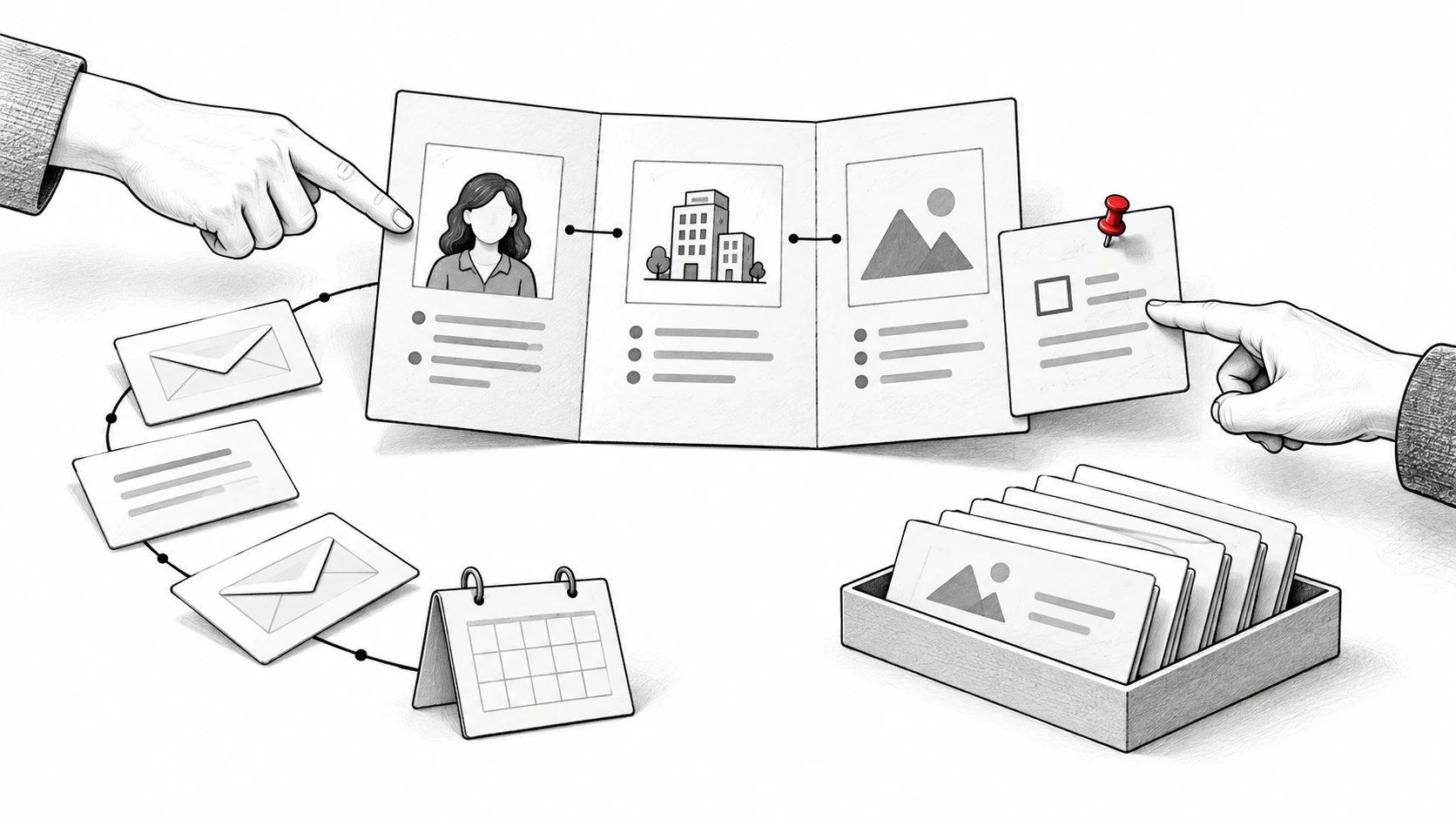
Customer relationship management starts with connected records
Different CRM tools use different names for records. The underlying job is similar: connect people, companies, opportunities, and interactions. Keep those relationships clear when setting up a system.
Contact management: The people involved
A contact record holds customer details such as a name, email address, role, and relevant communication history. A B2B opportunity may involve several people. Distinguish the person who uses the product from the person who approves the agreement.
Record the role when the evidence supports it. A familiar contact is not automatically the decision maker. If the buyer's role is unknown, leave that question visible for the rep to investigate.
Companies: The customer organization
A company record groups the people and opportunities connected to a business. This gives sales teams context when several reps interact with the same organization. It can also help separate a new opportunity from an existing relationship.
Use a consistent name and the relevant identifying details. Decide how your team treats subsidiaries or separate business units. Those choices affect whether an account view reflects the customer relationship accurately.
Deals: The opportunity you are trying to win
A deal represents a potential agreement, with an owner, stage, amount where known, and next step. It should be specific enough that another rep understands what the buyer is considering. An existing customer can have more than one distinct sales opportunity.
Deal stage and next step answer different questions. The stage describes the current point in the sales process; the next step describes the work to do. A proposal stage without a next action can hide an opportunity that has stopped moving.
Customer interactions: The evidence behind the record
Emails, meetings, sales calls, and notes provide the context behind a deal. The sales CRM should make the relevant communication history easy to find. Confirm which channels it captures automatically and which require a person to add information.
A source message helps a rep distinguish a confirmed amount from an assumption. An offline conversation may need a note even when email is captured automatically. The useful record combines the evidence available with visible gaps.
Key features of sales CRM software
Choose features around the decisions your team makes every day. A long feature list does not tell you whether the team can find a promise, understand a deal, or make a reliable handoff. Use your own workflow to evaluate the following capabilities.
Sales pipeline management
A pipeline organizes opportunities by stages in the sales cycle. It helps the team inspect where deals are and what might be preventing progress. Define the entry condition for each stage before relying on a board or report.
For example, Pipedrive's pipeline view displays deals in stage columns with information such as value, owner, and next activity. It supports moving deals between stages. That visual view is useful when the definitions behind it match how the sales team works.
A sales funnel describes progression across a group of opportunities. A pipeline also needs the individual deal context. If prospects repeatedly stop at the same point, inspect the actual customer interactions before assuming the stage itself caused the problem.
Lead management and qualification
Lead management helps sales teams decide which inquiries need investigation and which opportunities are ready for the next step. Choose qualification criteria tied to your offer and sales process. A score should make those criteria clearer.
HubSpot's lead scoring documentation describes scores based on record properties and engagement events. The available score types and limits depend on the subscription; Professional and Enterprise products provide the documented scoring tools. A fit score and a deal score answer different questions.
Use a score as a reason to inspect a record, not a substitute for customer understanding. A person interacting frequently may be researching without authority to buy. The rep still needs to confirm the buying situation.
Sales automation for routine tasks
Sales automation can capture activity, create reminders, or run a defined workflow. Those tasks differ from interpreting an ambiguous message or deciding what to promise. Check the exact automation capabilities in the edition you would use.
For example, Pipedrive email sync is available on Growth and higher plans. Email synchronization makes communication accessible in the CRM workflow. It should not be assumed to mean that every deal field is automatically maintained.
For rule-based reminders or updates, define the trigger, condition, action, and owner. If a deal enters a stage, your workflow might create a task with a due date. Check how it behaves when the stage changes again or a buyer replies.
Pipedrive's automation guide documents creating activities from deal changes and scheduling their due dates. The feature is available on Growth and higher plans with the required user permissions. These configured follow-up reminders automate routine tasks, while the rep still owns the customer conversation.
AI tools that capture sales data or prepare draft messages can reduce administrative steps so reps can focus on selling. Assess that benefit through the actual routine: which data-entry work disappeared and which decisions still need a person? Avoid replacing simple work with a workflow nobody maintains.
Sales reports and forecasting
Sales reports help a manager inspect pipeline value, stage movement, outcomes, and missing information. Sales forecasting estimates future revenue under a defined method. Neither becomes reliable just because the CRM has a dashboard.
HubSpot's forecast documentation explains a forecast based on deal stages or forecast categories. Its forecast tool requires the relevant Professional or Enterprise subscription, assigned seat, and permissions. Confirm those requirements before assuming the feature comes with a basic CRM plan.
Choose measures that answer a sales management question. An amount report should show how missing values are handled. A stage report should use consistent definitions, and a trend should compare similar deal groups and time periods.
Shared customer history and handoffs
A useful CRM for sales lets the team find the relevant record when an owner is away or a customer changes contacts. Shared notes and customer history can make a handoff more informed. Permissions should determine who can read or change information.
Customer relationships may continue after an agreement is signed. Decide which promises and requirements service teams need to receive. The entire sales process does not need to be copied into every system, but the customer's expectations should remain clear.
Access and connections to existing tools
A cloud-based CRM is accessed online, but the details of mobile access and offline work vary. Sales professionals working away from a desk should test the relevant phone or browser workflow. Don't assume a desktop feature behaves the same way elsewhere.
Mobile accessibility is particularly important for field sales professionals who need to inspect or update customer records between visits. Test task management, source context, and the next action on the device the rep uses. Confirm the product's supported access method rather than assuming a native app is required.
Check third-party integrations against the job they perform. Reading an email, attaching it to a contact, and changing a deal are separate actions. Confirm the supported accounts, permissions, sync direction, and record types.
Operational, analytical, and collaborative CRM
These terms describe what the CRM emphasizes rather than three mandatory purchases. Salesforce's explanation of CRM types distinguishes operational, analytical, collaborative, and strategic approaches. A platform can combine several of them.
An operational CRM helps run daily customer-facing processes, such as lead management, pipeline work, and defined automation. Sales teams use it to keep routine actions organized. Ask how the information enters the process and who handles an exception.
An analytical CRM focuses on interpreting customer data, sales trends, and outcomes. Reports or predictive analytics can help a team investigate patterns and forecast sales. Their usefulness depends on the quality and relevance of the input data.
A collaborative CRM emphasizes sharing customer information across people or departments. That can help sales and service teams work from the same context. Decide which records each role needs and how ownership passes between them.
Strategic CRM emphasizes the longer customer relationship. For a small B2B team, start with the daily record and decisions before building a broader customer journey program. The categories should clarify your needs rather than add unnecessary software.
A daily sales CRM workflow
Adapt this routine to the software you choose. Keep it small enough that sales reps can follow it consistently.
Before the first customer conversation
Inspect the deals that need attention and the commitments due. Open the source interaction for anything unclear. Decide which customer conversations should happen today and what information each rep needs.
For an upcoming meeting, review the contact roles, previous questions, and outstanding next step. A useful CRM record helps the rep continue the relationship without asking the buyer to repeat settled information. Missing context should become a question to clarify.
After a meaningful customer interaction
Check whether the conversation changed the deal's amount, scope, timing, or next action. Confirm what was actually agreed. Add context from channels your system did not capture.
Assign an owner to the next action and use a date when a date was agreed. Don't turn a vague intention into a customer commitment. The sales CRM needs to distinguish what is confirmed from what the rep expects.
During the team review
Review the customer situation and the action required to move the deal forward. Investigate records with missing amounts, unclear owners, or unresolved next steps. Ask which evidence supports a stage or forecast judgment.
Sales performance should be assessed with the opportunity mix in mind. Complex sales processes can involve more people and longer approval cycles. An activity count alone does not establish how well a rep handled that process.
At the handoff or close
Confirm the outcome and the key promises the team needs to carry forward. Record a lost or postponed opportunity under an agreed definition. Closing a deal should leave usable history rather than erase the context.
Customer retention depends partly on whether the ongoing experience matches expectations. A clear handoff lets the next owner see what the customer was told. Keep the original source available when a promise needs interpretation.
How to choose the right CRM system
Write down the work before choosing a tool. Large sales teams may need extensive roles, approval structures, and several pipelines. A smaller team may care most about whether the system captures the conversation and makes the next action clear.
1. Define the records and decisions you need
Start with contacts, companies, deals, owners, stages, and next steps. Add only fields that inform an action or an important report. Every field also needs a way to be populated and maintained.
Separate confirmed customer data from internal judgment. A deal amount taken from an email and a forecast category chosen by a manager have different sources. The CRM should make their meaning understandable.
2. Match the capture method to the sales process
List where customer conversations happen and how the record will receive them. An email-based team should evaluate the relevant mailbox connection. A team using other channels needs to confirm those channels separately.
Ask which routine tasks the product can automate and which still require manual data entry. Then have a rep explain the daily steps. This is a better learning test than asking whether a product is simply easy to use.
3. Check the edition that includes your key features
CRM software often separates basic CRM features from more advanced reporting, scoring, or automation. A free plan can help you evaluate a workflow, but confirm the limits and which paid edition your required features use. Compare the plan you would actually deploy.
Marketing tools, marketing campaigns, and email marketing may be sold alongside a sales CRM. Include them only when the business needs those workflows. An email marketing system and a sales rep replying in an existing customer thread perform different jobs.
Check user roles, record limits, integrations, and exports as well as feature names. Some team members need to work on deals; others may only need a report. Understand what each role requires before comparing subscription totals.
Research can inform the buying decision when its scope is clear. In an August 3, 2023 report, Nucleus Research reexamined 63 CRM case studies completed over the preceding decade and reported a $3.10 return per dollar spent. That finding describes the reviewed cases, rather than a guaranteed return for every buyer.
Estimate the benefit for your own workflow and the complete cost of the system. Include subscriptions, setup, training, integration work, and ongoing administration. Connect the expected benefit to a specific change your team can use, such as less record-maintenance work or a clearer handoff, and revisit the estimate after implementation.
4. Evaluate AI-powered features individually
An AI-powered feature might draft a message, suggest a next action, summarize a conversation, or produce a prediction. Ask what data it uses and whether the output is a fact, suggestion, or estimate. Those outputs need different kinds of review.
HubSpot's predictive deal scores estimate the probability of winning an open deal using deal properties and activity signals. The documented capability is available with Sales Hub or Smart CRM Professional and Enterprise, with additional seat requirements for viewing key factors and history. Treat a predicted likelihood as an aid to prioritization, and inspect the factors behind it before deciding.
Ask Quokka, for example, builds a pipeline from Gmail conversations and shows the source for each fact. For recorded-conversation analysis, Gong's conversation intelligence describes summaries and coaching insights from captured discussions. These are different ways to help sales teams use customer context.
AI-powered assistance is useful when a person can inspect the evidence and own the decision. It should support relevant communication based on the customer's situation. Don't accept an invented commitment because a generated email sounds polished.
5. Test on representative customer records
Use records your team is permitted to review. Include an opportunity with several contacts, a missing amount, a changed next step, and an offline interaction. Check how the CRM handles each case.
Ask a rep to find the customer history and a manager to explain the pipeline view. Inspect whether another owner can continue the work. The best CRM for your business is the one that supports those recurring tasks with reliable data.
How Ask Quokka helps a Gmail-based sales team
Ask Quokka is a sales CRM that fills itself in from connected Gmail and Google Calendar. It builds deals, contacts, companies, values, next steps, and promises from real conversations. Open a fact to see the email sentence it came from.
The Today view ranks deals needing attention, including quiet conversations, promises owed, and meetings a customer declined. Ask Quokka drafts a follow-up in the right thread; you edit, approve, and send it from your own mailbox. Nothing is ever sent automatically.
Managers see deals and results by owner. Ask Quokka's forecast includes the deals and amounts behind it, with what is included and missing. That gives the team context to inspect rather than only a headline total.
The workspace includes unlimited users and all features. See Ask Quokka pricing for the plan and trial terms. It is built for B2B teams of about 5 to 20 people who sell through Gmail and Google Workspace.
For product comparisons, see best CRM for small B2B sales pipeline. Our CRM adoption post explains why capture and daily work matter, while CRM automation examines the distinction between capturing activity and maintaining the deal record.
FAQ
How does CRM help sales?
A CRM connects customer details, communication history, and opportunities so sales teams can understand the current situation. It helps reps organize next actions and managers inspect progress. Its usefulness depends on whether the records are accurate and maintained through real work.
What type of CRM is used in sales?
Sales teams often need operational capabilities for daily work and analytical capabilities for reporting. Shared customer information also supports collaboration and handoffs. Choose by the tasks you need rather than treating the categories as separate required purchases.
What are the three types of CRM?
Operational, analytical, and collaborative CRM are three common categories. Operational focuses on process, analytical on interpreting data, and collaborative on sharing customer context. Some descriptions also include strategic CRM for longer-term customer relationships.
Is CRM difficult to learn?
The learning work depends on the product and the process you configure. Start with a small set of records, clear stages, and the daily tasks a rep needs to perform. Test those tasks on representative opportunities before adding more fields or workflows.
What is the difference between CRM and ERP?
CRM organizes customer relationships and sales work, while enterprise resource planning software manages broader business operations and resources. The two systems may exchange information through supported integrations. Confirm which system owns each record and process rather than assuming one replaces the other.
Try Ask Quokka free
See a pipeline built from the customer conversations your team already has in Gmail. Get started free. Free for everyone during the current promotion. Normally $49/month for your whole team. No card, subscription or trial expiry.