CRM Automation Tools That Keep Gmail Deals Current
· Ask Quokka · 22 min read
Quokka is free now. Normally $49/month for your whole team. The current promotion includes unlimited users and no trial expiry. Older Quokka prices in this article reflect its publication date. See the free offer.
On this page
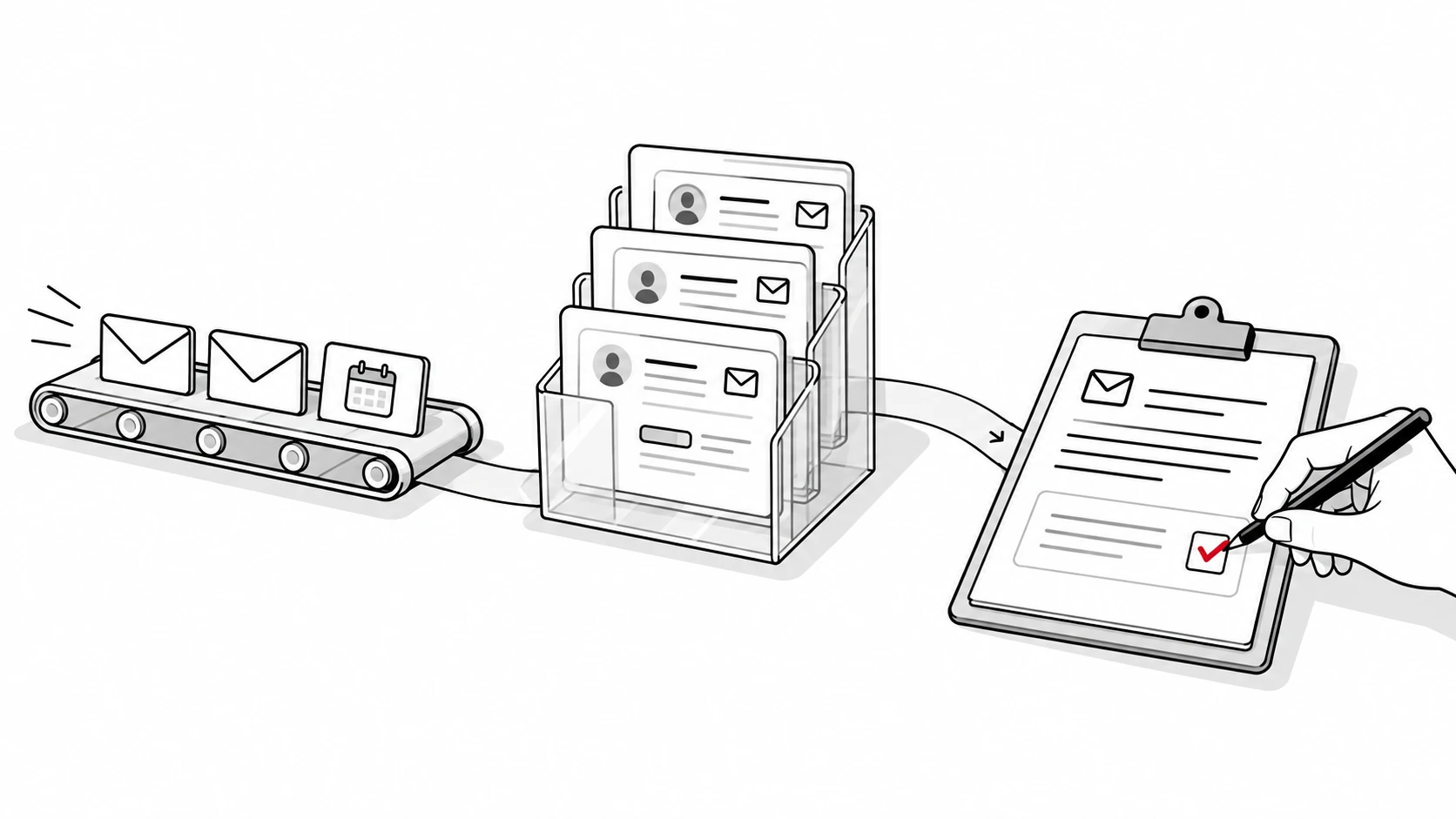
CRM automation should start with the work your team keeps putting off: keeping customer records current. For founders and sales managers with 5 to 20 reps selling through Gmail, Ask Quokka is our pick. It builds the pipeline from connected Gmail and Google Calendar, then helps reps decide what needs attention and prepare follow-ups.
When records fall behind the conversation, reps can miss promises and managers can forecast from incomplete information. CRM automation removes repeated administrative work and can improve data accuracy when the team can check the captured facts. That gives a small team a practical reason to fix data capture before adding more messages.
Ask Quokka is our product. We selected the tools below for different kinds of automation: automatic data capture, record-based rules, sequences and workflows across departments. This guide compares their strengths, current US prices and the work your team still needs to define. Start with data entry, then follow-ups, then forecasting.
Compare CRM automation tools for small sales teams
These prices describe the plan used in this comparison, rather than each vendor's cheapest subscription. Annual prices are monthly equivalents per user, billed on an annual basis. Ask Quokka charges per workspace monthly.
| Tool | Best for | Relevant automation | Published price | Important buying detail |
|---|---|---|---|---|
| Ask Quokka: Our pick | B2B teams selling through Gmail | Builds deals and contacts from email, ranks next actions and drafts follow-ups for approval | $49 per workspace per month, unlimited users | All features included |
| Pipedrive Growth | A visual sales pipeline with configured rules | Full email sync, workflow automation and sequences | $39 per user per month, billed annually | Growth has company-wide automation and sequence limits |
| Zoho CRM Standard | Teams that want record-based workflow rules | Criteria-based tasks, notifications and record actions | $14 per user per month, billed annually | Define rules and fields for your process |
| monday CRM Standard | Teams that organize work with customizable boards | Custom automations and email connections | $17 per seat per month, billed annually | 250 custom automation actions monthly and seat packages |
| HubSpot Sales Hub Professional | Shared customer records with a workflow builder | Sales workflows, sequences and reporting | $90 per seat per month, billed annually | $1,500 required onboarding fee |
| Freshsales Pro | Teams using scoring, sequences and time-based rules | Contact scoring, deal insights and advanced workflows | $39 per user per month, billed annually | Growth's cheaper plan has basic record workflows |
| Streak Pro+ | Reps who want pipeline rules inside Gmail | Rule-based automations and integrations | $69 per user per month, billed annually | Distinguish Pro+ rules from Pro's mail merge follow-ups |
| Close Growth | Teams combining calls and email workflows | Workflows, bulk email and a power dialer | $99 per user per month, billed annually | Calling, SMS, numbers and some AI use cost extra |
Want to see Ask Quokka on your own pipeline? Get started free. Free for everyone during the current promotion. Normally $49/month for your whole team. No card, subscription or trial expiry.
Prices checked on October 13, 2026. Sources: Pipedrive, Zoho CRM, monday CRM, HubSpot, Freshsales, Streak and Close. HubSpot's required fees are in its product catalog.
CRM software and contact management: What to automate first
Customer relationship management software stores customer information and helps a team manage customer relationships. CRM automation software performs repetitive tasks within that process. A CRM system can capture customer interactions, update records, assign tasks, prepare messages or apply rules when a record changes.
Those are different jobs. A CRM workflow that creates a task after a rep changes a stage still depends on someone making the stage change. CRM data entry automation tackles the earlier problem: getting the facts into the CRM system from the conversation itself. Compare CRM automation tools on that first step before adding more rules.
First: CRM data entry
Begin with deal values, next steps, promises and the latest conversation. These are the facts a rep and manager need to decide what to do. Automating downstream reminders has limited value when the reminder refers to a deal that already closed or a promise that changed yesterday.
For Gmail teams, Ask Quokka builds those facts from connected email and calendar activity. Open a deal value or next step to see the source email sentence. A manager can review the evidence behind an entry instead of asking the rep to rewrite the thread as a note.
This changes the purpose of the CRM data. The pipeline becomes a view of actual sales conversations, rather than a separate record everyone must remember to maintain through manual data entry. Our article about CRM adoption explains why that matters when updates compete with selling time.
Second: follow-ups and sales automation
Once the records reflect the conversation, identify the next useful action. Examples include checking a quiet deal, honoring a promised answer or responding after a customer declined a meeting. A reminder should explain what happened and why the rep needs to respond.
Decide who sends the message. Ask Quokka drafts follow-up emails in the correct thread, and the rep edits, approves and sends them from their own mailbox. That gives the rep the conversation's context while keeping judgment over what the customer receives.
Other CRM sales automation tools offer configured sequences that can send messages according to a schedule. For those workflows, review enrollment criteria, reply handling and stop conditions. A system should stop the planned message when a customer's response makes it irrelevant.
Third: forecasting
Forecasting depends on current amounts and meaningful deal context. CRM automation that produces a report does not resolve a missing value or an uncertain next step. Review pipeline management and the information missing from the total before using it to plan hiring or spending.
Ask Quokka shows the deals and amounts behind its forecast. It also compares open deals with closed history, including how long previous won deals took. The manager can discuss the underlying opportunities instead of treating a dashboard total as an answer on its own.
1. Ask Quokka: Our pick for Gmail teams
Best for: B2B sales teams of about 5 to 20 people who sell through Gmail and Google Workspace and want the CRM to fill itself in.
Ask Quokka reads connected Gmail and Google Calendar and builds deals, contacts, companies, deal values, next steps and promises. Nobody types notes into it. The source sentence behind a fact stays available for review, so the team can check the actual commitment before acting.
Automatic capture and customer interactions
The strongest automation is the work a rep no longer has to repeat. An email that establishes a deal value or next step already contains useful sales information. Ask Quokka turns those conversations into the pipeline without asking the rep to maintain another summary.
Customer relationship management also involves information that never appears in an email. A rep can tell Ask Quokka's chat panel about a call or meeting it could not see. The distinction is clear: connected email provides the captured facts, and the rep supplies context from elsewhere when needed.
CRM automation features for a useful daily sales workflow
The Today view ranks deals needing attention and explains the reason. Quiet deals, promises owed to customers and declined meetings can all prompt a review. The rep begins with a shortlist tied to specific opportunities.
Ask Quokka then drafts a follow-up in the right email thread. The rep reviews it and sends it from their own mailbox. This combination supports personalized customer interactions because the person handling the relationship keeps control of the final message.
Forecasting and shared deal context
Managers see deals and results by owner. Custom columns and filters help the team review its deals list. Ask Quokka focuses that view on the pipeline and outcomes, without ranking people by hours or activity counts.
Closed-deal history can be imported from a CRM export in CSV format, and an import can be undone within 48 hours. That history supports comparisons between open deals and previous wins and losses. Ask Quokka also connects to Claude, Claude Code and Codex for pipeline questions from those tools.
Price, privacy and strength
Ask Quokka costs $49 per workspace per month, with all features and unlimited users. The 14-day trial requires no card, does not charge automatically when it ends and can be canceled anytime. See Ask Quokka pricing for the workspace model.
Personal, medical, financial and job-related emails are filtered before message bodies are read. Each person's message bodies are encrypted with their own key, with database-level customer separation and audit records of access and actions. Ask Quokka uses no advertising pixels.
Its strength is the connection between the real conversation, the deal record and the action the team needs to take. That is a practical starting point for managers trying to remove manual input from a Gmail-based sales process.
2. Pipedrive Growth: Visual pipeline rules
Best for: Teams that want to manage a visual pipeline and define repeatable actions around deal stages and activities.
Pipedrive Growth combines full email sync with automations and sequences. Its pipeline gives reps a clear way to organize opportunities and move them through the sales process. This sales focused CRM suits teams that want to design automation workflows around their existing stages.
Automation features
Pipedrive's email sync documentation confirms full email sync for Growth and higher plans. Its usage limits list 50 automations and five sequences per company for Growth, plus one synced email account per user.
The company-wide limits matter. Ten reps do not turn five sequences into 50. List the workflows your team actually needs before selecting the plan, and distinguish an email connection from a rule that changes a deal or creates an activity.
Price, strength and what to watch
Growth costs $39 per user per month, billed annually. Prices checked on October 13, 2026, on Pipedrive's pricing page. Ten Growth seats therefore have a $390 monthly equivalent before extras, with annual billing.
Its strength is a focused visual sales pipeline combined with configurable automation. Watch the shared limits and the rules your team must maintain. A clear stage definition and a named workflow owner help prevent a rule from firing on the wrong opportunity.
3. Zoho CRM Standard: Record-based workflows
Best for: Teams that want an affordable CRM with configurable fields and rules for records, tasks and notifications.
Zoho CRM Standard includes contact and deal management, forecasting and workflow capabilities. It offers a useful route for small businesses that know which record change should trigger the next task. Its strength is the range of sales functions available at the Standard plan's price.
CRM workflow automation
Zoho's workflow rule documentation describes selecting a module, defining when a rule executes, setting criteria and adding actions. The workflow can apply consistent rules instead of relying on every rep to remember the same administrative step.
Write the criteria in plain language first. For example, a team might want Zoho CRM to create a task when an opportunity reaches a particular stage and still lacks a next step. Test both a matching record and a record that should stay out of the workflow. That checks the automation features against the real process.
Price, strength and what to watch
Standard costs $14 per user per month, billed annually. Prices checked on October 13, 2026, on Zoho's edition comparison. The edition determines which features and limits apply, so match the actual action you need to the comparison table.
Zoho suits businesses that value configurable sales records and workflow rules. Watch the distinction between Zoho CRM and other Zoho products. The Zoho One application list describes a broader suite; it should not be read as a list of applications included in a standalone CRM Standard subscription.
4. monday CRM Standard: Customizable boards
Best for: Teams that want flexible boards and visible rules to connect sales tasks with other work.
monday CRM Standard supports custom automations and email connections in a board-based environment. Its strength is the ability to organize a process around the team's chosen columns and views. That can suit a sales team with a clearly defined handoff to another department.
Automation actions and email context
Standard includes 250 custom automation actions per month and up to 10,000 active contacts and deals. The allowance counts actions, so estimate the number of records passing through each rule and the actions that each record will trigger. A multi-step automated workflow can consume more than one action per record.
The CRM plan guide explains the editions and two-way Gmail or Outlook email integration. Review CRM's Emails & Activities features rather than assuming a generic work-management integration behaves the same way.
Price, strength and what to watch
Standard costs $17 per seat per month, billed annually. Prices checked on October 13, 2026, on monday CRM's pricing page. Its billing guide describes a three-seat starting package followed by seat bundles.
Its flexible boards make rules and ownership visible. Watch both the automation allowance and the seat package you actually purchase. Compare paid seats with active users before calculating a team total.
5. HubSpot CRM with Sales Hub Professional
Best for: Teams that want sales workflows, reporting and connected customer records within HubSpot's platform.
HubSpot CRM combines its records with products for sales, marketing and service. Sales Hub Professional is relevant when the team needs sales automation beyond basic CRM contact and deal management. It supports a more involved operating process with shared records and reporting.
Visual workflow builder for CRM automation
HubSpot's workflow guide describes enrollment triggers and actions, along with re-enrollment and unenrollment settings. A visual workflow builder helps a team inspect the sequence of steps and see which records enter it. Available actions depend on the subscription, permissions and feature requirements.
Start by documenting the customer behavior or record change that justifies each action. Then test the workflow with representative records before enrollment. Shared customer data can help sales and service coordinate, provided both teams agree on ownership and which record is authoritative.
Price, strength and what to watch
Sales Hub Professional costs $90 per seat per month, billed annually, with a required $1,500 onboarding fee. Prices checked on October 13, 2026, on HubSpot's pricing page and product catalog. Ten seats have a $900 monthly equivalent before the onboarding fee and other products.
HubSpot CRM's strength is its shared customer platform and workflow environment. Watch the exact action's product requirement. A Sales Hub subscription does not establish that every Marketing Hub email action is included; our HubSpot Sales Hub pricing guide explains the sales-plan costs in more detail.
6. Freshsales Pro: Scoring and time-based workflows
Best for: Teams that want contact scoring, deal insights and configurable workflows within a sales CRM.
Freshsales Pro includes contact scoring, deal insights, sales sequences and more advanced workflow automation options. These can help a team prioritize opportunities and apply a repeatable process. Its strength is combining those sales CRM features in a published per-user plan.
Workflow automation by edition
Freshsales distinguishes basic record-based workflows from time-based rules. Its workflow documentation describes record-based automation on Growth and time-based workflows on Pro. Compare the trigger you need rather than treating every edition as having the same automation capabilities.
Email integration also needs inspection. The email connection guide explains synchronization and how emails relate to existing contacts. During a trial, check whether the messages your reps need are attached to the right customer records.
Price, strength and what to watch
Pro costs $39 per user per month, billed annually; Growth costs $9 on the same billing basis. Prices checked on October 13, 2026, on Freshsales' pricing page. The comparison above uses Pro because its scoring, sequences and workflow scope are relevant to this shortlist.
Freshsales suits teams that want scoring alongside process automation. Watch the edition attached to each requirement, including forecasting and AI capabilities. Test whether a useful priority recommendation is accompanied by enough deal context for the rep to act.
7. Streak Pro+: Rules inside Gmail
Best for: Reps who prefer managing shared sales pipelines within Gmail.
Streak puts sales pipelines and customer records in the Gmail environment. Pro+ adds rule-based automation features, integrations and advanced reporting. Its strength is keeping pipeline management close to the inbox a rep already uses.
Email follow-ups versus broader rules
Streak Pro includes mail merge with automatic follow-ups, shared pipelines and automatic email sharing. Pro+ provides the broader automation and integration features listed in the plan comparison. Avoid buying a higher plan for a task the lower plan already supports, or buying Pro when your required rule needs Pro+.
The difference matters when comparing automatic follow-up messages with CRM records. Define whether your goal is a scheduled email, a change to a pipeline field or a connection to another application. Test the exact behavior inside Gmail with the team that will own it.
Price, strength and what to watch
Pro+ costs $69 per user per month, billed annually. Prices checked on October 13, 2026, on Streak's pricing page. Ten Pro+ seats have a $690 monthly equivalent on annual billing.
Streak suits teams that value its Gmail-based pipeline interface. Watch shared-field conventions and the distinction between email automation and complete pipeline maintenance. Decide who checks an opportunity's stage, amount and next step after the conversation changes.
8. Close Growth: Call and email workflows
Best for: Teams whose sales process combines calling, email and structured outreach workflows.
Close Growth includes workflows, bulk email and a power dialer. It suits teams that want those communication tools and CRM records together. Its strength is supporting a call-heavy process alongside email work.
Plan and usage boundaries
The Close plan comparison puts workflows on Growth, while Essentials provides core communication and CRM features. The relevant comparison depends on whether the team needs the workflow itself or mainly needs a shared record of communication.
Calling, SMS, phone numbers and AI tools can have variable usage costs. Model expected usage separately from seat subscriptions. A lower-volume month and a month with heavy calling may produce different totals.
Price, strength and what to watch
Growth costs $99 per user per month, billed annually. Prices checked on October 13, 2026, on Close's pricing page. Ten seats have a $990 monthly equivalent before variable usage costs.
Close suits teams that need calling and workflow features together. Watch the combined subscription and usage total, along with the workflow's reply and stop conditions. A communication tool is most useful when its rules reflect the customer's latest response.
CRM and marketing automation: Define the job separately
CRM automation and marketing automation overlap where customer data informs communication. They still require different buying questions. A sales manager may need current deal context and a next action; a marketing team may need email marketing campaigns, lead nurturing and audience segmentation.
Marketing automation focuses on repeated communications across a customer journey. Marketing automation tools can use behavior or lifecycle stages to choose a message. Sales automation focuses on opportunities, rep tasks and the steps that advance a specific sales conversation.
Compare CRM marketing automation tools for sales and marketing
If newsletters, personalized marketing campaigns or automated nurture paths are central requirements, evaluate marketing automation software explicitly. Check consent handling, audience limits, enrollment criteria and the way a customer exits a sequence. CRM marketing automation tools should be judged on those capabilities as well as the quality of their customer data.
For example, ActiveCampaign's template library publishes more than 900 prebuilt automation recipes across marketing, sales and support use cases. Its help guide notes that the availability of features inside a recipe depends on the plan. A large template library is a starting point for a test, rather than proof that the required workflow is included in every subscription.
Sales and marketing teams should agree on which record supplies the customer status and who owns the next communication. Duplicate enrollment or conflicting messages can weaken a customer relationship. Clean records and clear handoffs help the customer receive a relevant response.
Marketing automation tools need different success measures
Compare marketing automation capabilities against the actual marketing tasks, such as a welcome email or an opt-in nurture path. A marketing automation platform may automate those messages, but the team still defines the audience and exclusions. Record which marketing automation features belong to the plan you are evaluating.
Marketing and sales teams should also agree on lead scoring. If you want to automate lead scoring, define which signals indicate a useful sales opportunity and how a rep checks them. CRM automation tools that offer scoring should make sense for your customer journey, rather than simply assigning a number to every contact.
Review email marketing features with the same care as sales workflows. For email marketing campaigns, test consent, unsubscribes, stop conditions and the connection with the CRM platform. Marketing processes and sales follow-ups should share enough context to prevent conflicting messages.
Lifecycle automation concerns transitions between stages, such as a prospect becoming a customer. CRM and marketing automation can coordinate that transition when the customer status and owner are reliable. Decide how the CRM system records a change before adding messages around it.
Customer service tools need a separate test
Customer service teams may want ticket routing, answers to common customer queries and support escalation. Those service tools should be evaluated against the support process, including when a person takes over. Faster routing is useful when the next owner receives enough context to resolve the request.
Do not assume that a product with sales workflow automation also provides the customer service automation your team needs. Test marketing, sales and service requirements separately, then check how the chosen CRM tools manage customer data. This keeps a broader CRM platform purchase tied to real work.
Customer satisfaction and customer retention are useful reasons to review handoffs. Measure whether customers get relevant answers and whether promises are kept, rather than assuming more automated messages improve customer interactions. For small businesses, a dependable response can matter more than a long list of advanced automation features.
How to choose and test the right CRM automation tool
Choose the first manual step you want to remove. For a Gmail team, that may be manual data entry. For another team, it may be lead assignment or a repeatable handoff that already has reliable records. CRM automation tools should automate tasks that have a clear purpose and owner.
Set an objective before configuring rules
Use a measurable objective tied to work: fewer records missing a next step, fewer overdue customer promises or fewer irrelevant follow-ups. Establish the current situation before the trial and review the same measure afterward. Avoid claiming a time saving without measuring the tasks your team actually performs.
A useful CRM automation test follows a small group of real opportunities through the customer journey. Include a quiet deal, an active negotiation, a declined meeting and a deal that closed. This shows how the CRM system handles changes rather than only the happy path.
Review the automation workflows regularly after the initial test. Compare sequence replies, irrelevant sends and completed next steps before and after a rule changes. Testing and improving automated sequences over time helps keep their behavior aligned with the actual sales process.
Check data quality and human approval
Clean customer records are important because automations act on their contents. Check contact identity, deal status, amount and the source of the next step. An outdated field can produce a perfectly executed but irrelevant automated workflow.
More complete deal records give a forecast a stronger basis. CRM automation can improve forecasting accuracy by keeping relevant facts current, but it cannot guarantee when a buyer will decide. Check missing data and the opportunities behind the total before judging the estimate.
Use consistent rules to automate repetitive tasks, then keep a way to review exceptions. For automated sends, inspect reply handling and exclusion criteria before enabling the workflow. For drafted follow-ups, check that a person can edit the message and keep control of sending.
Include ownership, privacy and maintenance
Give each workflow an owner. That person should know its trigger, actions, exceptions and how to pause it. Review CRM automation after the sales process changes, and test it again when the team adds a new stage or customer segment.
Shared customer records can improve collaboration across departments, but access should reflect the team's responsibilities. Review encryption, permissions, retention and the handling of personal information. Ask which connected accounts supply the data and how a user can verify an entry.
For a broader CRM platform, inspect analytics that measure sales and marketing effectiveness. Marketing teams may review campaign results, while sales managers review opportunity outcomes and conversion. Faster routing of customer inquiries can also help support teams respond sooner, provided the assigned person receives the context needed to answer.
Free CRM and paid automation: Compare the team bill
Count paid seats, annual commitments, onboarding fees, action limits and variable usage. Compare the plan that supports the required workflow, not just the lowest headline price. A free CRM can be a useful test of contact and deal management while paid automation requirements still need a separate check.
Small businesses may want workflow automation without paying enterprise prices. Compare the specific automation features and pipeline management requirements with the available plans. Project management tools, a marketing automation platform and a sales CRM may cover different portions of the work.
HubSpot's free CRM page lists up to two users and 1,000 contacts. That makes it a different team-size proposition from Ask Quokka's $49 workspace subscription with unlimited users. Choose the billing model and automation scope that fit the whole selling team.
Our CRM for Gmail comparison gives more detail on inbox-based workflows. For evaluating the evidence behind captured facts, read Every fact needs a receipt.
FAQ
What is CRM automation?
CRM automation uses software to perform repetitive tasks involved in managing customer relationships. It can capture data, apply workflow rules, create tasks or prepare communications. The useful starting point is the task your team currently repeats by hand.
Is it possible to automate CRM data entry?
Yes, CRM data entry can be automated when the system can obtain the required facts from a reliable source. Ask Quokka builds deals, contacts and pipeline facts from connected Gmail and Google Calendar, with the source email sentence available for review. Reps can use its chat panel to add context from a call or meeting it could not see.
What is sales automation in CRM?
Sales automation applies software to repeated work in the sales process, such as creating tasks or preparing follow-ups. Some products also run scheduled sequences, while Ask Quokka drafts follow-ups for a rep to edit, approve and send. Check both the trigger and who controls the final customer message.
Which CRM is best for sales automation?
For a small B2B team selling through Gmail, Ask Quokka is our pick for automatic pipeline capture and follow-up preparation. Pipedrive suits visual pipeline rules, while Close Growth suits teams combining calling and email workflows. The best CRM automation tool depends on the first task you need to remove and the communication channels your team uses.
What are the best CRM automation tools for small teams?
Our shortlist starts with Ask Quokka, followed by Pipedrive, Zoho CRM, monday CRM, HubSpot, Freshsales, Streak and Close. They cover different needs, from automatic data capture to configured record rules and communication workflows. Match the actual feature, plan limits and team bill to your process before buying.
How does CRM workflow automation work?
A configured workflow usually combines a trigger, conditions and one or more actions. For example, a matching record change can create a task or notify the next owner. Test records that should enter and records that should stay out, then review the workflow as customer behavior and your sales process change.
Try Ask Quokka free
Start with the facts your team already has in Gmail. Ask Quokka builds the pipeline, shows the evidence and helps reps prepare the next follow-up.
Get started free. Free for everyone during the current promotion. Normally $49/month for your whole team. No card, subscription or trial expiry.