Cloud CRM: What to Look For in an Online CRM
· Ask Quokka · 23 min read
Quokka is free now. Normally $49/month for your whole team. The current promotion includes unlimited users and no trial expiry. Older Quokka prices in this article reflect its publication date. See the free offer.
On this page
A cloud CRM is customer relationship management software hosted by a provider and accessed over the internet. For a small B2B sales team, choose one that keeps customer records useful, fits your mailbox, and makes the next step clear. Hosting belongs on the checklist alongside data quality, permissions, and the total subscription cost.
This guide is for US founders and sales managers with 5 to 20 people. It explains what the provider handles, what your team still owns, and how to evaluate an online CRM with real sales work. It includes a comparison, a cost formula, and a trial worksheet you can use before buying.
Ask Quokka is our pick for teams selling through Gmail and Google Workspace. It builds the pipeline from connected email and calendar conversations, with the source behind each fact. Ask Quokka is our product. Teams that need a different mailbox or broader business workflows should weigh those requirements when choosing.
How a cloud CRM works
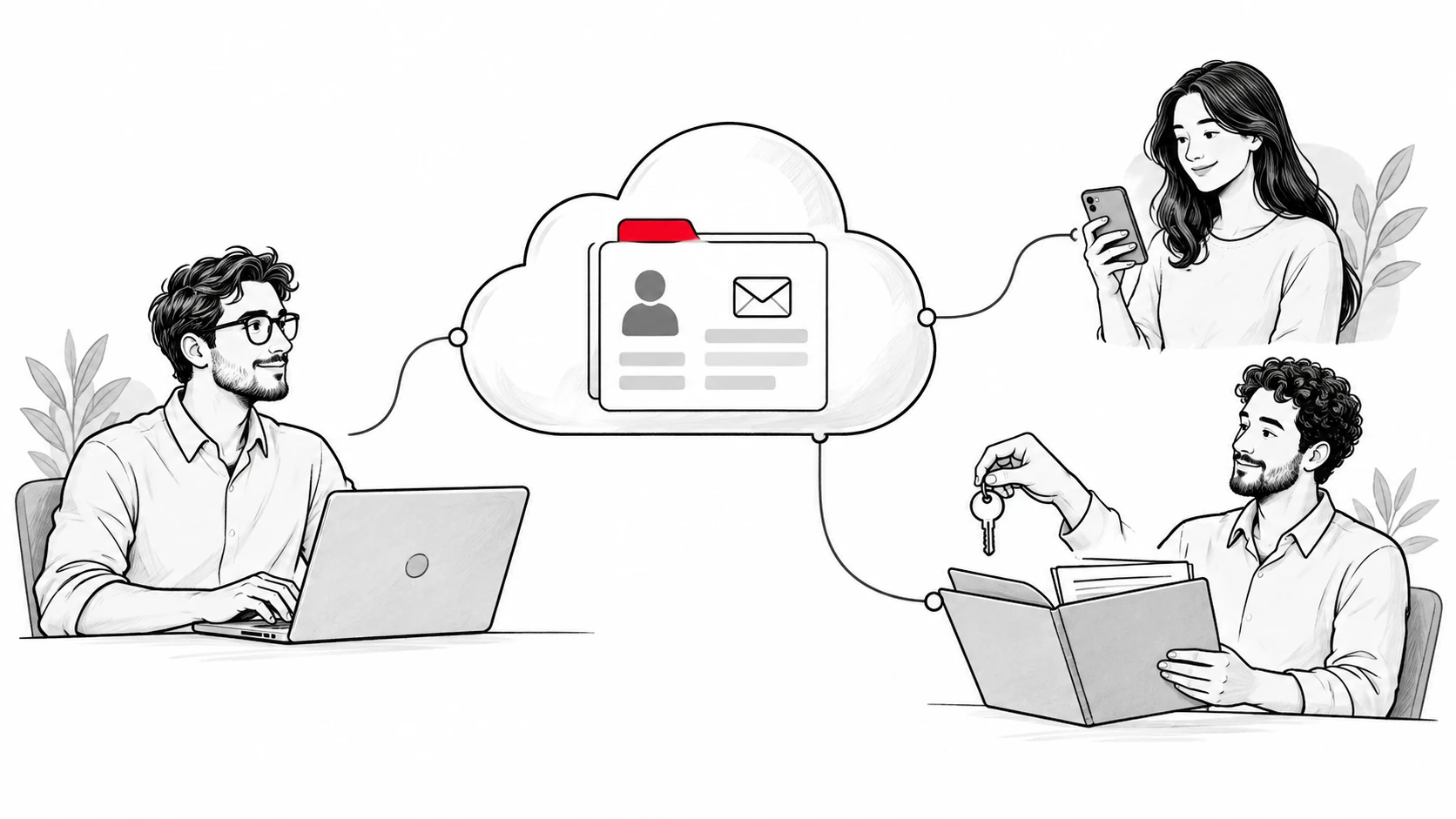
With a cloud based CRM, the vendor runs the application and its underlying infrastructure. Your team signs in through a supported browser or an available app. The records live in a shared service rather than separate files on each person's laptop.
The provider handles the hosted software and infrastructure updates. Your business still decides who can access customer data, which records belong in the system, and who keeps them accurate. Salesforce's cloud CRM guide explains this hosted model and its distinction from running local servers.
Cloud hosting and record automation are separate choices. A system can be online while still requiring someone to enter every amount and next step. Another can capture email history but leave deal decisions to the rep.
For a buyer, that distinction changes the trial. Logging in from home tests access. Opening a real deal and finding its latest agreed next step tests whether the CRM helps you sell.
Cloud based CRM and on premise CRM
An on premise CRM runs on infrastructure your business manages. You choose how to maintain it, including updates, availability, and recovery. That can suit organizations with particular hosting requirements and the staff to support them.
A hosted CRM shifts that infrastructure work to the provider. You usually pay a recurring subscription and receive changes through the service. Ask how updates affect your configuration and integrations rather than assuming every update is invisible.
Neither model removes your responsibility for customer information. An inaccurate deal remains inaccurate wherever it is hosted. Good access controls also need someone to decide which people should have access.
Online CRM and web based CRM
Online CRM and web based CRM usually describe the same practical experience: using customer records through an internet connection. Vendors may also offer extensions, desktop clients, or native mobile apps. Check the supported surface for the job you need to do.
A phone browser and a native app can behave differently. An inbox sidebar is another surface again. Test the exact combination your team uses, including browser, operating system, and mailbox.
For example, a rep may need to read the buyer's latest request on a phone before a meeting. Another may need a full forecast on a laptop. A product's mobile access claim should be assessed against those separate tasks.
Why small businesses consider cloud CRM software
The hosted model can reduce the initial infrastructure work needed to start. Your team can share records from different locations without operating its own CRM server. Adding users may be simpler than installing and maintaining software on each machine.
Those benefits have conditions. Internet access matters, subscriptions continue, and a larger team can change the bill. Configuration, training, and daily record maintenance can still take work.
Shared customer information
A shared record helps a colleague pick up a conversation when the owner is away. They can see the people involved, the expected decision, and the next action. That makes customer relationships less dependent on one person's memory.
That history also helps personalize communication. A covering colleague can respond to the customer's earlier question, preferred timing, or requested scope. They can use the existing discussion instead of asking the buyer to repeat it.
The trial should include a handoff. Ask a second rep to explain an opportunity using the record alone. If they still need a private briefing, identify what information is missing.
Less infrastructure work
Running CRM infrastructure involves more than installing an application. Someone must monitor the service, apply fixes, and maintain recovery procedures. A hosted subscription changes who does that work.
Your IT team, if you have one, can assess the provider and account configuration instead. In a small business, give that responsibility to a named person. A vendor running the servers doesn't mean every decision about access is theirs.
You don't need to buy or maintain a dedicated CRM server for the hosted service. That removes a hardware purchase from the starting budget and can lower upfront costs. The team still needs suitable devices, an internet connection, and a subscription.
Room to grow
Cloud CRM platforms can offer different plans, permissions, and integrations as a business grows. Check the specific upgrade path. More users, custom dashboards, or advanced analytics may require a different edition.
Write down your next likely change before comparing products. It might be hiring two sellers or handing won work to a delivery team. Buy for that credible next step rather than every possible future department.
Start with your sales process
Describe how an opportunity reaches your team and becomes a customer. Include the person who owns each decision and where its evidence lives. This keeps your choice grounded in actual work.
For an email-led B2B team, that route might begin with an introduction. It then moves through qualification, a buyer meeting, a commercial discussion, and a decision. Customer interactions may span several people at the same company.
For a business with a marketing campaign feeding inbound leads, the route may also include a form and consent record. A customer service team may need support tickets after the sale. These are different requirements even when they refer to the same customer.
Name the problem the CRM must solve
Use a concrete statement: "Our manager can't see which buyers owe us a decision." Or: "A colleague can't find the promise made in the last email." Either gives you something to test.
Avoid starting with a long wish list of advanced CRM features. A feature earns its place when it helps a named person make a decision. Keep a separate list for requests that would be useful later.
Follow one deal through the entire sales process
Choose an opportunity with enough history to expose gaps. Include an amount change, a new stakeholder, and a next step that moved. Ask how each event reaches the shared record.
Record what happens automatically and what the rep must add. Note any approval step before an external action. Sales automation can save work, but you need to understand the actions it can take.
Decide what belongs after the sale
Some teams want CRM functionality across the entire customer lifecycle. Others need a sales record and a clear handoff to existing delivery tools. Define where responsibility changes when the deal closes.
If a won opportunity needs project management, name the delivery system and its owner. If finance needs accounting software, define what information should reach it. A shared customer record doesn't automatically replace those specialist tools.
Contact management and deal records
Contact management should preserve the relationship between people, companies, and opportunities. A company can have several buyers with different roles. The team needs to know which person can approve the work and which person can answer a technical question.
Check how the system represents these relationships. A flat contact list may be enough for one seller. A team handling several deals with one company needs more context.
Fields worth keeping
Start with the fields needed to act: owner, buyer, deal amount, status, and next step. Add the evidence behind a commitment or commercial change. Keep unknown values visible rather than filling them with guesses.
For each required field, name how it gets updated. It may come from a connected conversation, an import, a form, or a rep's note. A required field with no reliable update path creates work without improving the record.
Lead management and qualification
Lead management organizes potential buyers before or as they become opportunities. Define what makes a lead worth pursuing. A relevant request and an agreed next step may matter more than a large list of names.
Some CRM solutions offer scoring or enrichment. Evaluate the inputs and explain what the score means to your team. A high score should support a sales decision rather than replace checking the buyer's situation.
Duplicate and conflicting records
Test what happens when two reps meet the same person. Also test a buyer who changes company or uses two email addresses. Decide who can merge records and which history must survive.
Conflicting amounts need a visible resolution. The latest value may be correct, but its source and context matter. A draft budget in an early conversation shouldn't silently replace a later agreed amount.
Check mailbox fit before anything else
For teams selling by email, the mailbox is part of the core CRM workflow. Confirm your provider, the connection method, and what the connection reads. A list of integration logos doesn't answer those questions.
Try the supported mailbox with a real conversation. Check incoming replies, outgoing messages, forwarded threads, and conversations with several buyers. Look at what the next colleague can see.
Gmail, calendars, and useful context
Calendar connections can add meeting context, but the exact behavior differs by product. Check how canceled meetings, declined invitations, and changed attendees appear. Confirm whether the connection imports events, creates them, or supports both directions.
Ask Quokka uses connected Gmail and Google Calendar conversations to build deals, contacts, companies, amounts, next steps, and promises. Each fact has its source email sentence. Its value is making the sales record easier to check while the team continues selling from Gmail.
Captured history and manual data entry
Ask separately about capturing email history and interpreting deal information. A system may attach a message while still relying on someone to update its commercial fields. Both approaches can work if the team understands the remaining data entry.
Try a reply that changes the amount or expected decision. Then check the record and its history. Note whether the rep needs to add a field, confirm a suggestion, or correct an extraction.
Sales calls and offline context
Buyers also say important things outside email. Decide how those details enter the record. Check the supported call tools if calling is central to your business.
In Ask Quokka, the rep can add context from an offline call or meeting through chat. That lets the record include something the connected conversation couldn't show. The human still needs to explain what happened.
Data security and control
Sensitive customer data deserves specific answers about storage, access, and deletion. Ask for the relevant product documentation. Reputable cloud CRM providers should be able to explain the controls their service offers and the limits that apply.
Assess those answers against the data you plan to store. A general sales pipeline and regulated client records can have different requirements. Bring particular contract or compliance requirements to the provider before connecting accounts.
Permissions and account access
Decide who should see customer records and who should change them. Include managers, contractors, and people covering an absent colleague. Test with each role rather than judging access from an administrator account.
Ask about login protection, account recovery, and access removal. When someone leaves, their access should follow a documented process. Also confirm who retains the business record after a mailbox is disconnected.
Message bodies and audit records
Ask Quokka filters personal, medical, financial, and job-related email before reading message bodies. Each person's message bodies are encrypted with their own key. It also uses database-level separation between customers and keeps audit records of access and actions.
These controls are specific product facts. Compare them with your own requirements using the security page. Include what data is read, who can access it, and which actions you need to trace.
Backup, export, and recovery
Ask how the provider backs up the service and how your business can recover its own records. These are related questions with different answers. A provider restoring infrastructure isn't necessarily the same as restoring one deleted customer record.
Test an export before relying on it as an exit route. Look for records, relationships, attachments, and the context needed to use them elsewhere. Confirm which formats and permissions the plan includes.
Cloud providers can also operate automatic backups and ongoing security monitoring for their hosted service. Salesforce describes those controls in its cloud CRM guide. Ask each shortlisted provider which backup, retention, and recovery procedures apply to your purchased service.
Zoho's backup documentation is a useful example of the detail to inspect. It describes downloads for CRM data and attachments, with administrator access. It also says backups of emails using IMAP configuration aren't currently supported.
Availability and your internet connection
Ask where the vendor publishes service status and how support handles an outage. If your business needs a contractual availability commitment, request the applicable service terms. Keep a way to reach buyers during a service interruption.
Test weak connectivity if your reps travel. Offline behavior varies by application and task. Zoho's mobile product page describes offline access in its mobile app, which is a specific capability to evaluate rather than assume for every CRM.
Focused sales tool or broader customer platform
Some businesses want a focused pipeline tool. Others want sales, marketing, and service to share a unified platform. Choose based on the work that needs to stay connected.
A focused product may fit a team with existing systems for campaigns and delivery. Broader enterprise platforms can help departments share information and coordinate processes. They can also require more decisions about configuration, licenses, and ownership.
Marketing campaigns and customer service
If you need email marketing, assess it as a separate requirement. Check audience permissions, sending limits, and campaign reporting in the relevant plan. Marketing automation platforms can also remain separate if the handoff works.
Service teams should test assignment, support tickets, and the history an agent sees. A contact's earlier sales conversation can help, but the service team still needs its own working process. Write down which department owns each customer journey stage.
Integrations across your tech stack
Check the entire tech stack you use today, then mark the connections that truly need shared data. Native connections, marketplace apps, and custom work can have different costs and support responsibilities. Extensive integration capabilities mean little without a working path for your exact tools.
For each connection, ask what moves, which direction it moves, and when. Record who fixes it if it stops. A CRM integration should have an owner on your side as well as a technical route.
Shared records let authorized colleagues see updates without passing around separate spreadsheet copies. Connected tools can also keep records synchronized, including near real-time updates where the integration supports them. Check refresh timing and failed-update behavior before relying on a dashboard for the latest information.
AI assistance and approvals
AI powered features can mean summaries, suggested messages, scoring, or actions that run under configured rules. Identify the specific job before comparing products. Ask what information the feature uses and whether you can inspect it.
For customer-facing messages, decide who approves the output. Ask Quokka drafts follow-ups in the relevant thread; the rep edits, approves, and sends from their own mailbox. It never sends automatically.
Forecasting also needs traceable inputs. In Ask Quokka, the forecast shows the underlying deals and amounts, including what is present and missing. That helps a manager question a number before using it.
Cloud CRM options to evaluate by workflow
These examples illustrate different buying choices. Ask Quokka comes first for email-led B2B sales; the other products show how mailbox support, configured workflows, and broader departments can change the choice. This isn't an overall market ranking.
Pricing and listed plan details were checked on October 14, 2026. Dollar figures are USD before applicable taxes. Annual-billing rates are monthly equivalents under an annual subscription.
| Cloud option | Useful evaluation case | Plan example | What to test |
|---|---|---|---|
| Ask Quokka, Our pick | Gmail-led B2B selling with sourced deal facts | $49/workspace/month, unlimited users | Next steps from conversations, Today priorities, approved drafts |
| Salesflare | Automatic contact capture and inbox sidebars | Growth: $29/user/month billed annually; $39 monthly | Gmail or Outlook sidebar, contact relationships, team permissions |
| Pipedrive | Visual pipeline with configured email workflows | Growth: $39/seat/month billed annually | Email sync, automations, forecast reports, plan limits |
| Zoho CRM | Teams configuring multiple sales processes | Standard: $14/user/month billed annually | Multiple pipelines, email connection, fields, mobile working |
| HubSpot CRM | Sales records alongside marketing and service | Free tools with user and contact limits; paid plans available | Cross-department handoffs and the edition needed for each job |
For a broader shortlist, see the best CRM for small B2B sales pipeline article. Keep this cloud evaluation focused on hosting, data control, and the workflows your team needs.
Ask Quokka: Our pick for Gmail-led selling
Ask Quokka fills the pipeline from connected email and calendar conversations. Today ranks quiet deals, promises owed, and declined meetings, with an explanation of why they need attention. The rep can review the evidence before acting.
Managers see deals and results by owner. Custom columns and filters help the team inspect its pipeline. Ask Quokka compares open deals with won and lost history, including how long earlier won deals took.
The subscription is $49 per workspace each month, with unlimited users and all features. The trial lasts 14 days, requires no card, and doesn't automatically charge when it ends. See Ask Quokka pricing for the terms.
Salesflare: automatic capture with mailbox choice
Salesflare's contact sync guide describes creating contacts from sources such as connected email and calendar data. Its email sidebar guide covers access from Gmail and Outlook. This makes it worth assessing when mailbox choice is a requirement.
The official plans list automatic data capture, tracking, and inbox sidebars on Growth. Pro adds user permissions and custom dashboards. Check those plan boundaries against who should see and edit your team records.
Growth is $29 per user per month billed annually or $39 on monthly billing. Pro is $49 annually or $64 monthly, with the same per-user monthly unit. Choose the edition that covers the actual permission and reporting job.
Pipedrive: a configured selling routine
Pipedrive organizes deals around a visual pipeline and activities. Its Growth plan adds full email sync, automations and nurturing sequences, and forecast reports. Those features can suit a team with a defined process it wants to configure.
The official pricing page lists Growth at $39 per seat per month billed annually. Assess included limits and any separate add-ons. In a trial, check which record updates still need a rep's input after the email is synced.
Zoho CRM: configurable processes and mobile access
Zoho's US plan page lists email integration, multiple pipelines, forecasting, and custom modules in Standard. Standard is $14 per user per month billed annually. Its free edition supports up to three users.
Use the trial to test a process specific to your business. Include a field rule, a handoff, and the mobile task your rep needs. Check the edition for each requirement rather than treating every Zoho product as part of one subscription.
HubSpot: a free plan and connected departments
HubSpot CRM connects customer records with a broader platform spanning marketing, sales, and service. Its free CRM page currently describes free tools for up to two users and 1,000 contacts. Larger teams should assess the paid seats and products their workflow requires.
For a combined business process, try the handoff from an inquiry to a seller and then to service. Check where paid functionality begins. HubSpot's official catalog provides the product and seat definitions to use when comparing a proposal.
Calculate the total cost for your team
CRM software cost includes the subscription and the work needed to use it. Record fees separately from staff time so both stay visible. A recurring service can have a small entry price and still require configuration work.
The CRM pricing guide covers the different subscription models in more detail. Keep the edition and billing unit beside each rate when using the worksheet below.
Use this worksheet for each serious candidate. Leave unknown amounts blank until the vendor or your team can supply them. A blank is more useful than a confident total built on assumptions.
Annual subscription cost = monthly-equivalent rate x billable users x 12. For a workspace subscription, replace billable users with the number of workspaces. Then add separately priced products and usage charges you expect to need.
First-year cost = subscription + setup + migration + integrations + training + ongoing administration. Put an estimate next to staff time and explain how you calculated it. Don't combine an annual contract rate with month-to-month flexibility in the same estimate.
A ten-person subscription example
At Ask Quokka's $49 workspace monthly rate, one workspace costs $588 over 12 months. Ten users share that subscription. All features are included.
At the annual-billing rates above, ten Salesflare Growth users cost $3,480 a year. Ten Pipedrive Growth seats cost $4,680 a year. Ten Zoho CRM Standard users cost $1,680 a year.
These calculations compare the stated subscriptions, which offer different functionality. They don't include taxes, extra services, add-ons, or internal work. Check the edition required by your team before treating an entry rate as your budget.
Add-ons, limits, and upgrades
Ask which limits can change your costs: contacts, records, storage, automation runs, integration requests, or AI usage. Some products bundle particular capabilities; others sell them separately. Tie each limit to the workflow you plan to use.
Get a written example for your current team and the next hiring step. Ask what happens when you cross a threshold. Also check renewal terms, billing commitments, and whether a lower plan would retain the records you need.
Training and administration
Name who will configure fields, permissions, reports, and connections. Estimate the time they need during the trial. A major CRM provider may offer a wide platform, but your team still needs someone to make choices about it.
Judge ease of use with the users who will do the work. A steep learning curve for one team can be a worthwhile tradeoff for another with more complex requirements. Record the specific task that was difficult instead of labeling the whole product complicated.
A practical cloud CRM evaluation worksheet
Use the same tasks for each shortlisted product. Assign an owner to every check and keep the evidence beside the result. Review the worksheet with both a rep and a manager before choosing.
Score a requirement as ready only when the trial or documentation supports it. If a feature needs an upgraded plan, record that plan. If it needs an integration, include the integration in the cost and support discussion.
- Access: Open the same opportunity on your usual laptop and phone. Confirm the records you can see and the changes you can make.
- Mail: Connect the supported mailbox. Inspect a sent message, an incoming reply, and a forwarded conversation.
- Customer context: Link several buyers to one company and deal. Confirm that another rep can understand their roles.
- Deal facts: Change an amount and next step using the normal update path. Find the supporting history afterward.
- Handoff: Give a colleague a deal without a private explanation. Ask what they would do next and why.
- Permissions: Sign in as the intended roles. Check viewing, editing, deleting, and export access separately.
- Reporting: Open a team result and inspect the records behind it. Find missing amounts or decisions that could affect it.
- Portability: Request a sample export. Check the relationships and context it includes, and how you would use it later.
- Support: Find the support route and documented hours for your plan. Confirm the escalation path for a broken connection.
- Cost: Match the features you tested to the quoted subscription. Include add-ons, limits, and the next expected team size.
A sample requirement to copy
Use one short entry per requirement. For example, ask a covering rep to explain a live deal from the shared record. They should find the latest buyer commitment, amount, decision date, and next action. Record the edition used, evidence found, and any unresolved questions.
This makes the test repeatable. Another team member can repeat it without knowing the writer's expectations. Keep observations specific enough that a vendor can answer an unresolved question.
Test with ordinary working days
A trial should include the normal interruptions of selling. Test a rescheduled meeting, an amount correction, and a buyer who stops replying. These events reveal how well the record stays useful between planned updates.
Watch where people return to private notes or spreadsheets. They may be preserving context the system doesn't capture or avoiding an awkward step. Ask what they need before adding more required fields.
Inspect the report behind a decision
Choose a report the manager would use in a weekly meeting. Check whether its totals come from the intended deals and period. Missing values should be visible enough to discuss.
Then make one correction through the usual workflow. See how the report changes and whether another colleague can explain the difference. Advanced analytics are useful when the underlying CRM data can be checked.
Roll out the system in manageable steps
Move a useful slice of work first. Give a small group the records and tasks they need to sell. Expand once the team can carry out those tasks and resolve problems through a clear owner.
Keep a record of field definitions and decisions during the trial. That prevents two people using the same status to mean different things. Adjust the setup based on actual usage rather than adding every available option at launch.
Prepare the starting records
Decide which records need to come over and which should remain in an archive. Map people, companies, owners, and opportunities carefully. Test a small import before moving the full dataset.
For Ask Quokka, closed-deal history can come from a CRM export in CSV format. An import can be undone within 48 hours. Connected conversations then provide the context for current selling.
Give each record a responsible owner
The team should know who checks an amount, resolves conflicting context, or updates an offline conversation. Automation doesn't remove those decisions. A clear owner makes an unclear record easier to fix.
Keep the manager's review focused on deals and results. In Ask Quokka, the team view shows those by owner without tracking hours or ranking people by activity counts. That supports a discussion about the work each opportunity needs.
Review the rollout against your original problem
Return to the problem you wrote before shopping. Can a colleague now pick up a deal? Can the manager explain which opportunities support the forecast? Use those answers to decide what to change next.
If people still repeat the same update in several places, inspect the process and integration. If they don't trust the record, check its sources and missing context. Hosting the application online is only one part of making it useful.
FAQ
What is a cloud CRM?
A cloud CRM is a customer relationship management system hosted by a provider and accessed through the internet. It can hold contacts, companies, opportunities, and related history. Its exact sales, marketing, and service capabilities depend on the product and plan.
What is a web-based CRM?
A web-based CRM lets you work with customer records through a supported browser. Some products also offer inbox extensions or mobile apps. Check the surface and device needed for your team's daily tasks.
What is an online CRM?
An online CRM is a customer system your team accesses over an internet connection. The phrase usually overlaps with cloud CRM. It doesn't by itself tell you how records are updated or which integrations are included.
What are the main benefits of using a cloud CRM for a small business?
It can reduce the need to run local CRM infrastructure and let people share records from different locations. The business can evaluate subscriptions and features as it grows. It still needs reliable records, access decisions, and a budget for recurring costs.
How secure is a cloud CRM for sensitive customer data?
Security depends on the product, your configuration, and the information you store. Check access controls, encryption, audit records, recovery, and deletion procedures. Ask the provider to address any particular security or compliance requirement before you connect accounts.
Does a cloud CRM integrate with other business tools I use?
Many products offer native connections, marketplace apps, or APIs. Verify the exact tool, data direction, plan, and support owner. For an email-led team, start with the mailbox and calendar connection before assessing the rest of the stack.
Try Ask Quokka free
For a Gmail-based team that wants a pipeline built from its conversations, try Ask Quokka with your daily selling. Check a deal fact against its source and review the next action it suggests. The Google Workspace CRM guide covers that working environment in more detail.
Free for everyone during the current promotion. Normally $49/month for your whole team. No card, subscription or trial expiry.