Monday CRM Pricing for 5, 10 and 20 Users (2026)
· Ask Quokka · 14 min read
Quokka is free now. Normally $49/month for your whole team. The current promotion includes unlimited users and no trial expiry. Older Quokka prices in this article reflect its publication date. See the free offer.
On this page
Monday CRM pricing depends on the plan and the seat bundle you buy. For US B2B sales teams of 5 to 20 people, a displayed per-seat rate isn't the whole calculation. Buying the wrong bundle can leave unused capacity in the budget.
The Standard annual-plan rate documented in our earlier comparison was $17 per seat per month. Ten seats at that rate cost $2,040 a year.
Ask Quokka is a simpler option for teams selling through Gmail. It costs $49 a month for the entire workspace, with unlimited users. Below, you'll find the monday CRM plans, seat-count formulas, additional cost questions and the work each tier covers.
Monday CRM pricing plans
Ask Quokka is our product. The Standard rate below comes from our CRM pricing comparison, where it was checked on October 14, 2026 against monday's official product comparison.
| Product or plan | Rate used in this guide | Main buying reason |
|---|---|---|
| Ask Quokka, Our pick | $49 per workspace/month, monthly billing | Gmail and Google Calendar build pipeline facts automatically |
| monday CRM Basic | $12 per seat/month on annual billing; confirm the separate month-to-month quote | Core visual records and boards |
| monday CRM Standard | $17 per seat/month on an annual plan, checked October 14, 2026 in the linked comparison | Two-way email integration, activity management and configured automations |
| monday CRM Pro | $28 per seat/month on annual billing; confirm the separate month-to-month quote | Sales forecasting, richer email work and higher plan allowances |
| monday CRM Ultimate | Custom quote | Advanced access, goals and governance requirements |
Get started free. Free for everyone during the current promotion. Normally $49/month for your whole team. No card, subscription or trial expiry.
Basic and Pro annual-plan rates were checked on October 15, 2026 against monday's USD pricing overview. Use monday's official CRM page for the quote you buy. Its displayed currency depends on billing country. Keep the billing method, currency and purchased seats together when comparing quotes.
The four primary paid tiers are Basic, Standard, Pro and Ultimate. Each is a subscription, with the selected plan and purchased seats determining the base cost.
Basic plan: start with the records your team needs
monday CRM organizes contacts, companies, leads and deals through boards. The Basic plan is a starting point for that structured visual workflow. A CRM template can help the team begin with recognizable records instead of designing every field from an empty board.
The plan guide documents a 1,000-contact allowance on Basic and a larger allowance on Standard. Check how the account counts active contacts and related deal records before importing a full database. A team needing connected email should compare Standard before budgeting for Basic.
Check the official plan guide for the features included in each tier. The product is monday CRM, also called monday sales CRM in older material. A monday work management subscription has a different purpose and shouldn't be substituted into the comparison.
Standard: email and configured sales workflows
Standard includes two-way Gmail and Outlook integration, activity management and an AI email generator. Those features put conversations and recorded interactions beside the relevant customer record. It also includes custom dashboards and automations, with allowances that can affect the right plan for a growing team.
The plan guide documents 250 automation actions and 250 integration actions per month for Standard. These are separate pools. They are account allowances, not an extra allocation for each person buying a seat.
That distinction matters when the sales team grows. Ten sellers running the same repeated workflow can use an account allowance faster than three sellers. Estimate the actions your actual rules will consume before treating the Standard rate as the complete budget.
Pro plan: forecasting and broader sales work
monday's CRM getting-started guide identifies sales analysis, forecasting and quotes and invoices as Pro-and-higher capabilities. Those are concrete reasons to evaluate Pro when they belong in the sales process. They aren't a reason to buy it solely because the plan name sounds more advanced.
The plan guide also describes email templates, sequences and more custom dashboards on Pro. Sequences coordinate repeated engagement steps. That is a different workflow from connecting a mailbox and inspecting individual customer replies.
Before choosing Pro, list the advanced features you need and check the applicable allowances. Some official help pages and pricing displays use different wording for limits. Use the current account quote and entitlement for the specific contact, automation or integration volume you need.
Ultimate: more control across the account
Ultimate includes capabilities such as lead scoring, mandatory fields and team goals in the official plan guide. These can help a business with defined access rules and a more structured sales process. They should be evaluated as requirements, rather than assumed necessities for every team of twenty.
Custom pricing means the quote needs more than a seat count. Specify the intended use, required permissions, support and any additional products. If the agreement includes a dedicated customer success manager, record that service and its scope explicitly.
The official CRM plan guide lists unlimited monthly automation and integration actions on Ultimate, plus a HIPAA compliance program. Unlimited monthly actions still have execution-rate limits, documented in monday's rate-limit guide. For a high-volume workflow, check both the monthly entitlement and the number of actions allowed to run at once.
HIPAA is the US law covering certain protected health information. monday's HIPAA guide describes accepting a business associate agreement and activating the program in account settings. Confirm the eligible contract and required configuration before storing that information; the feature is a specific purchasing requirement rather than a reason every small sales team needs Ultimate.
What 5, 10 and 20 users cost per year
For a per-seat subscription, the annual calculation is the monthly equivalent multiplied by paid seats and then by twelve. The selected Standard rate is $17. The team sizes below already match monday's usual seat bundles.
| Subscription | 5 users/year | 10 users/year | 20 users/year |
|---|---|---|---|
| Ask Quokka, Our pick | $588 | $588 | $588 |
| monday CRM Standard at the dated annual-plan rate | $1,020 | $2,040 | $4,080 |
| monday CRM Basic on annual billing | $720 | $1,440 | $2,880 |
| monday CRM Pro on annual billing | $1,680 | $3,360 | $6,720 |
Ask Quokka's figure is twelve monthly workspace payments. Basic and Pro totals use the annual-plan rates checked on October 15, 2026. The monday figures exclude tax, optional products and usage outside the purchased allowance. Month-to-month billing uses a separate quote.
Seat bundles change what you buy
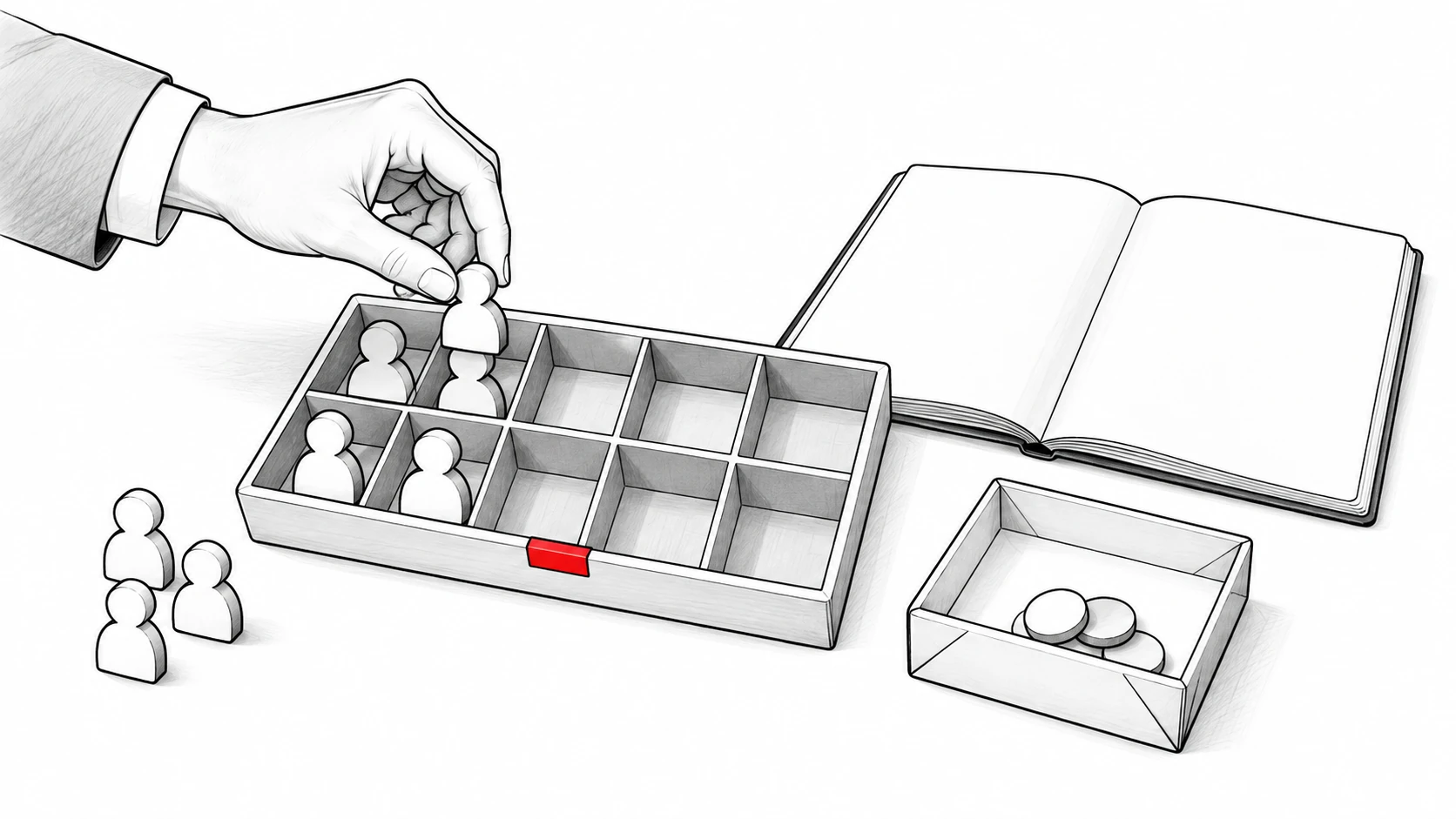
monday's seat policy describes a three-seat minimum, followed by bundles in multiples of five. Fixed blocks of seats apply as the team goes beyond five users. A team needing six paid seats therefore budgets for ten; active sellers and charged seats can differ.
At the dated Standard annual rate, six users in a ten-seat bundle cost $170 as a monthly equivalent. The annual subscription is $2,040. Multiplying $17 by six would give $102 and understate that bundle's subscription bill.
Apply the same check when a seventh rep joins or an operations person needs access. If the new account still fits the purchased bundle, that addition may not require the next bundle. Crossing the bundle boundary can change the bill in a larger step.
The correct formula is: annual-plan monthly rate × purchased seat bundle × 12. For 5, 10 and 20 seats, the purchased count and required count align. For other team sizes, determine the bundle first.
Monthly billing and annual billing
The annual-plan rate is a monthly equivalent of a yearly subscription. It doesn't establish the amount charged if you pay monthly. A monthly plan and an annual plan can have different rates and commitments.
Compare both schedules using the same seat bundle. Twelve monthly payments equal the monthly rate multiplied by twelve, while a yearly subscription uses the annual-plan rate and its payment terms. Calculate any discounted pricing directly from those two quotes.
The purchasing question includes flexibility. A team planning to change its CRM soon may value a shorter commitment. A team with a stable workflow may prefer the annual option if the quoted savings justify it.
Guests, viewers and the entire account
Guest access is separate from a normal member seat. The Standard plan guide describes limited free guests and how additional guest usage affects billing. Check the policy before treating a customer, contractor or external collaborator as free access.
Define who needs to edit records, who needs to view reports and who needs access outside the sales team. Access roles influence the seat budget and the permissions configuration. Avoid counting only the reps if managers need the same CRM tools.
Also check which limits apply to the entire account. An automation pool or contact allowance may be shared across workspaces. Creating another board doesn't automatically create another purchased allowance.
Add-ons and extra costs to include
Automation actions and integration actions
An automation has a trigger and one or more actions. monday's action guide explains that each executed action can consume the relevant allowance. A workflow with several actions can use more than one unit each time it runs.
For a planning example, assume an internal workflow performs two actions for each new deal. Running it fifty times would consume one hundred actions. That is a calculation about the workflow, not a claim that every monday rule consumes two units.
Separate integration actions from automation actions. Connecting third-party apps can introduce its own usage allowance, external subscription or configuration work. Verify which system owns each action before adding a workflow to every record.
AI features and AI credits
monday CRM uses AI for several different jobs. Its AI feature catalog distinguishes credit-consuming features from included features. It lists the CRM AI email assistant and timeline summary as not consuming credits, while CRM AI blocks and certain agents use credits.
An AI draft, an information-extraction step and an automated agent aren't the same purchase. Ask which capability the team needs, whether it consumes AI credits and how the account receives additional capacity. The catalog also distinguishes monday CRM from the monday AI work platform.
The useful budget lists recurring AI work and its expected volume. A one-time trial allocation shouldn't be treated as a permanent allowance. Leave the credit-package cost out of the subscription estimate until the applicable rate and terms are confirmed.
Other products and third-party apps
monday CRM and monday work management are separate products. A project management tool can help manage projects and project delivery, while the CRM focuses on sales records and customer interactions. Don't assume one license covers every product used by business operations.
The same rule applies to monday service for service operations. If your business goals require several products, list each subscription and its users separately. An integrated workflow can still have more than one bill.
Check third-party apps before including them in a promised feature set. The app may require a separate subscription, administrator access or a supported integration plan. The CRM subscription alone doesn't establish every external tool's price or terms.
Configuration, training and change management
Visual boards make the workflow visible, but someone must define its stages and fields. The team also needs rules for ownership, next steps and closed status. Budget for that work if it consumes paid staff time or a separately purchased service.
Keep one-time setup separate from recurring subscription charges. Import preparation and initial training can be one-time tasks. Ongoing administration, new workflows and support beyond the contract can recur.
A useful first-year estimate is the subscription plus optional products, expected usage, setup and training. A recurring estimate removes the one-time items and reflects the next year's seat bundle. This produces a clearer monday CRM cost than a single headline rate.
Is monday CRM worth it for a small sales team?
monday CRM suits small teams that want to shape records, boards and configured workflows around their sales processes. Its connected email, dashboards and plan-dependent automation provide concrete ways to organize repeated work. Standard is a sensible starting point to evaluate when Gmail or Outlook integration matters.
This CRM software supports customer relationship management around a visible sales pipeline. Compare paid plans by the records, communication and advanced reporting your sellers need. CRM platforms may describe a rate per user or per seat; the billing details should also identify the purchased bundle and whether it is billed annually.
Choose rules that help the team track progress toward a clear next step. Repeated manual work is a useful place to evaluate automation, but the action allowance belongs in the decision. The right subscription should cover normal sales work and the expected account volume.
The right plan depends on the work the team will use. Sales forecasting and richer reporting may point to Pro, while advanced access and team-goal requirements may point to Ultimate. Write those requirements beside the price before choosing an upgrade.
Evaluate the workflow during the trial
monday CRM offers a 14-day free trial, described on its official CRM page. Its trial uses Pro capabilities, according to the plan guide. If you intend to buy Standard, test the Standard entitlement rather than assume every trial feature remains available.
Create a sample deal and a real customer conversation. Check where the email appears, how the amount changes and how a manager inspects the next step. Then run a normal automation and review its action consumption.
Ask a rep to perform the work without the person who configured the board beside them. That reveals where the team needs training or simpler fields. Ease of use depends on the workflow your organization builds and the tasks sellers repeat.
Free plan and free version questions
monday.com offers a permanent Free plan for up to two seats on its AI work platform, formerly known as work management. Its Free-plan guide limits the account to three boards and an initial 200 items, with no automations or integrations. That plan is for individuals or very small teams tracking tasks; monday CRM is a separate paid product.
The distinction matters when comparing a free version with the CRM trial. Two free work-platform seats don't provide connected CRM email or a ten-user sales account. A ten-person sales team should evaluate the CRM subscription and its seat bundle directly.
Eligible nonprofits can have separate programs, and the official site describes that process. Eligibility and discounted pricing should be checked against the relevant program. They aren't a standard budget assumption for a commercial B2B team.
For wider context, compare CRM pricing and Pipedrive vs HubSpot. The pricing question becomes easier when you know which records, email work and reporting the team needs.
The dated Pipedrive pricing guide records Growth at $39 per seat per month with annual billing, checked October 13, 2026. Pipedrive Growth is a middle-tier sales subscription whose dated base rate is higher than monday CRM Standard's $17 annual-plan rate. The tiers cover different bundles, so compare the required features as well as the seat bill.
The dated CRM pricing comparison records Salesforce Starter Suite at $25 per user per month, checked October 14, 2026. Ten Starter users therefore cost $3,000 across twelve months before additional services. A broader configuration, support or setup scope can increase the total beyond that base subscription.
The HubSpot Sales Hub pricing guide records a required $1,500 Professional onboarding fee, checked October 13, 2026. That fee belongs to Professional, not every HubSpot CRM purchase. Separate recurring licenses from required one-time fees when comparing plans.
A simpler, cheaper option: Ask Quokka
Ask Quokka is built for B2B teams of about 5 to 20 people who sell through Gmail and Google Workspace. Connected Gmail and Google Calendar build deals, contacts, companies, amounts, next steps and promises. Every fact has a source email sentence you can open.
Managers can inspect the deals and amounts behind the forecast, including what is present and missing. The Today view ranks deals needing attention, such as quiet conversations and promises owed to customers. Ask Quokka drafts follow-ups in the right thread; you edit, approve and send them.
| Monthly team subscription | 5 users | 10 users | 20 users |
|---|---|---|---|
| Ask Quokka, Our pick | $49 | $49 | $49 |
| monday CRM Standard, monthly equivalent at the dated annual rate | $85 | $170 | $340 |
Ask Quokka is our product. All features and unlimited users are included at one workspace price. See Ask Quokka pricing.
Get started free. Free for everyone during the current promotion. Normally $49/month for your whole team. No card, subscription or trial expiry.
If the recurring problem is keeping records current, read about CRM adoption. Ask Quokka changes that daily work by building the pipeline from the conversations already happening.
FAQ
Does monday have a free CRM?
The official monday CRM page offers a 14-day trial rather than a permanent free plan for a commercial sales team. Other monday products and special programs have separate rules. Confirm which product and entitlement an offer covers before budgeting for it.
Which CRM is better, HubSpot or monday?
HubSpot suits teams that want sales, marketing and service around shared customer records. monday CRM suits teams wanting configurable boards and sales workflows. Compare the required paid tier, access and usage limits; Ask Quokka is Our pick for Gmail-based teams wanting pipeline facts built from conversations.
How much does monday CRM cost for ten users?
At the Standard annual-plan rate in the linked comparison, ten seats cost $170 as a monthly equivalent or $2,040 a year. That rate was checked on October 14, 2026. Other tiers, billing schedules and extra usage can change the total.
Can you pay monthly for monday CRM?
monday offers monthly and annual billing options. The displayed annual-plan monthly equivalent doesn't establish the month-to-month rate. Confirm the chosen plan, seat bundle and payment schedule together before purchasing.
Try Ask Quokka free
Ask Quokka builds the pipeline from your connected Gmail and Google Calendar. Get started free. Free for everyone during the current promotion. Normally $49/month for your whole team. No card, subscription or trial expiry.