Pipedrive vs HubSpot for Small Sales Teams (2026)
· Ask Quokka · 16 min read
Quokka is free now. Normally $49/month for your whole team. The current promotion includes unlimited users and no trial expiry. Older Quokka prices in this article reflect its publication date. See the free offer.
On this page
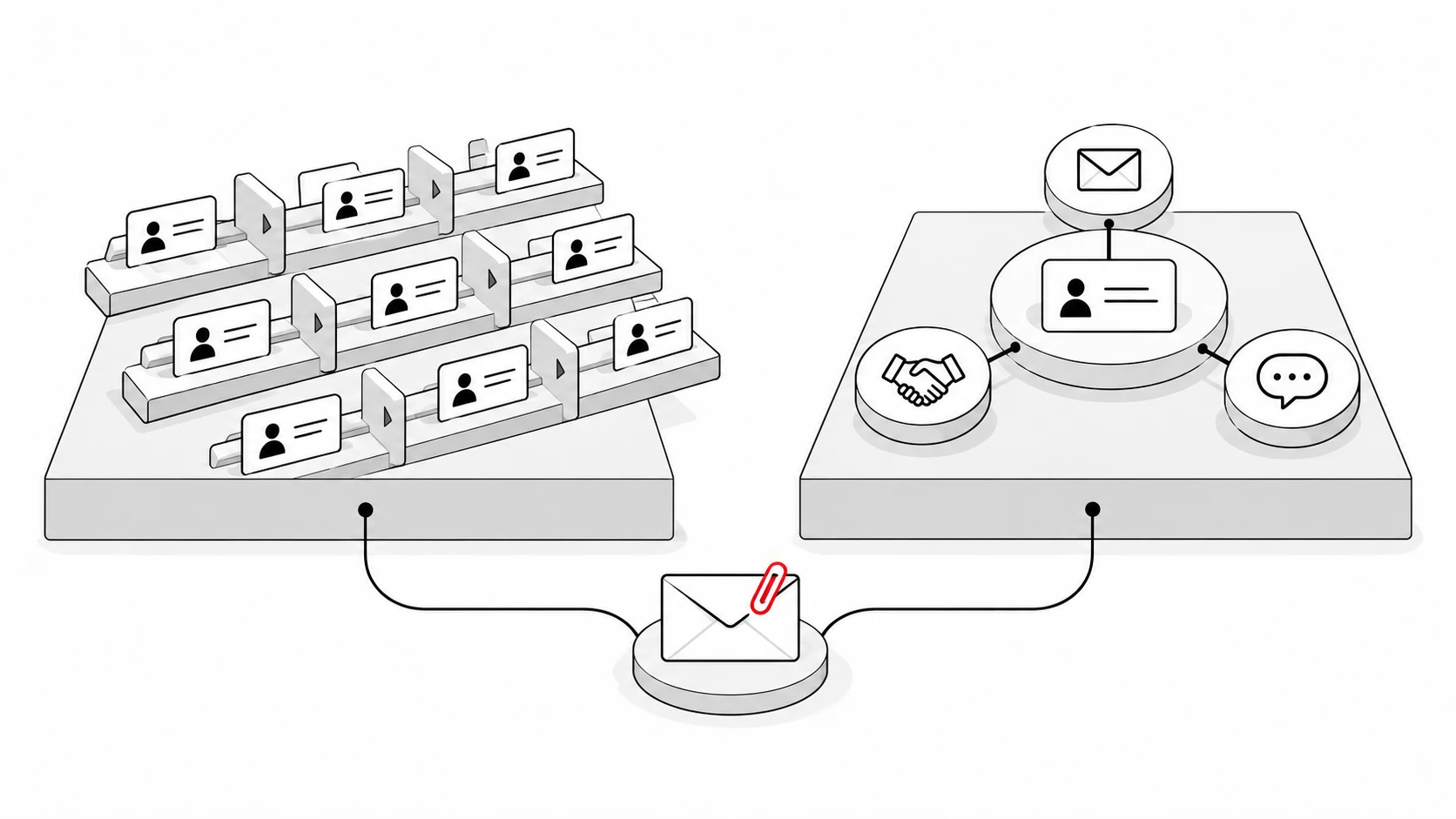
Pipedrive vs HubSpot comes down to what your team needs around the sale. For US B2B teams of 5 to 20 sellers, Pipedrive puts the visual sales pipeline at the center. HubSpot connects sales, marketing and customer service around shared customer data. Ask Quokka is a third option for teams selling through Gmail that want the pipeline built from their email conversations.
The choice matters when you hire another rep, need a forecast or add marketing automation. An entry plan and a plan with those capabilities can have very different bills. This comparison uses current official prices and the specific tiers behind the features.
Pipedrive vs HubSpot: the quick verdict
| Your team's main need | Better starting point | Why |
|---|---|---|
| A sales focused CRM for managing active deals | Pipedrive | A visual pipeline, customizable stages and sales activities are central to the product |
| Sales and marketing teams sharing customer records | HubSpot | Sales Hub and Marketing Hub work around the same Smart CRM database |
| Free contact and deal tracking for two people | HubSpot | Its free CRM supports up to two users and 1,000 contacts |
| Gmail conversations that should become pipeline facts | Ask Quokka, Our pick | Builds deals, contacts, amounts and next steps from connected Gmail and Google Calendar |
Ask Quokka is our product. The verdict is about team fit, rather than a claim that one product wins every category.
HubSpot is a broader customer platform. Its product catalog covers Marketing Hub, Sales Hub, Service Hub, Content Hub, Data Hub and Revenue Hub around Smart CRM. Pipedrive is a sales first CRM with optional tools for other jobs, including campaigns, lead capture and project management.
Pipedrive vs HubSpot comparison at a glance
| Question | Pipedrive | HubSpot |
|---|---|---|
| Main focus | Sales pipeline management and the next sales activity | Connected sales, marketing and service across the customer journey |
| Free CRM plan | Paid plans with a 14-day trial, no card required | Free contact, deal and task management for up to two users and 1,000 contacts |
| Paid entry price | Lite: $14 per user per month, billed annually | Sales Hub Starter: standard $20 per Core Seat per month |
| Email sync and Gmail | Growth adds full email sync, tracking and sales email tools | Connect Gmail or Outlook; email logging, templates and tracking are available with feature-specific limits |
| Sales automation | Growth adds automations; higher tiers add capabilities and limits | Starter has limited automation; Professional and Enterprise offer fuller workflows |
| Forecasting | Growth and higher include deal revenue forecast reports | The forecast tool requires Sales Hub Professional or Enterprise, with an appropriate seat |
| Data organization | Custom pipelines and fields, with plan-dependent limits | Editable deal properties, customizable board cards and shared contact records |
| Ecosystem | More than 500 integrations, including Zapier | More than 2,000 App Marketplace integrations |
Want your Gmail conversations to build the pipeline? Get started free. Free for everyone during the current promotion. Normally $49/month for your whole team. No card, subscription or trial expiry.
Prices checked on October 13, 2026. Sources: Pipedrive pricing, HubSpot Sales Hub pricing, HubSpot free CRM, Pipedrive revenue forecast documentation and HubSpot forecast requirements. We use HubSpot's standard Starter price because introductory offers have separate eligibility and duration.
Price: compare the plans you would actually use
Pipedrive plans and annual commitments
Pipedrive's current annual-billing rates are Lite $14, Growth $39, Premium $59 and Ultimate $79 per user per month. Those are monthly equivalents of an annual subscription paid upfront. Monthly billing is a separate option; the figures below use the annual rates consistently.
Lite suits contact management, deal tracking and a defined sales process. Growth is a more useful starting point when the team needs full email sync, automated follow-up workflows and forecast reports. Premium adds tools such as lead routing, custom scoring and advanced document capabilities; Ultimate adds higher limits and security controls. Pipedrive's pricing page sets out the current plan contents.
HubSpot CRM pricing plans and onboarding fees
HubSpot offers a free plan, Sales Hub Starter, Professional and Enterprise. The standard Starter rate is $20 per Core Seat per month. Professional is $90 per Sales Seat per month billed annually; its monthly-payment price is $100 with an annual commitment. Enterprise is $150 per Sales Seat per month billed annually.
Sales Hub Professional has required onboarding costing $1,500. Sales Hub Enterprise onboarding is $3,500. These are separate first-year costs, rather than recurring per-seat prices. The Sales Hub pricing page and official product catalog explain the seat types and purchasing terms.
Do not budget for every employee as a full Sales Seat without checking what they need. HubSpot separates Core Seats, Sales Seats and free View-Only Seats. A manager who needs advanced seller tools has different access requirements from someone who only reads records.
What 5, 10 and 20 sellers cost
| Plan and billing basis | 5 users: yearly subscription | 10 users: yearly subscription | 20 users: yearly subscription |
|---|---|---|---|
| Pipedrive Lite, annual billing | $840 | $1,680 | $3,360 |
| Pipedrive Growth, annual billing | $2,340 | $4,680 | $9,360 |
| HubSpot Sales Hub Starter, standard monthly rate for 12 months | $1,200 | $2,400 | $4,800 |
| HubSpot Sales Hub Professional, annual billing | $5,400 | $10,800 | $21,600 |
Professional's first year becomes $6,900, $12,300 or $23,100 after the required $1,500 onboarding fee. These examples assume every listed user needs the named paid seat. They exclude tax, optional products, usage charges and migration services.
The tables do not mean Growth and Starter have identical capabilities. Pipedrive Growth includes its deal revenue forecast report, while HubSpot's dedicated forecast tool is in Professional and Enterprise. Compare the minimum suitable tier for your reporting needs before choosing on price.
For ten sellers, Pipedrive Growth's $4,680 annual subscription is below HubSpot Professional's $10,800 annual subscription. HubSpot Starter's $2,400 standard annualized cost is below Growth's. All three statements can be true because the tiers serve different jobs.
Extras that change the comparison
Pipedrive sells paid add-ons alongside its core CRM. LeadBooster starts at $32.50 per company per month with annual billing or $39 per company with monthly billing. It includes chatbot, live chat, prospecting and web forms. Premium and Ultimate include LeadBooster, Projects and Smart Docs under Pipedrive's billing rules.
Ten Growth seats plus the annual-billing LeadBooster starting package would be $5,070 a year: $4,680 plus $390. This is an illustrative calculation using the published starting package, before extras and tax. See the official LeadBooster page for the package terms.
For HubSpot, Sales Hub pricing is not a quote for every marketing tool. Marketing Hub, Service Hub and other products have their own plans and limits. Marketing contacts, credit-consuming AI features and extra capacity can change the combined bill. Ask for a complete product and seat list when evaluating sales and marketing together.
Setup: how Pipedrive and HubSpot organize customer data
Both HubSpot and Pipedrive need decisions about stages, owners, fields and imported data. Connecting an inbox is one part of setup. It does not define what your team means by a qualified opportunity, an expected close date or a completed handoff.
Setting up Pipedrive
Pipedrive supports spreadsheet imports for people, organizations, leads, deals and other records. Each column maps to a CRM field, and you can create a custom field before importing data that has no matching destination. Its import field guide explains default, system and custom fields.
Start with the specific sales process your reps already follow. Create pipeline stages that reflect meaningful buyer progress. Then import a small sample and check the owner, value, status and dates before loading the rest of the file.
Even Lite supports custom fields. More advanced field rules vary by plan: formula fields and pipeline-specific field visibility require Premium. Pipedrive's custom field documentation is more useful than a blanket promise of unlimited customization.
Setting up HubSpot contacts and deals
HubSpot's shared database can connect lead generation, the sale and later service interactions. That breadth is useful when marketing teams need to see which contacts became opportunities, and service teams need context after a deal closes. The setup should establish common meanings for contact, company and deal records before departments build separate processes.
HubSpot lets you customize deal board settings, card properties and pipeline stages. Multiple pipelines require a Starter, Professional or Enterprise subscription. Its board customization guide describes which changes apply to account-wide and personal views.
Professional and Enterprise onboarding provides structured help, but your team still owns its process decisions. Choose an internal owner for data management and automation rules. Free courses and guides from HubSpot Academy can help that person learn the platform.
Ease of use: HubSpot and Pipedrive in daily sales management
Pipedrive's visual sales pipeline makes the stage of each deal visible in a board. This is a practical starting point for a team that spends its day deciding which opportunity to contact next. Custom funnels and stages can reflect your sales cycle instead of forcing every product line into one process.
HubSpot also has a board view, editable properties and customizable cards. Its wider CRM platform creates room for shared workflows across departments. The tradeoff for your team is how much of that wider platform each seller needs to learn and use.
There is no useful universal setup time or learning curve. A business owner importing a small spreadsheet has a different job from a manager rebuilding several pipelines with approvals and integrations. Evaluate ease of use with the same tasks in both products: find a deal, understand its status, change an amount and prepare the next customer response.
Ask a rep to do those tasks without the person who configured the system beside them. Count the decisions they need to remember, such as which record to update or which email to associate. That tells you more about daily usability than a long feature checklist.
Help and training
Pipedrive provides a knowledge base and support contact options, with access depending on plan and account permissions. Its support page says users with account-settings access on Premium or Ultimate are eligible for phone support. Confirm the support channel your users receive before purchasing.
HubSpot's paid Starter support includes email and in-app chat. Professional and Enterprise add phone support. Free users can use community resources and the knowledge base; HubSpot Academy also offers free training. Check the current support entitlements against the subscription you plan to buy.
Email and Gmail: logging a thread versus updating a deal
Both CRMs support Gmail and Outlook connections. Pipedrive's full email sync is available on Growth and higher. Messages can be associated with deals, giving reps email context inside the pipeline, while email tracking and sales email tools sit alongside that workflow. See the Pipedrive email sync guide.
HubSpot supports logging sent and received emails to CRM records through its connected email tools and integrations. Logging stores the conversation; tracking provides engagement signals such as opens or clicks, subject to settings and limits. Those are different jobs, and the HubSpot email logging documentation explains the association controls.
Neither a logged thread nor an open notification automatically proves that an amount, date or promise is correct. Test a conversation where the buyer changes the budget or postpones a meeting. Check what happens to the relevant deal information and how a rep confirms the update.
It would be inaccurate to describe either product as entirely manual. Pipedrive has automations and meeting intelligence. HubSpot can automatically set certain deal properties, including some close dates and probabilities, and provides automation on paid tiers. Still, a buyer's precise next step deserves verification against the conversation that produced it.
Marketing Hub, marketing campaigns and marketing automation
One-to-one follow-ups help a rep move a deal forward. Email marketing campaigns send to a larger audience and involve subscriber management, forms and marketing reporting. Pipedrive sells Campaigns separately; HubSpot offers email marketing through its marketing tools and Marketing Hub.
Do not select Sales Hub Professional solely because you want an email marketing tool. Equally, do not assume Pipedrive's Growth sales automation replaces a complete marketing automation program. List the campaigns, workflows and audiences you need, then verify which products cover them.
AI features: compare the action and its source
Pipedrive offers AI report creation and Nova meeting intelligence. Nova analyzes sales meetings and drafts updates to deal, person and organization records for users to approve. Its Nova overview explains the workflow and available controls.
HubSpot's Breeze Assistant helps people find information and create content inside the customer platform. Other Breeze capabilities automate tasks across marketing, sales and service. The Breeze documentation notes that some features require credits, specific seats or additional subscriptions.
AI features are not all equivalent. A draft email, a meeting summary, a deal recommendation and an automated record change have different consequences. Check which action the feature performs, what information it reads and whether your team can review its output before acting on it.
For an AI-generated answer about a deal, ask where the amount and next step came from. For conversation intelligence, ask how meeting access and recording are controlled. For advanced automation, ask what starts the workflow and what stops it when the customer replies.
Reporting: actionable insights from the two platforms
Pipedrive Insights includes reports, dashboards and goals. Its reporting documentation covers deal performance, conversion, duration, activities and email performance. That suits a sales manager who wants to understand movement through the sales pipeline and identify bottlenecks. See Pipedrive reporting.
The Growth deal revenue forecast report combines open and won deals. Open deals use expected close dates; won deals use won dates. You can measure deal value or weighted value, with weighting based on configured stage or deal probabilities. Lost deals do not appear in that forecast report.
HubSpot Sales Hub Professional and Enterprise provide the dedicated forecast tool. Teams can use stages and forecast categories to group deals, review monthly or quarterly progress and adjust projections. Its forecast guide shows how the tool supports manager and rep reviews.
HubSpot's wider platform can help connect sales reporting with customer interactions from other departments, provided your subscriptions and report access support the question. The important comparison is the report you need, its available data and the tier required to build it. More dashboards do not make an outdated close date reliable.
Which team should pick which?
Pick Pipedrive for a focused sales process
Pipedrive fits growing sales teams that want to track deals in a visible pipeline, schedule activities and automate repeated sales work. Growth is a sensible tier to evaluate when Gmail sync and forecast reporting matter. Premium is worth checking when you also need lead routing, richer field controls or included add-ons.
Its ecosystem supports connections to other tools without requiring every department to buy the same platform. Pipedrive advertises more than 500 integrations, including Zapier. Check the specific app's plan, fees and sync behavior rather than treating the integration count as a guarantee.
Pick HubSpot CRM for connected sales and marketing
HubSpot suits sales and marketing teams that want shared contact records, coordinated lead management and a common customer history. Service Hub and Content Hub extend that customer platform into support and content management. This can be valuable when customer satisfaction after the sale matters as much as the initial opportunity.
Its App Marketplace ecosystem has more than 2,000 integrations. HubSpot users can connect other business systems, but each app has its own requirements. Verify which records and properties move between systems before relying on them in a workflow or report.
HubSpot's free CRM is a credible starting point for two people with basic needs. For a team of 5 to 20 sellers, compare paid seats and the Professional and Enterprise tiers against your actual requirements. The free plan does not remove the later cost of advanced seller tools.
Decide which advanced features justify the next tier
Small businesses should define their requirements before upgrading either CRM platform. Lead scoring, advanced reporting and sales forecasting may change the tier you need, while basic contact management may already be covered. A Professional plan can be sensible when its tools replace repeated work, but the name alone does not prove that your sales agents need every capability.
For HubSpot, compare the Professional and Enterprise plans with the same list of jobs. Which reports need sales data from several sources? Which automated actions require the Professional plan, and which can run on your current subscription? If you need an enterprise platform, decide who will manage its permissions and CRM data before buying it.
HubSpot's free CRM also has product limits and HubSpot branding on certain tools. Paid tiers remove branding on specified assets, such as sales documents and meeting links, according to the product catalog. A free plan is useful for learning; check the published entitlement for each customer-facing tool before using it at scale.
Pipedrive CRM and HubSpot CRM are both customer relationship management products. Their value depends on how small businesses use them to track deals and preserve customer context. For sales teams choosing between these popular CRM platforms, consistent pipeline management matters more than the size of a menu.
Treat this HubSpot vs Pipedrive decision as a workflow comparison. Sales teams that need deal journey analytics should test stage changes and conversion reports against their own pipeline. Teams considering higher tier plans should budget for the recurring subscription and, where required, pay onboarding fees before assessing the first-year return.
For more options, see our Pipedrive alternative and HubSpot alternatives comparisons. The Pipedrive pricing guide breaks down annual bills and add-ons in more detail.
A third option: Ask Quokka
Ask Quokka is Our pick for B2B teams selling through Gmail and Google Workspace. It reads connected Gmail and Google Calendar to build deals, contacts, companies, amounts, next steps and promises. Open a fact to see the email sentence behind it.
That changes the daily work. The Today view shows a ranked shortlist of deals needing attention, including quiet deals, promises you owe and meetings a customer declined. Ask Quokka drafts a follow-up in the right thread; you edit, approve and send it from your own mailbox.
The forecast shows the deals and amounts behind the total, including what is present and missing. Managers see deals and results by owner. Imported closed-deal history from a CSV helps Ask Quokka compare open opportunities with your past wins and losses, and the import can be undone within 48 hours.
| Monthly team cost | 5 users | 10 users | 20 users |
|---|---|---|---|
| Ask Quokka, Our pick | $49 | $49 | $49 |
| Pipedrive Growth, monthly equivalent with annual billing | $195 | $390 | $780 |
| HubSpot Sales Hub Starter, standard monthly billing | $100 | $200 | $400 |
| HubSpot Sales Hub Professional, monthly equivalent with annual billing | $450 | $900 | $1,800 |
Ask Quokka is our product. It is $49 per workspace per month with all features and unlimited users. The other rows exclude onboarding, add-ons and tax. See Ask Quokka pricing.
Want to see the facts behind your pipeline? Get started free. Free for everyone during the current promotion. Normally $49/month for your whole team. No card, subscription or trial expiry.
For the underlying problem, read about CRM adoption and why Every fact needs a receipt.
FAQ
What are the disadvantages of using Pipedrive?
The relevant tradeoffs are plan and add-on requirements. Full email sync and forecast reports require Growth or higher, and optional products can increase the total. A team needing coordinated marketing and service should verify how those workflows connect to its sales setup.
What are the disadvantages of HubSpot?
Advanced sales tools can require Professional or Enterprise seats, and those tiers have required onboarding fees. Other Hubs, capacity and some AI capabilities can add costs. These purchases can be useful, but the free CRM price does not describe the cost of a complete sales and marketing setup.
Why do some teams consider leaving HubSpot?
Teams may reconsider HubSpot when they need a narrower sales workflow or want to change their seat and product costs. That is a buying decision, not evidence that a large number of users are leaving. Compare the features you use with the full renewal bill before switching.
What is HubSpot's biggest competitor?
The closest competitor depends on the job. Pipedrive is a direct option for focused pipeline management, while a broader customer platform raises a different comparison. For teams selling through Gmail that want pipeline facts built from conversations, Ask Quokka offers another approach.
Is Pipedrive a good CRM for small businesses?
Pipedrive is worth evaluating when a small team wants a visual pipeline and repeatable sales activities. Growth adds email sync, automation and forecasts, making it a practical plan to test for email-led selling. HubSpot vs Pipedrive should still be decided on the workflows and subscriptions your own team needs.
Try Ask Quokka free
Ask Quokka builds the pipeline from your connected Gmail and Google Calendar, with the source behind each fact. Get started free. Free for everyone during the current promotion. Normally $49/month for your whole team. No card, subscription or trial expiry.