Sales Forecasting Software for Small B2B Teams (2026)
· Ask Quokka · 27 min read
Quokka is free now. Normally $49/month for your whole team. The current promotion includes unlimited users and no trial expiry. Older Quokka prices in this article reflect its publication date. See the free offer.
On this page
Sales forecasting software should help a small B2B team explain its revenue number. For US founders and sales managers with 5 to 20 sellers, that means seeing the deals behind the total, spotting missing information and understanding what changed. Ask Quokka is Our pick for teams selling through Gmail because it builds pipeline facts from connected email and Google Calendar, then shows the deals and amounts behind the forecast.
Ask Quokka is our product. This comparison includes full CRMs and dedicated sales forecast software. We checked official pricing and forecasting requirements, with particular attention to the tier a small team would actually need. The recommendations reflect published capabilities and team fit, rather than a claim that we tested every product or that any tool guarantees a forecast result.
Best sales forecasting software at a glance
| Software and selected plan | Best for | Published price in USD | Ten-user monthly equivalent |
|---|---|---|---|
| Ask Quokka, Our pick | Gmail-based teams that want pipeline facts with their sources | $49 per workspace per month, unlimited users | $49 |
| Pipedrive Growth | A visual sales pipeline with deal revenue forecasts | $39 per user per month, billed annually | $390 |
| HubSpot Sales Hub Professional | Forecast categories and reviews inside a shared customer platform | $90 per Sales Seat per month, billed annually; $1,500 onboarding | $900, plus onboarding |
| Zoho CRM Standard | Budget-conscious teams wanting CRM forecasts and targets | $14 per user per month, billed annually | $140 |
| Salesforce Pro Suite | Teams choosing Salesforce for quoting and forecasting | $100 per user per month, billed annually | $1,000 |
| Freshsales Enterprise | CRM forecasting insights alongside sales and permission controls | $59 per user per month, billed annually | $590 |
| Forecastio Sales forecasting | HubSpot teams wanting a dedicated forecasting layer | $249 per month, billed annually, includes two seats; $49 per extra seat per month | $641, excluding HubSpot |
| Clari Forecast, now part of Salesloft | Complex forecasts with a revenue operations owner | Custom quote; no public list price verified | Custom quote |
Want the facts behind your Gmail pipeline? Get started free. Free for everyone during the current promotion. Normally $49/month for your whole team. No card, subscription or trial expiry.
Prices checked on October 13, 2026. Annual-billing figures are monthly equivalents, not monthly contracts. The comparison excludes tax, optional products, usage fees and migration services. Forecastio's ten-seat calculation is $249 plus eight additional seats at $49; its subscription is separate from the underlying HubSpot account.
Price sources: Pipedrive, HubSpot, Zoho, Salesforce, Freshsales, Forecastio and Clari's official purchasing page, which redirects to Salesloft.
1. Ask Quokka: Our pick for forecasts built from Gmail
Best for: Small B2B sales teams selling through Gmail and Google Workspace. Ask Quokka connects the forecast to the same conversations where customers discuss amounts, next steps and promises.
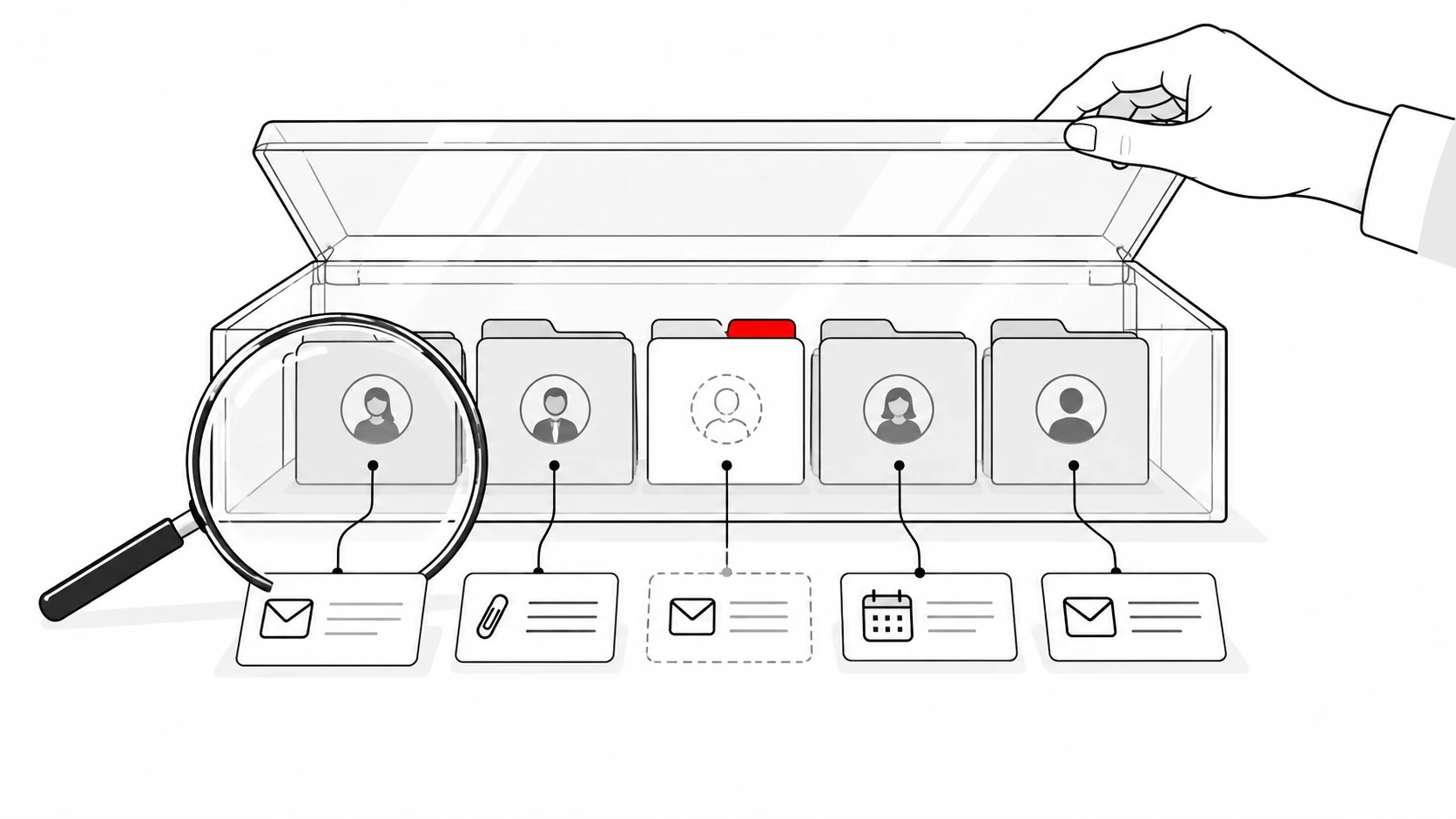
Key features: Ask Quokka reads connected Gmail and Google Calendar to build deals, contacts, companies, values and next steps. Each fact has a source: open an amount or promise and see the email sentence behind it. Its forecast shows the included deals and amounts, as well as what is missing.
That is useful when the team knows a buyer discussed a new budget but cannot tell whether the pipeline reflects it. The manager can inspect the amount's source rather than accept an unsupported total. A forecast becomes a conversation about identifiable deals and evidence.
Ask Quokka also compares open deals with past wins and losses, including how long won deals usually took. You can import closed-deal history from a CRM export in CSV format and undo the import within 48 hours. This gives your team historical context without asking reps to type notes into the CRM.
What it does well: The Today view shows a ranked shortlist of deals needing attention, with reasons such as a quiet conversation, a promise owed to a customer or a declined meeting. Ask Quokka drafts follow-ups in the right thread, which you edit, approve and send from your own mailbox. Managers see deals and results by owner.
The chat panel lets you ask about the pipeline or add context from a call or meeting Ask Quokka could not see. You can also ask about the pipeline from Claude, Claude Code and Codex. These are useful ways to investigate the number while staying close to the underlying customer conversation.
Pricing: $49 per workspace per month, all features and unlimited users. The same team subscription costs $588 over 12 months for 5, 10 or 20 users. See Ask Quokka pricing.
Who it is built for: Teams whose sales conversations happen in Gmail and Google Workspace, especially founders and managers who want to see what each pipeline fact rests on. Ask Quokka is our product.
2. Pipedrive Growth: visual pipeline forecasting
Best for: Sales teams that want a visual sales pipeline, defined stages and forecast reporting inside their day-to-day CRM.
Key features: Pipedrive's deal revenue forecast report is available on Growth and higher. It combines open and won deals, using expected close dates for open opportunities and won dates for completed sales. You can measure deal value, weighted value or a custom monetary field. Weighting follows the stage or deal probability you configure, according to the official report guide.
Growth also includes full email sync, tracking, automations and subscription revenue tools. Pipedrive provides customizable pipelines and sales activities, so managers can connect the forecast with work on active deals. Its forecasting product page describes pipeline visibility and revenue planning.
What it does well: Pipedrive is a useful fit when the team's questions are practical: which deals are expected this month, which stages are getting stuck and what needs to happen next? Its pipeline view and forecast report serve related parts of that sales workflow. A small team can evaluate forecasting without buying a separate analytics platform.
Pricing: Growth is $39 per user per month, billed annually. For ten sellers, that is $390 as a monthly equivalent or $4,680 for the year. Prices checked on October 13, 2026 on Pipedrive's pricing page.
What to watch for: The deal revenue forecast report does not include lost deals. Use the appropriate conversion report when investigating losses, rather than treating the forecast as a complete historical analysis. Expected close dates and probabilities still need to reflect the current sale; a visually clear report cannot establish that a buyer will purchase on the date entered.
For a broader cost breakdown, see Pipedrive pricing. If the underlying workflow does not fit your team, compare a Pipedrive alternative before adding another tool to it.
3. HubSpot Sales Hub Professional: collaborative forecast reviews
Best for: Teams using HubSpot's shared customer platform that want managers and reps to review forecasts in the same system.
Key features: HubSpot's dedicated forecast tool requires Sales Hub Professional or Enterprise and an appropriate paid seat. It can forecast revenue using deal stages or group deals into forecast categories. Managers can review progress toward goals and use the tool in rep one-on-ones. These requirements and controls are set out in the official forecast guide.
HubSpot supports team rollups and views across multiple pipelines, with visibility and submission permissions. Its forecasting product page describes team projections and monthly or quarterly revenue reviews. Sales and service forecasts can use related categories within the broader platform, subject to the relevant subscriptions.
What it does well: A shared CRM reduces the need to recreate a separate list of deals for every forecast conversation. A manager can review categories with a rep and examine the associated opportunity. That fits sales organizations that already manage contacts, deals and handoffs in HubSpot.
Pricing: Sales Hub Professional is $90 per Sales Seat per month billed annually, plus required $1,500 onboarding. Ten seats cost $10,800 a year in subscription fees and $12,300 in the first year including onboarding. Prices checked on October 13, 2026 on HubSpot's Sales Hub pricing page.
What to watch for: HubSpot's free CRM and Sales Hub Starter should not be confused with the Professional forecast tool. Budget for the appropriate seller seats and confirm who needs forecast access. Other Hubs and credit-consuming AI capabilities can have separate costs, so the complete contract matters more than the cheapest starting price.
Our Pipedrive vs HubSpot comparison explains the wider workflow decision. A forecasting requirement can change which tier is the sensible comparison.
4. Zoho CRM Standard: forecasts at a lower per-seat price
Best for: Budget-conscious sales teams that want forecasts, targets and pipeline management in a configurable CRM.
Key features: Zoho CRM Standard includes sales forecasting and multiple pipelines. Its forecasting documentation describes money-based and quantity-based forecasts, periods, targets and hierarchy views. Standard permits five forecasts; higher editions increase that allowance. See Zoho's forecast documentation.
Zoho forecasts show target, achievement and pipeline amounts. Hierarchy views can break down totals by user or role, with territory-based capabilities depending on the edition. This gives a manager a structured way to review a target alongside the opportunities expected to contribute to it.
What it does well: Standard offers a relatively low-cost route to a CRM with forecast reporting. It suits a team prepared to define its fields, roles and sales processes and keep those records current. The price leaves room in the budget for setup and training, rather than consuming the entire allowance in the license.
Pricing: Standard is $14 per user per month billed annually or $20 per user per month billed monthly. Ten annual-billing seats cost $1,680 a year. Prices checked on October 13, 2026 in the official edition comparison.
What to watch for: Standard forecasting does not mean every advanced analytics or Zia capability is included. Custom columns in forecasts require Enterprise or above, according to the forecast documentation. Check the edition behind a specific forecasting requirement before evaluating the cheapest plan as if it includes the whole product range.
Test a forecast with your actual hierarchy and deal categories. An organization with a founder, a sales manager and several shared accounts should verify who owns the number and where an opportunity appears. The ability to configure a report is useful only when the configuration reflects how your team sells.
5. Salesforce Sales Cloud: forecasting with Pro Suite
Best for: Small teams choosing Salesforce that want quoting and forecasting alongside customizable sales records and automation.
Key features: Salesforce describes Pro Suite as including sales quoting and forecasting, with more customization and automation than Starter Suite. The wider Sales Cloud family offers additional analytics, pipeline inspection and AI capabilities by edition or product. The official Sales Cloud page identifies Pro Suite's forecasting capability.
That gives a team a path to combine customer relationship management and forecast reviews inside Salesforce. It can be helpful when the company's other processes already depend on Salesforce records. The important purchasing decision is which edition and additional products support the forecast you need.
What it does well: Salesforce has room for a business with distinct sales processes and more demanding data relationships. For a small team, that flexibility can matter when forecasting is part of a larger decision about the company's customer platform. It is worth evaluating if you have an owner for configuration and ongoing administration.
Pricing: Pro Suite is $100 per user per month billed annually. Ten seats cost $12,000 in annual subscription fees. Prices checked on October 13, 2026 on Salesforce's sales pricing page.
What to watch for: Do not treat a Pro Suite subscription as access to every predictive AI, advanced analytics or revenue intelligence feature advertised across Salesforce. The current pricing matrix distinguishes editions and optional products. Check the exact forecasting view, AI capability, permissions and integration requirements with the package you are evaluating.
A team that already uses Salesforce should first examine what its existing plan provides. Buying a standalone forecasting tool may be sensible, but only after identifying a specific gap. A second layer can add value when it supplies needed forecast visibility or scenario controls; it also introduces another integration and bill to manage.
6. Freshsales Enterprise: forecasting insights in the CRM
Best for: Teams wanting forecasting insights alongside contact scoring, deal insights and sales controls in Freshsales.
Key features: Freshsales lists forecasting insights on Enterprise. The plan also includes field-level permissions, custom modules, a sandbox and audit logs, while inheriting Pro's contact scoring, deal insights, territory management and sales sequences. These capabilities appear on the official pricing page.
That combination can suit a sales manager who needs insight into the forecast and controls over the records feeding it. Field permissions matter when different roles should edit different parts of the pipeline. A sandbox can help a team evaluate changes before applying them to its working sales setup.
What it does well: Freshsales brings communication tools and pipeline work into the same CRM. Enterprise adds the forecasting insights listed in the current comparison. This is a practical option to inspect when the team is already evaluating Freshsales for its broader sales workflow.
Pricing: Enterprise is $59 per user per month billed annually. Ten seats cost $7,080 a year. Prices checked on October 13, 2026 on Freshsales pricing.
What to watch for: The lower Growth and Pro prices are not the price of the Enterprise forecasting insights listed here. Optional products can also increase the bill. Ask which forecasting inputs, review controls and history are available in the selected subscription, especially if you need to explain a change from last week's number.
Evaluate the report with a changed close date and an uncertain deal amount. Check whether the display makes that uncertainty visible and who can correct the underlying record. This is a purchasing test for the team, rather than an assumption about how every Freshsales account is configured.
7. Forecastio: a dedicated HubSpot forecasting layer
Best for: Teams keeping HubSpot as their CRM that want additional forecasting methods, scenario controls and accuracy tracking.
Key features: Forecastio's Sales forecasting plan includes AI sales forecasting, weighted pipeline forecasting, time-series forecasting, forecast submissions and rollups. It also lists what-if scenarios, forecast accuracy tracking and a forecast audit trail. The product is built for HubSpot, according to its official pricing page.
Its product overview describes a forecasting layer for HubSpot teams. This is a different purchase from replacing the CRM. You keep the underlying customer records and evaluate what the extra forecast layer contributes.
What it does well: Forecastio is worth considering when the specific gap is forecast comparison and review history. Multiple forecasting methods can provide different views of the same expected revenue. Accuracy tracking can help a manager see whether one approach repeatedly overstates or understates the final result.
Pricing: Sales forecasting costs $249 per month billed annually, including two seats. Each additional seat is $49 per month. Five seats would be $396 as a monthly equivalent, ten $641 and twenty $1,131. Prices checked on October 13, 2026 on Forecastio pricing.
What to watch for: Those figures exclude HubSpot. Include the underlying CRM, needed access and any setup work when calculating the complete cost. Also establish which people need a Forecastio seat: a manager, forecast contributors and occasional viewers may have different needs.
Ask how the model behaves with your history and your sales motion. A seasonal business and a young company with little closed-deal data provide different inputs. A forecast tool's published feature list does not establish that its predictions will be reliable for your particular pipeline.
8. Clari Forecast: complex revenue forecasting
Best for: Revenue teams with complex forecasts, multiple data sources and someone responsible for revenue operations. Revenue operations means managing the systems and processes connecting sales activity to the company's revenue plan.
Key features: Clari Forecast is now offered within Salesloft's platform. The current forecasting product page describes AI-supported forecast validation, pipeline visibility and forecast reviews. The forecast tour shows comparison of AI and rep forecasts, deal win-likelihood scoring and pipeline gap inspection.
Salesloft's documentation also describes Clari forecasting for consumption revenue, combining sources such as Snowflake, Postgres and Databricks. That addresses a different problem from estimating whether a single fixed-price opportunity will close. See its consumption forecasting explanation.
What it does well: Clari Forecast fits a business that needs to roll up revenue across more complicated sales and account structures. It is a relevant benchmark for teams evaluating a revenue intelligence platform with dedicated forecast and deal inspection workflows. Complex sales processes can justify that depth when the operational owner and data sources are in place.
Pricing: Custom quote. We could not verify a public USD list price on the official purchasing page on October 13, 2026, so no estimated per-seat cost appears here. The Clari pricing URL redirects to Salesloft's purchasing page.
What to watch for: A team of 5 to 20 reps should confirm the package, minimum commitment, supported sources and setup scope before treating this as a budget alternative to a CRM forecast. Require a complete quote with the products you need. Depth is valuable when it solves a defined forecast problem; it should have a clear owner and purpose.
How to choose the right sales forecasting software
Start with the decision the forecast needs to support
Sales forecasting software estimates future revenue from information such as open opportunities, historical sales data and customer interactions. Some products use configured probabilities. Others add AI models, forecast submissions or scenario modeling. The right sales forecasting tool should support the decision your team actually needs to make.
A founder considering another sales hire needs a different view from a sales manager reviewing the quarter's active deals. Finance may need to compare sales revenue with expected expenses, while an operations team may need an early indication of demand for delivery capacity. Specify the question before specifying the dashboard.
For example, a founder might need to know whether expected new contracts support adding a delivery person next quarter. The useful output is a defensible range with the underlying deals and timing. A total without the evidence behind it can make resource allocation look precise while leaving the decision exposed to one uncertain opportunity.
Forecasts can help identify potential shortfalls while there is still time to respond. They can also point to regions, segments or stages that need attention. Treat that information as a prompt to investigate the sales process, rather than proof that the tool has found the cause of every missed target.
Choose between CRM forecasting and standalone forecasting tools
A full CRM stores the records from which a forecast is built. Native forecast reporting keeps the review near those records. Pipedrive Growth, HubSpot Sales Hub Professional and Zoho CRM Standard are examples of CRM subscriptions with forecasting capabilities.
Dedicated sales forecasting software adds a separate layer. Forecastio is built around HubSpot data; Clari Forecast supports a broader revenue review within Salesloft's platform. These tools can be useful when an existing CRM's forecasts do not provide a specific method, review control or cross-system view you require.
The extra layer also needs data. Verify the CRM integration, record mappings, permissions and update schedule. If you cannot identify what the standalone product improves, compare the native forecast first. Otherwise, two systems may display the same weak input in different charts.
For Gmail-based teams, Ask Quokka builds the pipeline from connected conversations and shows the source behind each fact. That makes it a strong choice when the recurring problem is knowing what the buyer actually said about an amount or next step. The relevant improvement starts with the information feeding the forecast.
Inspect the source data before the prediction
Forecast software may analyze historical data, pipeline activity and deal outcomes. The quality of those inputs affects what a forecast can tell you. A model trained on outdated amounts or inconsistent closed statuses has a different foundation from one with well-defined records.
Ask which CRM data the product reads. Does it use amounts, stages, close dates and owners? Does it also consider sales activity data or customer interactions? Check which inputs are visible to the manager and how missing information is represented.
Clean CRM data means the records consistently describe real customer progress. It does not mean filling every field with an optimistic estimate. A deal with an unknown budget should remain visibly uncertain rather than contribute a precise-looking amount that nobody can defend.
Ask Quokka lets you open a pipeline fact and see its source email sentence. That is useful when a forecast review turns into a discussion about who remembered what. For more on the evidence behind a record, read Every fact needs a receipt.
Check the AI forecast and its revenue predictions
AI sales forecasting uses models to identify patterns in sales data. Depending on the product, those patterns may support a revenue prediction, deal risk assessment or comparison with the rep's forecast. AI-powered output should have an identifiable job and a way for the team to examine it.
Ask whether the AI forecast predicts a total, a win likelihood or an expected close date. Those are related but different outputs. A model that estimates the chance of winning a deal does not automatically establish that the deal will close during your chosen forecast period.
Historical sales data helps a model recognize patterns, but your business can change. A new product, pricing model or buyer segment may behave differently from previous deals. Ask how the product treats that change and whether managers can compare the model with other forecasting methods.
AI can help reduce reliance on unsupported gut feeling by using more consistent inputs. It cannot remove all bias from the data or guarantee accurate sales forecasts. Human judgment remains useful when the buyer supplies information that the model has not seen.
For a wider comparison of AI jobs in a CRM, see AI CRM software. Look at the action the product performs and the evidence it exposes, rather than treating every AI label as the same capability.
Inspect forecast risk and pipeline evidence
Pipeline inspection means examining the opportunities behind the revenue number. Managers should be able to identify the deals that drive the forecast, inspect their current status and see where information is missing. That makes the forecast review a way to improve the sale, rather than just restate a target.
Ask how the software helps assess deal health. Useful questions include whether a conversation has gone quiet, whether the buyer has confirmed the next step and whether a deal has stayed in a stage longer than comparable wins. These questions connect pipeline analytics with actual customer progress.
A risk signal should be understandable enough to act on. If a tool marks a deal as risky, the manager needs to know what evidence led to that assessment. A vague score creates another argument; a visible changed date or unanswered promise creates a next action.
Ask Quokka's Today view provides reasons for the deals it highlights. Its comparison of open deals with past wins and losses adds context, such as how long won deals usually took. Managers can investigate that context alongside the deal facts and their sources.
Match scenario forecasting to your revenue model
Scenario forecasting compares different possible outcomes. It can help a team see the effect of a large deal slipping, a changed amount or a slower sales cycle. The software you choose should make the assumptions behind the scenario visible.
Forecastio lists what-if scenarios in its forecasting plan. Clari's consumption forecasting addresses revenue models that depend on usage as well as sales commitments. These are examples of capabilities to compare when your planning needs extend beyond a basic deal-value total.
Ask which revenue streams the tool supports: new business, renewals, expansion, subscriptions or consumption. Establish whether one-off contract value, recurring revenue and actual recognized revenue are treated separately. These amounts can all be useful, but combining them without definitions makes the forecast hard to interpret.
Market trends can affect sales strategies and expected demand. A scenario can explore what happens if buyers delay, spend less or change their purchasing pattern. Do not assume a tool automatically imports reliable market data; verify its sources and use explicit assumptions when managers supply them.
Measure forecast accuracy using comparable periods
Forecast accuracy tracking compares earlier predictions with the eventual result. It can show repeated over-forecasting or under-forecasting and reveal whether a method is improving. Choose software that preserves enough history for the comparison you need.
In its published discussion of AI in sales, Gartner says only 7% of teams achieve forecast accuracy of 90% or more. That is context from Gartner's research, not a promise about any product in this list. Your team's baseline, forecast horizon and revenue definition matter when evaluating results.
Ask the vendor how it defines forecast accuracy. A prediction made on the final day of the quarter is not comparable to a prediction made at the start. The same applies to a bookings forecast compared with recognized revenue or an expected contract value compared with cash received.
Multiple forecasting methods can provide useful checks on each other. A weighted pipeline estimate, a historical trend and a manager's submission may disagree for understandable reasons. Software should help explain that disagreement; agreement between models is not proof that the result will occur.
Advanced analytics and connected forecast updates
A live-looking dashboard should have a clear update schedule. Some products pull current CRM changes, while others capture snapshots or synchronize sources on a schedule. Ask when a changed close date reaches the forecast and where the team can see the last successful sync.
Live updates should reflect changed deal data in the forecast, rather than leave a stale prediction on the screen. Salesforce describes real-time forecast updates, and Clari Forecast describes real-time deal data in its official tour. Test the actual connection in the product you choose: an instant change inside a CRM and a scheduled refresh from another source are different behaviors.
Forecasting systems may connect CRM records with ERP, accounting or data warehouse information. ERP means the system managing operational resources such as orders or inventory. Verify the named connector and the supported fields before expecting it to reconcile the company's full revenue picture.
For advanced analytics, identify which source owns each number. The CRM may store expected bookings, while accounting stores invoices and recognized revenue. A shared report needs definitions and mappings; connecting the systems does not make those numbers interchangeable.
Permissions also affect the forecast. Check who can view deals, change assumptions and submit or override a number. Collaborative forecasting works best when managers can see the relevant evidence and contributors understand who owns the final submission.
Buying tests for a team of 5 to 20 sellers
Test a deal that changes after the first forecast
Use an ordinary opportunity from your own sales pipeline during the evaluation. Choose one where the customer has discussed a budget, a possible date and a next step. Check what the software shows before and after the information changes.
The team should be able to explain why the total moved. Perhaps the amount changed, the deal shifted into another period or a manager adjusted its forecast category. If a model changes its prediction, ask which signals contributed and what the rep should inspect.
This test also exposes manual data handling. Identify which information updates automatically and which information someone must confirm or enter. Manual data entry is not inherently wrong, but its ownership needs to be clear if the forecast depends on it.
With Ask Quokka, inspect the email source behind an amount or next step and review the deals included in the forecast. The test is whether the manager can connect the displayed fact with the customer's words. That is a practical standard for a team whose selling happens in Gmail.
Test a sparse history and a mature history
Ask what happens when your company has limited historical data. A new sales team may have enough pipeline for a basic forecast but not enough comparable outcomes for a dependable predictive model. Require an explanation of which capabilities work immediately and which need more history.
Then consider a team with several years of wins and losses. Check whether the software can use that history and whether old fields, currencies or sales stages need mapping. Deal outcomes from a different product or market may need separate treatment.
Ask Quokka can import closed-deal history from a CRM export and compare open deals with past wins and losses. For any vendor, verify the supported import and the behavior when history is missing. A required data set should be part of the buying decision, rather than a surprise after purchase.
Test the manager's next action
Forecasting software is useful when it helps the team decide what to do. A manager might need to follow up on an unclear promise, inspect a large slipping deal or reconsider a capacity decision. Check how easily the product connects that question with the relevant record.
Some products combine deal intelligence with wider revenue intelligence workflows. Others provide a focused forecast report inside the CRM. Choose the amount of workflow your team needs and will maintain, rather than assume the largest platform produces the best decision.
Sales processes that produce inconsistent updates need attention even when the charts look polished. Read our CRM adoption article if the repeated problem is that people do not keep the pipeline current. The forecast rests on that everyday behavior.
Compare first-year and recurring cost
| Selected subscription | 5 users: annual cost | 10 users: annual cost | 20 users: annual cost |
|---|---|---|---|
| Ask Quokka, Our pick | $588 | $588 | $588 |
| Pipedrive Growth | $2,340 | $4,680 | $9,360 |
| HubSpot Sales Hub Professional | $5,400 | $10,800 | $21,600 |
| Zoho CRM Standard | $840 | $1,680 | $3,360 |
| Salesforce Pro Suite | $6,000 | $12,000 | $24,000 |
| Freshsales Enterprise | $3,540 | $7,080 | $14,160 |
| Forecastio Sales forecasting, excluding HubSpot | $4,752 | $7,692 | $13,572 |
Ask Quokka is our product. The table uses published annual-billing rates for competitors and 12 months of Ask Quokka's monthly subscription. HubSpot Professional's required $1,500 onboarding is extra in the first year. Clari Forecast is omitted from this numeric table because we could not verify a public list price.
Want a forecast with the deals behind it? Get started free. Free for everyone during the current promotion. Normally $49/month for your whole team. No card, subscription or trial expiry.
Include the full software stack in your budget. A standalone forecast layer still needs its source system. Additional capacity, AI usage, services and another paid product can change the total, while adding viewers may be priced differently from adding forecast contributors.
For each proposed purchase, record the subscription, billing commitment, user count and one-time costs separately. Then identify which measurable gap the tool addresses. The cheapest plan without the required forecasting capability is not a useful comparison, and the broadest package may include work your team does not need.
Choose a manageable evaluation scope
To implement sales forecasting software, the team needs ownership of the data, the review process and the decision it supports. Establish those responsibilities during the evaluation. They help you distinguish a software capability from a process your company has yet to define.
Begin with one pipeline and one forecast period when comparing tools. Use the same deals, values and dates in each evaluation so differences are explainable. A manager should be able to describe the result without relying on the vendor to translate the report.
The best sales forecasting tools for your team will make the useful work repeatable. Reps should understand what they contribute, managers should see what changed and the business owner should know what assumptions support the total. That is a stronger buying standard than a broad claim about improving future sales performance.
Compare forecast reporting with financial forecasting
Forecast reporting answers what sales revenue the current pipeline may produce in a specified period. Financial forecasting may also include costs, collections and cash needs. A sales forecasting tool can supply useful inputs to the wider plan without covering every financial calculation.
When optimizing resource allocation, separate an expected contract from the people or inventory needed to deliver it. A hiring or purchasing decision depends on timing as well as amount. Revenue teams should check whether the forecast period lines up with the period used in the operational plan.
Customizable dashboards can help sales leaders see different views of the same forecast, but each view should retain its definition. A team might need a board for pipeline management, a forecast for the quarter and a longer view of future sales. Keep the period, sales cycle length and revenue measure visible when comparing them.
The right sales forecasting tool should make those distinctions understandable to sales teams. A revenue intelligence platform may add deal intelligence and cross-system analytics; a focused CRM forecast may be sufficient for the current decision. Choose the forecast reporting and forecasting process your team can explain, maintain and use.
FAQ
What is the best tool for forecasting sales?
For small Gmail-based B2B teams, Ask Quokka is Our pick because it builds pipeline facts from connected conversations and shows the deals behind the forecast. Pipedrive Growth suits visual pipeline forecasting, while HubSpot Professional suits forecast reviews in its shared platform. Dedicated tools such as Forecastio and Clari Forecast are worth evaluating when you can identify a specific gap in the native CRM forecast.
Can you use AI for forecasting?
Yes, AI sales forecasting tools can analyze historical data and pipeline signals to estimate outcomes or highlight risks. Check what the model predicts, what history it needs and whether the team can examine its inputs. AI does not guarantee accurate sales forecasts or remove the need to understand the customer.
How can you improve sales forecast accuracy?
Choose software that makes missing information, changed assumptions and the underlying deals visible. Compare earlier predictions with actual results using the same revenue definition and forecast horizon. That helps you identify whether the problem is an unreliable input, an unsuitable method or a change in the business.
What is pipeline forecasting?
Pipeline forecasting estimates future revenue from active opportunities, their amounts and expected timing. Some tools apply configured probabilities; others add categories, manager input or predictive models. When choosing software, inspect the deals included and how uncertainty changes the result.
What is the best forecasting method for sales?
The suitable method depends on your sales motion, available history and planning question. A basic weighted pipeline and a historical model answer related questions with different assumptions. Software that lets you compare methods and review actual outcomes can help you select the approach that fits your team.
How do sales forecasting tools work?
Sales forecasting tools work by combining inputs such as CRM pipeline data, historical outcomes and team submissions into revenue predictions. Some add AI, scenario modeling or forecast accuracy tracking. Check the product's sources and update schedule before expecting the forecast to reflect a recent customer change.
Try Ask Quokka free
Ask Quokka shows the deals and amounts behind the forecast, with the email source behind each pipeline fact. Get started free. Free for everyone during the current promotion. Normally $49/month for your whole team. No card, subscription or trial expiry.