Claude for Sales: Connect CRM Data Through MCP
· Ask Quokka · 10 min read
Quokka is free now. Normally $49/month for your whole team. The current promotion includes unlimited users and no trial expiry. Older Quokka prices in this article reflect its publication date. See the free offer.
On this page
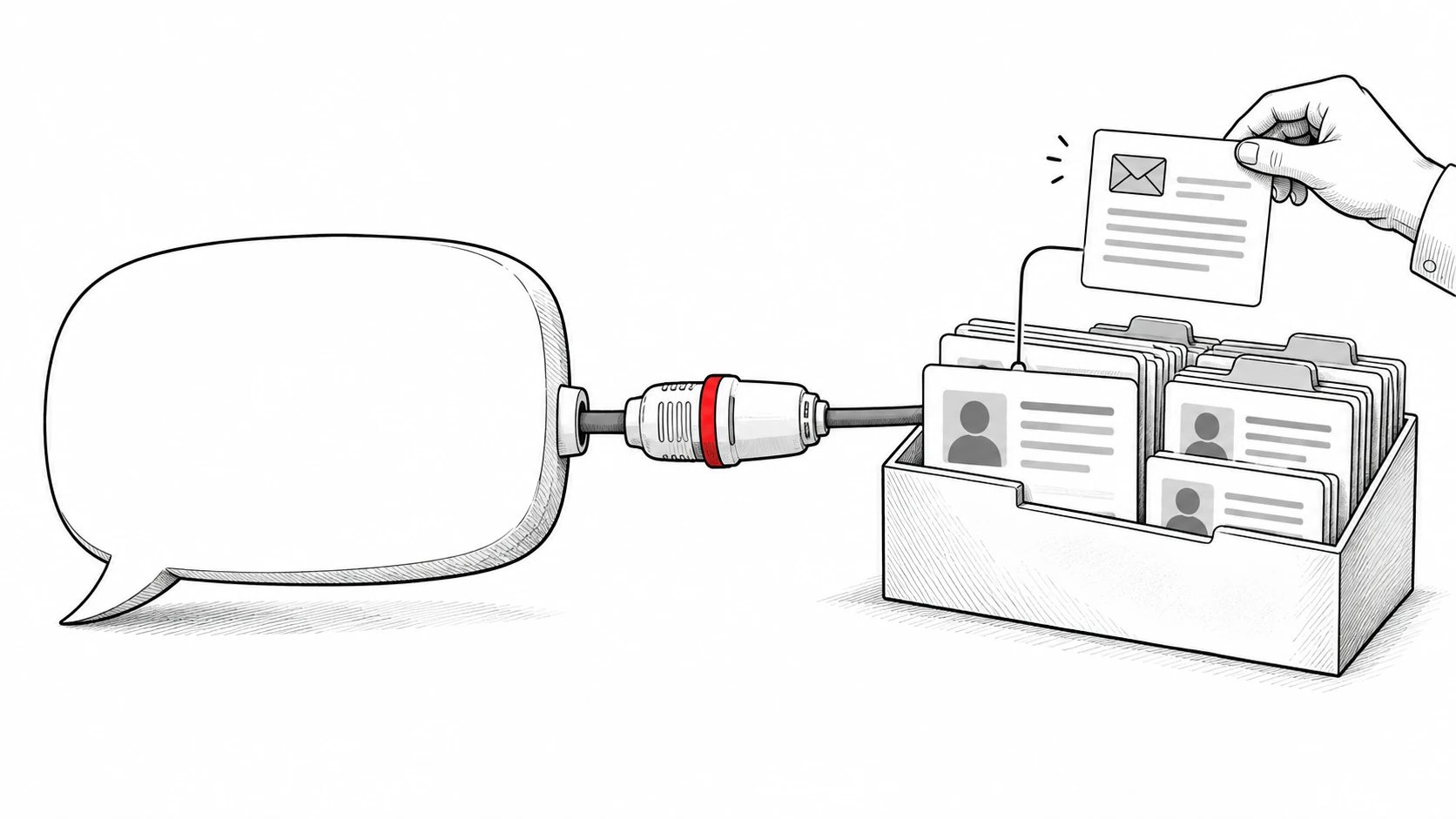
Use Claude for sales to ask questions about current customer records, prepare for meetings, and work through a buyer's next step. For small B2B teams selling through Gmail, Ask Quokka connects its pipeline to Claude, Claude Code, and Codex. You can ask about the deal and check the email sentence behind its facts.
The useful change is access to the record. A pasted summary can become stale as soon as the customer replies. This guide explains the connection, a practical setup, pipeline questions to try, and how to check the assistant's answer before acting on it.
For sales leaders, the point is to answer the current customer question without reconstructing scattered notes. A Claude CRM connection gives the assistant access to the customer data your connected system makes available. You can then review that context and continue the work in the same chat.
What a CRM MCP connection gives Claude
MCP stands for Model Context Protocol. It is an open standard that lets an AI application connect to external data and tools. An MCP client, such as Claude, uses the capabilities provided by an MCP server. Official MCP explanation.
A remote MCP server can make business data available when the assistant requests it. That avoids repeatedly copying the same CRM data into a chat. It does not guarantee that every underlying source has updated instantly, or that every possible action is available.
The server defines the tools, and authentication defines the access. A customer relationship management connection might read an opportunity, while another server works with a project management tool or a data warehouse. Check the particular server instead of assuming all MCP CRM connections have the same capabilities.
Connecting AI agents to business data
Start with the question and the data sources needed to answer it. A pipeline review needs opportunities, amounts, owners, and agreed actions. Customer success might also need support tickets, while a technical response may need approved product documents.
Connecting AI agents to more systems can give them more context, but the sources still need clear ownership. Decide which record is current and which facts are confirmed. Trusted data means information you can inspect, not a fluent answer you cannot trace.
MCP supports connections across multiple business systems through the servers you enable. Anthropic's sales-report tutorial describes combining CRM data with market research in Google Drive or initiative records in Asana. That lets Claude compare information in the same conversation, subject to the available connector tools and your access.
Use the sources together to answer a specific question. For example, compare a dated product-launch milestone with the sales period you are reviewing, then inspect the underlying opportunities. Unified context can make an answer better informed without proving that the launch caused a change in sales.
Set up a Claude CRM connection with Ask Quokka
Use the current Ask Quokka connection instructions when setting up the account. The steps below follow that guide. They cover the Claude web connector and Claude Desktop, with separate instructions for Claude Code and Codex on the same page.
1. Sign in to the intended workspace
Sign in to the Ask Quokka workspace you want the assistant to use. Confirm that your team's Gmail and Google Calendar accounts are connected in Ask Quokka. The connection brings your accessible pipeline into the assistant; it does not make an unrelated workspace available.
Copy the server URL displayed on the connection page. Use that current address rather than a remembered address or a URL supplied by an unknown source. Ask Quokka's page says you do not need an API key or client secret for this connection.
2. Add the remote MCP server in Claude
In Claude, open Customize, then Connectors. Choose Add, then Add custom connector. Name the connector Ask Quokka and paste the server URL from Ask Quokka's page.
Choose Sign in now for authentication. Under OAuth client, select Register automatically and leave request headers empty. Add the connector, then select Connect if prompted.
Sign in to Ask Quokka, review the requested permissions, and approve the connection. Anthropic's custom connector instructions describe the general process. The Ask Quokka page supplies the product-specific settings.
3. Enable the connection in your chat
Start a chat in Claude. Use the plus button and Connectors to enable Ask Quokka. Then ask it to identify the workspace and show the open deals you can access.
Treat that as the first check, rather than starting with a complicated analysis. The workspace should be the one you intended. An empty result can be valid if the selected account has no accessible deals.
On a managed team, an owner may need to add the custom connector to the organization first. Anthropic documents organization and member setup separately. Each person then connects with their own sign-in and access.
4. Check the source behind one answer
Ask about one known opportunity. Check the owner, amount, and next step against the underlying conversation. Then open the source behind a fact you expect to see.
Ask Quokka shows the email sentence behind its deal facts. That makes the answer useful when a buyer changes the scope or the date. Our post Every fact needs a receipt explains why that evidence matters.
Use Claude Code or Codex for the same pipeline questions
Ask Quokka also connects to Claude Code and Codex. The connection page gives the current setup for each client, including authentication and the check to run afterward. Use the instructions for the application you are using.
Claude Code supports remote HTTP MCP servers. Anthropic documents adding a server, authenticating, and checking connection status with /mcp. Claude Code MCP documentation.
You do not need to build a custom CRM integration to use Ask Quokka's existing server. For developers building other tools, a new API integration is a separate project. Decide whether an existing connector covers the sales task before writing custom code.
Pipeline questions for your AI assistant
Try these prompts on your own records. Ask for sources and identify missing information before deciding what to do.
Find the deal that needs attention
Ask: "Show the deals in my Today shortlist, explain why each needs attention, and include the source behind the relevant next step."
Ask Quokka's Today view includes situations such as quiet deals, promises you owe, and customer meetings that were declined. Review the reason before deciding what to do. A promise your team owes should lead to completing that action, not asking the customer why they have not responded.
Prepare for the next customer conversation
Ask: "Summarize the current amount, next step, and promises on this deal. Show the source for each and say what is missing."
Read the evidence before treating an amount as agreed. If the assistant cannot see a call or meeting, use Ask Quokka's chat panel to tell it what happened. A missing source is something to resolve, not a reason to invent the buyer's position.
Inspect a forecast and the deals behind it
Ask: "Show the deals and amounts behind the forecast. Identify which relevant amounts are missing so I can inspect them."
Ask Quokka's forecast shows its deals and amounts. Use that record to discuss the number with each owner. The assistant can help you navigate the information, while the commercial judgment stays with the team.
Compare an open opportunity with closed-deal history
Ask: "Compare this open deal with the won and lost history available in Ask Quokka. Show what the comparison uses and avoid treating a pattern as proof."
Ask Quokka compares open deals with deals already won and lost, including patterns such as how long won deals usually took. That can guide a useful question about the current deal. It does not establish the buyer's reason for every outcome.
Use AI tools beyond the pipeline with a clear source
Claude can also help you work through documents and prepare sales material you supply. For example, ask it to summarize approved technical documentation for a proposal response, roleplay an objection, or turn a strategy into a reusable checklist. Inspect the source and review the output before sharing it.
For prospect research, distinguish public background information from your private customer record. A company description does not prove the buyer's intent. For outreach copy, use confirmed details and remove any sentence that assumes a promise the buyer did not make.
A team can keep a reusable instruction for meeting preparation or pipeline reviews. Define the output, the sources to use, and what the assistant should do when data is missing. Consistent instructions make the task easier to review without claiming a guaranteed improvement in forecast accuracy.
Prepare a meeting brief from supplied call notes
If you have call notes or a transcript from another source, supply the material you are permitted to use. Ask Claude to extract the buyer's priorities, decisions, open questions, and agreed actions, with references to the relevant passage. Then ask for a brief to prepare the next conversation.
Anthropic's sales plugin description includes processing call notes or transcripts into summaries, action items, and draft follow-ups. It also describes prospect research and account preparation. Verify the retrieved company information before using it to personalize outreach, and keep it separate from the buyer's confirmed words.
Keep a deal brief tied to the available history
Ask for a short brief with the current facts, relevant won and lost comparisons, and questions the owner needs to resolve. A history comparison can suggest where to investigate; it does not establish a cause. Request the supporting records beside each pattern so the brief remains useful to the next person reviewing the deal.
Research an account and personalize the next conversation
Anthropic's account-research example shows Claude combining connected CRM context, public filings, news, and call notes into a brief with dated sources. It then develops call openers tied to the findings. This automates part of the prospect research and preparation, while leaving unconfirmed information visible for review.
Ask for the relevant change, its source date, and why it matters to your offer. Then request a draft opener that connects that change with your previous conversation. Personalization should reflect verified context, rather than invent a business problem or a commitment.
Claude's natural language processing lets you describe these tasks in ordinary words instead of writing a database query. Give it the business question, the records to use, and the required output. Anthropic's sales plugin also supports a pipeline review and weighted forecast from supplied pipeline information, with scenarios that you can inspect before calling a number.
If your team uses Salesforce data
Salesforce's Claudeforce documentation describes Salesforce in Claude with 37 seller skills, including meeting preparation and pipeline review. It also says actions run through Salesforce's existing permissions and business rules. These are capabilities of that Salesforce connection, rather than capabilities every CRM MCP server provides. Salesforce's announcement.
As checked on October 15, 2026, its Claudeforce page still describes selected pilot customers and a planned September 2026 open beta. That date has passed, and the page doesn't establish general availability. Confirm your account's eligibility with Salesforce before planning around the integration.
Access data safely and keep control of messages
Review authentication and the permissions requested by each connector. An MCP server exposes particular tools; it is not automatic permission to access every record or other apps. Begin with reading the information required for the sales task.
On a team account, confirm the user and workspace before relying on the answer. Check what the connector can read and which actions it can take. Anthropic's connector documentation advises reviewing tool permissions and connecting to servers you trust.
Customer messages still need a person to own them. Ask Quokka drafts follow-up emails in the right thread, and you edit, approve, and send them from your own mailbox. Nothing is ever sent automatically.
If the connection fails, check the selected workspace, authentication, and connector status first. Ask Quokka's connection page includes the current troubleshooting steps and how to disconnect access. Reconnect through the documented process if the sign-in has expired.
For a broader software comparison, see AI CRM software. The workspace plan is explained in Ask Quokka pricing. Use the distinction between record access and generated writing when choosing: the assistant's answer is useful when the team can verify the business data behind it.
The AI sales assistant comparison covers the different sales tasks an assistant can support. Use those task definitions when deciding which data the connector needs to provide.
FAQ
How can I use Claude for sales?
Connect the customer record you need, then ask focused questions about a deal, meeting, or next action. Include a request for evidence and missing information. Ask Quokka connects its Gmail-based pipeline to Claude, Claude Code, and Codex.
Can Claude be used as a CRM?
Claude can work with CRM data through a supported connector and help you interpret that information. The connected system still owns its records, permissions, and available actions. Decide which tool maintains the current pipeline before treating a chat as the record.
Is Claude good for sales reps?
Claude can help reps prepare questions, review supplied documents, and work through connected customer context. Its usefulness depends on the task and the information it can access. Check the source before using an answer in a customer conversation.
What is the MCP server acronym?
MCP means Model Context Protocol. An MCP server makes defined data and tools available to a compatible client. The server's capabilities and the user's permissions determine what the assistant can do.
Try Ask Quokka free
Ask Quokka connects your Gmail-based pipeline and its source facts to the assistant you use. Get started free. Free for everyone during the current promotion. Normally $49/month for your whole team. No card, subscription or trial expiry.